




Tenorshare 4DDiG Free Download: Best Data & File Recovery Tool


Quick Answer: You can safely download Tenorshare 4DDiG 10.8.0.15 to get back deleted files from your computer or an external drive. The offline installer for Tenorshare 4DDiG works well on Windows 11 and takes less than two minutes to install. With the free version, you can scan and preview lost data, but you’ll need to upgrade to recover larger files.
Introduction
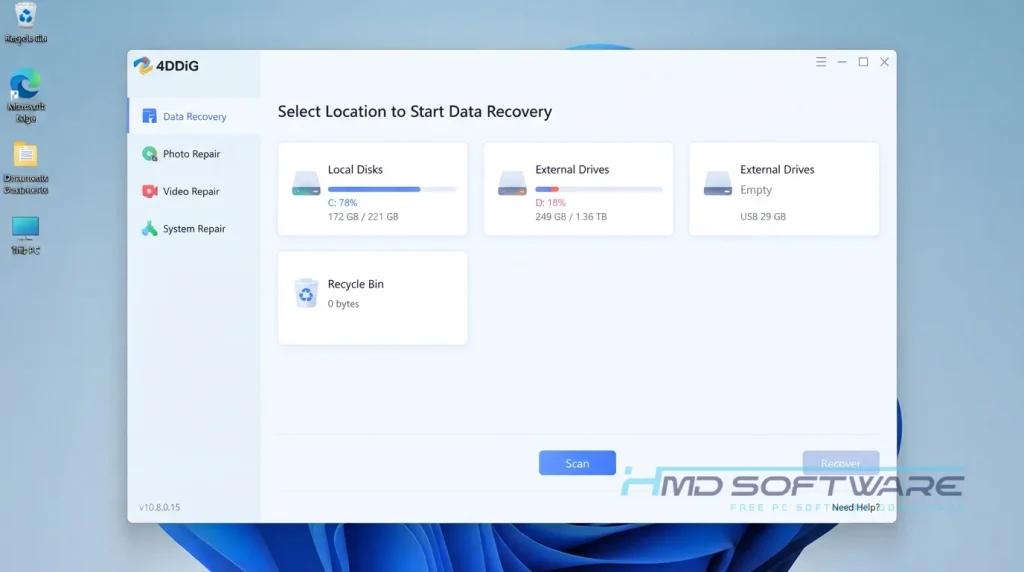
Tenorshare 4DDiG is a tool that helps you recover lost files. If you deleted something from your recycle bin by mistake or lost your photos after you formatted a drive, Tenorshare 4DDiG scans your computer to find what is missing.
Content creators, students, and IT professionals use it because it works even when Windows’ built-in tools do not. The latest version, Tenorshare 4DDiG 10.8.0.15, offers faster scanning and improved AI-powered file repair. If you have lost a document or have a corrupted folder, this download gives you a good chance of recovering your files.
What is Tenorshare 4DDiG?
Tenorshare 4DDiG Windows Data Recovery is a file recovery tool developed by Tenorshare Co. Ltd. that retrieves lost, formatted, or corrupted files from local drives and external storage.
It runs natively on Windows and macOS under a freemium license. It is widely used to salvage data after system crashes, virus attacks, or accidental deletions.
What Does Tenorshare 4DDiG Do?
This software scans your hard drive to recover files you thought were gone forever. You might use it as a photo-recovery tool when an SD card gets corrupted right after a shoot. If a sudden power outage crashes your PC and corrupts your raw drive files, the 4DDiG data recovery engine pieces those broken fragments back together.
Unlike basic undelete tools, it can handle serious data loss situations. You can use it to recover data from formatted drives, lost partitions, or corrupted videos. It supports over 2,000 file formats, so whether you are missing a .doc file or a large .mp4 video, the program can find and recover it.
How Does Tenorshare 4DDiG Work?
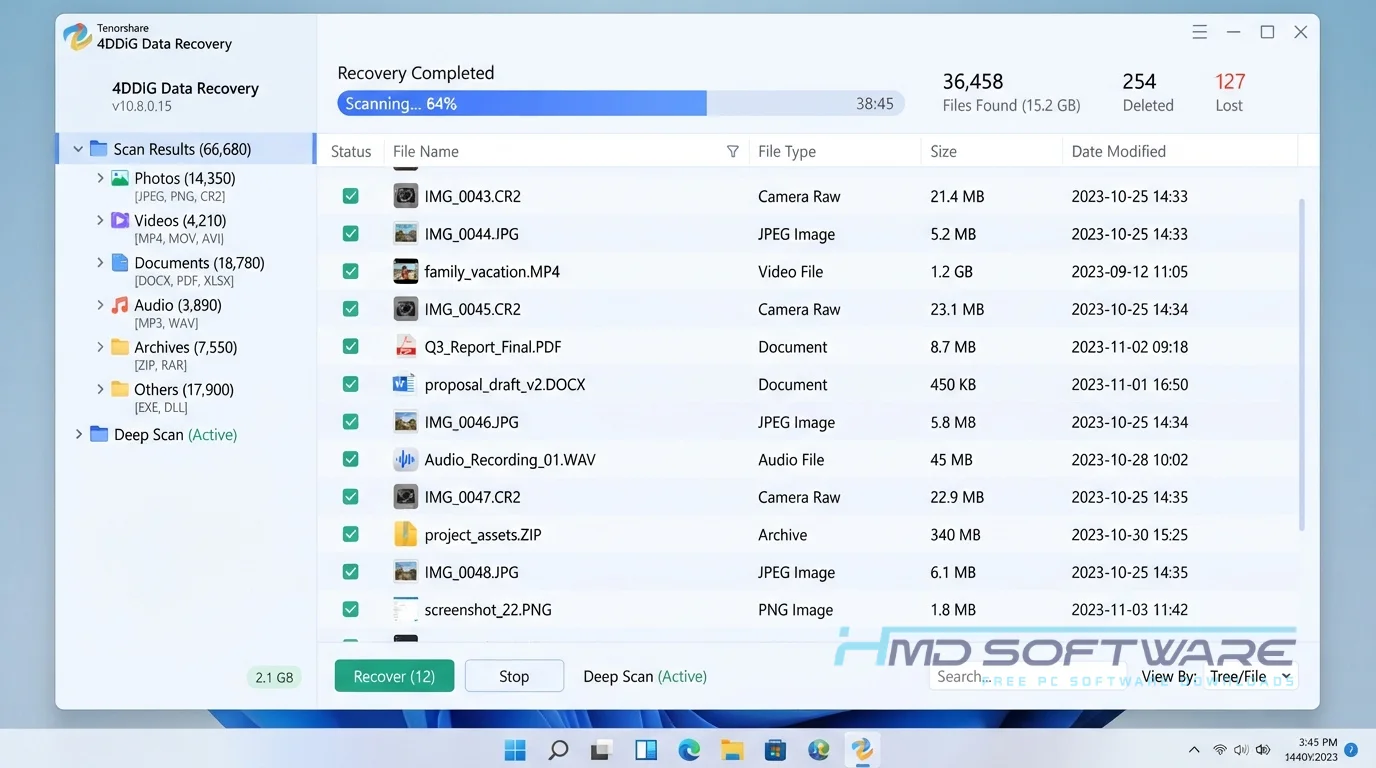
The application works by bypassing your normal operating system file structure and scanning the physical sectors of your storage drive. When you delete a file, Windows removes the pointer to it; the actual data remains until it gets overwritten. Tenorshare 4DDiG 2026 hunts down those invisible data remnants.
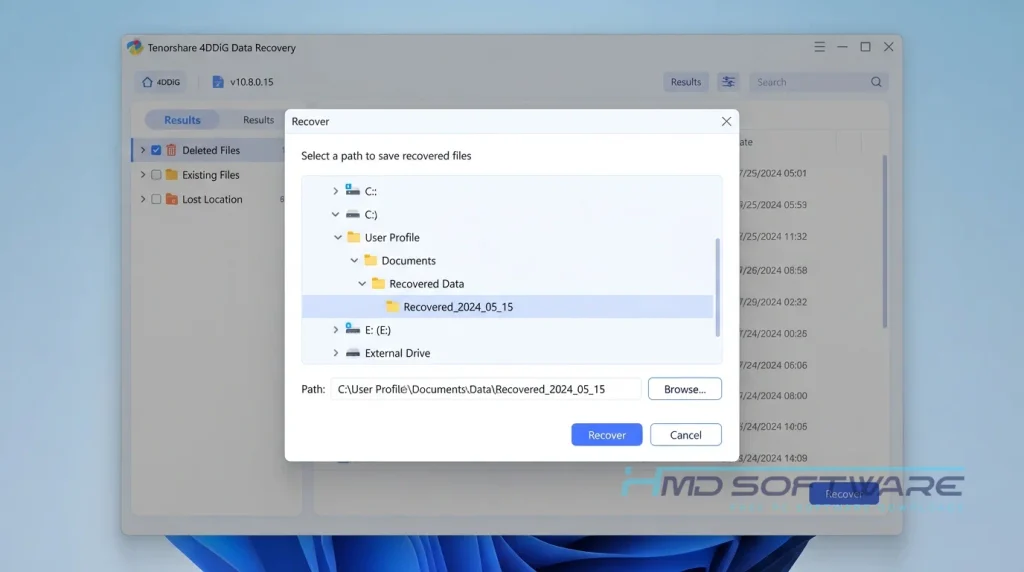
It is built for beginners with no tech experience. You pick a drive, choose a quick or deep scan, and let the software map out everything it finds. You can then preview the discovered files visually before deciding exactly which ones to restore.
Key Features of Tenorshare 4DDiG
Here is what gives this utility such a high recovery rate across different storage devices.
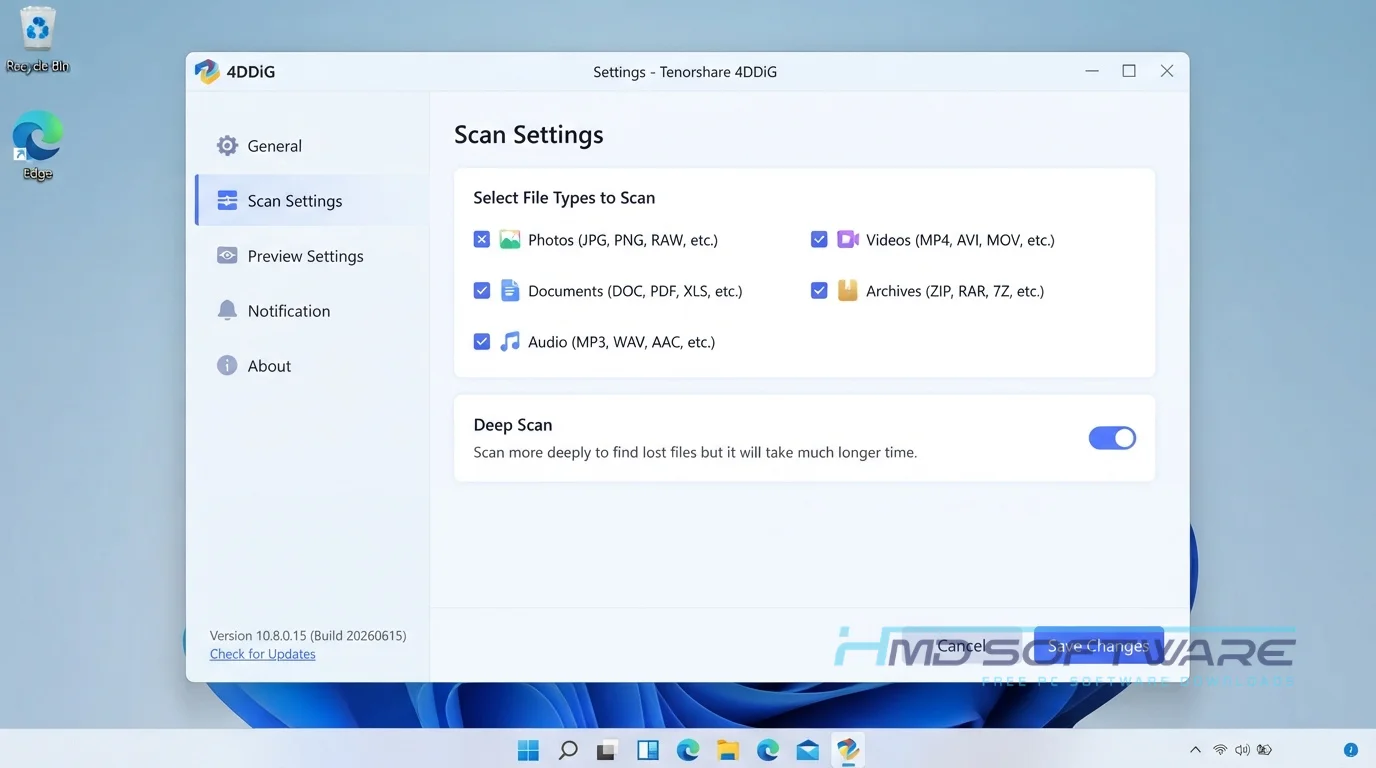
- Deep Scan Engine: Penetrates formatted or corrupted storage devices to recover files that standard tools miss.
- AI-Powered File Repair: Automatically fixes corrupted photos and unplayable videos during recovery.
- Broad Format Compatibility: Recognizes over 2,000 file types, so it works for everything from simple .jpg files to complex raw video formats.
- Real-Time File Preview: Lets you view documents and media in the interface before you recover them, which saves time and storage space.
- Flexible Platform Support: Offers dedicated versions for Mac and Windows 11, so you can rely on it across different platforms.
- Safe Recovery Mode: It has a recovery mode that helps me recover deleted files without damaging my computer’s storage.
Pros and Cons
Pros
- The recovery rate for recently deleted files is exceptionally high.
- The visual preview feature stops you from wasting time restoring the wrong documents.
- It handles external hard drive recovery without crashing during long scans.
- The interface is incredibly clean and intuitive for beginners.
Cons
- Deep scans on massive HDD drives can take several hours to complete.
- The 4DDiG free download restricts you from recovering large amounts of data without paying for a premium license key.
How To Download Tenorshare 4DDiG
Getting the safe offline installer onto your machine takes just a minute if you follow these steps.
- Close any programs currently writing data to the drive you want to recover.
- Search for the Tenorshare 4DDiG download on a trusted site to avoid modified files.
- You can find a safe, verified download link on HMD Software, a reliable platform for PC software downloads.
- Choose the specific setup exe for your operating system.
- Save the 100 MB installer file to a completely different drive from the one where you lost data.
- Avoid downloading from piracy forums, as those setups often contain malware that destroys the data you are trying to save.
How To Install 4DDiG Step by Step
Setting up the software correctly is vital for protecting your lost files.
- Locate the downloaded 4DDiG setup exe in your folder and double-click it.
- Accept the Windows administrative prompt to allow the installer to run.
- Read and agree to the standard Tenorshare end-user license agreement.
- Choose your installation path, but never install it on the drive containing your lost files.
- Wait about a minute for the offline installer to unpack the core recovery tools.
- Click Finish to launch the program and start your first free data scan.
System Requirements
You do not need a high-end gaming PC to run this file recovery tool, but having extra memory definitely helps speed up deep scans on large external drives. Check these official 4DDiG system requirements before you begin scanning to ensure the software processes your corrupted files smoothly without causing any system freezing.
| Requirement | Minimum | Recommended |
| Operating System | Windows 7 (64-bit) | Windows 11 (64-bit) |
| RAM | 512 MB | 4 GB or more |
| Storage | 200 MB | 500 MB free space |
| Processor | 1 GHz CPU | Intel Core i5 or higher |
| Internet | Required for activation | Optional for offline scans |
| Additional | Administrator privileges | Separate drive for recovery |
Is Tenorshare 4DDiG Safe To Download?
Yes, Tenorshare 4DDiG is completely safe to download and install. It is a legitimate, digitally signed application developed by Tenorshare, a recognized software company. The official installer is free of adware, hidden browser extensions, and malware.
Because data recovery software requires deep system access, you must only download the official version. Getting a cracked 4DDiG offline installer from a random forum is incredibly dangerous, as those modified files often carry ransomware that will permanently lock your remaining data.
Best Alternatives To Tenorshare 4DDiG
If you want to compare options before running a scan, these are the best alternatives currently available.
- Wondershare Recoverit: A highly polished competitor that excels at repairing heavily fragmented video files, though it is slightly more expensive.
- Recuva: An excellent choice for basic, lightweight file recovery, offering a completely free tier for casual users without aggressive paywalls.
- EaseUS Data Recovery: A powerful tool with similar deep scanning capabilities and a very user-friendly wizard interface for absolute beginners.
Conclusion
Tenorshare 4DDiG 10.8.0.15 is a tool for getting back deleted files. If you have an SD card or you accidentally formatted your hard drive, you can try the free trial to see what you can recover.
The clean interface and visual preview make data recovery easier. Use the direct download link above to install it safely and start recovering your files.
Frequently Asked Questions
Is Tenorshare 4DDiG free or paid?
While you can download the application for free, it operates on a freemium model. The 4DDiG free version lets you run complete deep scans and visually preview your lost files to verify they are still intact.
Some older promotions offered a 2GB recovery limit. Still, typically, if you want to restore and save large amounts of data to your computer, you must purchase a premium license key.
Does 4DDiG work on Windows 11?
You can get Tenorshare 4DDiG for free. It is not totally free. It has a version that lets you scan your computer deeply and see what files you lost.
Whether you are running the standard 64-bit setup or installing it on an older Windows 10 machine, the scanning engine performs flawlessly without triggering false alarms in Windows Defender.
What is the latest version of Tenorshare 4DDiG?
The current stable version for desktop users is Tenorshare 4DDiG 10.8.0.15, released as part of the major 2026 update. This version includes a much faster AI-powered scanning feature that greatly reduces the time needed to scan large hard drives.
Keeping your software updated ensures you get the highest possible recovery rate for modern file formats and corrupted media.
Can 4DDiG recover permanently deleted files?
Yes, it can absolutely recover permanently deleted files, provided they have not been overwritten. When you empty the Windows recycle bin or use the Shift+Delete shortcut, your computer marks that storage space as available.
As long as you do not overwrite that exact physical sector on your hard drive with new data, the 4DDiG offline installer can locate the original file signatures and restore them perfectly.
Latest Posts:
- Microsoft Office 365 Enterprise Free Download: Full Offline Setup
- Macrium Reflect Rescue Free Download: Bootable WinPE ISO Setup
- JPLAY Femto Free Download: Bit-Perfect Audiophile PC Player
- Milestone XProtect Corporate 2025 Free Download: VMS Setup for PC
- Microsoft Office 2010 Pro Plus Free Download: Full PC Setup