




SyncBreeze 2026 Free Download: Safe File Sync & Backup Tool

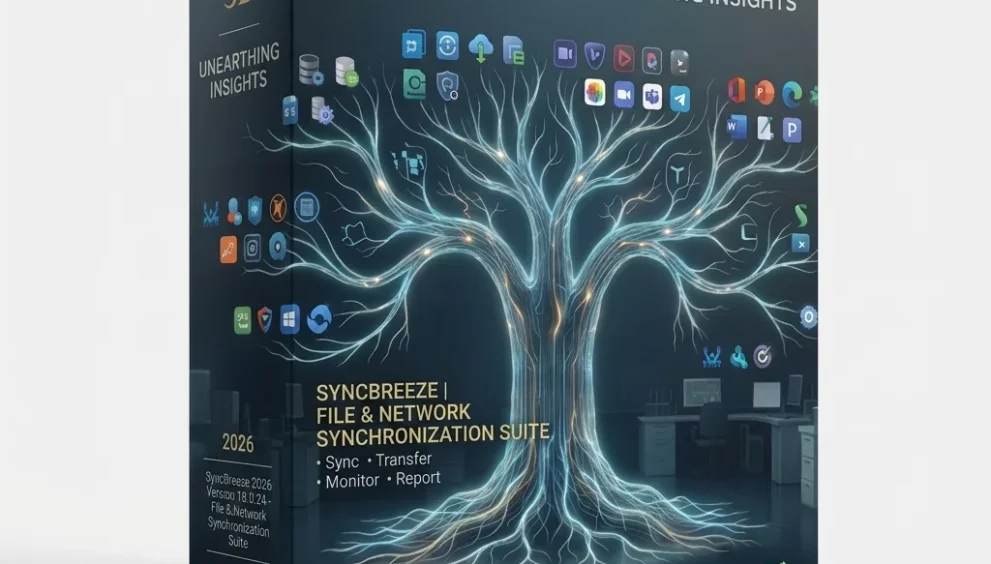
Quick Answer: You can safely download the SyncBreeze 2026 free version or trial to handle fast, bit-level file synchronization across local drives and network shares. The 18.0.24 setup runs perfectly on Windows 11 and takes about a minute to install. It gives you a highly visual, color-coded way to sync massive folder structures easily.
Introduction
SyncBreeze 2026 does a better job at file synchronization than most built-in Windows tools. IT professionals and home lab users often rely on it to back up NAS devices or keep large photo libraries mirrored across several hard drives.
If you are tired of slow transfers when moving gigabytes of data, this download solves the problem. The SyncBreeze 18.0.24 release introduces tighter Windows Server 2025 compatibility and faster processing for deep folder paths.
It is one of the most reliable ways to set up automated file syncs without messing with complicated batch scripts.
What is SyncBreeze?
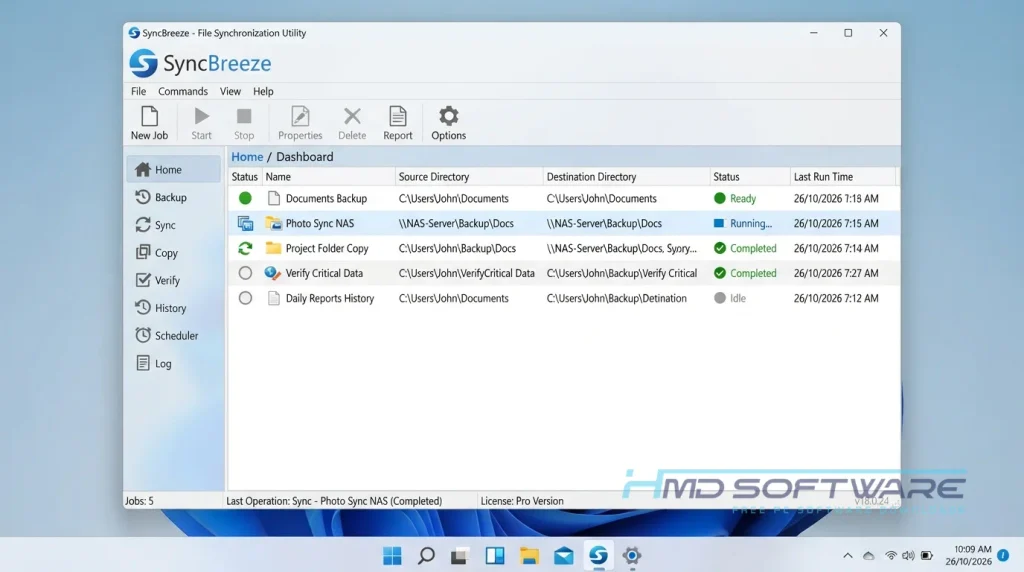
SyncBreeze is a specialized file synchronization software tool developed by Flexense Computing Systems Ltd. Its core function is to analyze, sync, and mirror files between local hard disks, network shares, and enterprise storage systems.
It is available for Windows desktop and server environments under a freemium license, offering both a feature-limited free tier and advanced commercial editions.
What Does SyncBreeze Do?
This software compares two directories and updates them so they match exactly. You can set it up as a one-way and two-way sync tool, depending on your needs. A photographer might use the one-way mode to automatically push new raw images from a laptop to an external drive.
An office administrator might use the SyncBreeze Server edition to sync departmental folders between two different Windows servers over a local network. Rather than unthinkingly copying everything, it scans for bit-level changes. It only moves the files that were modified since the last sync, saving a massive amount of time for large operations.
How Does SyncBreeze Work?
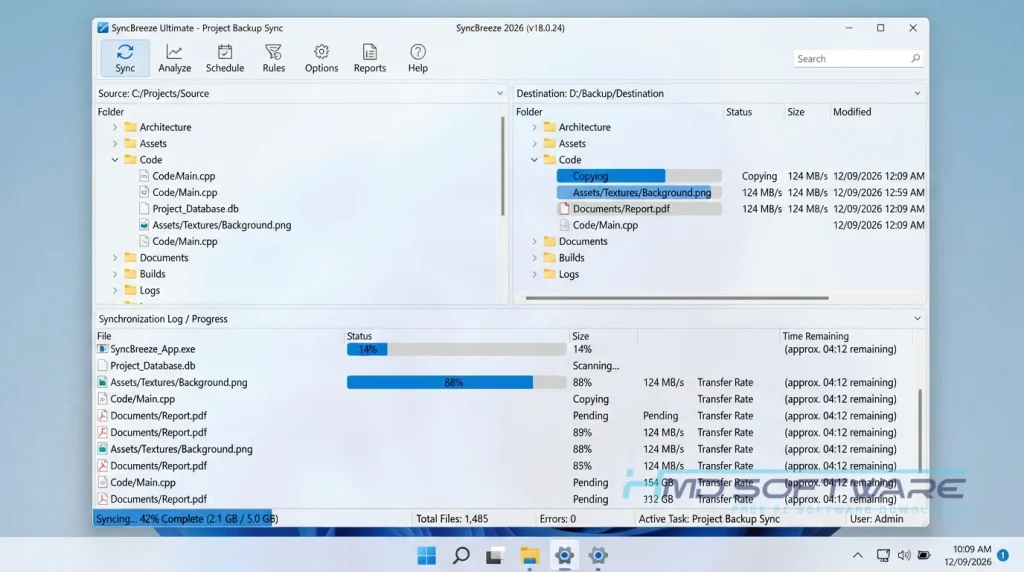
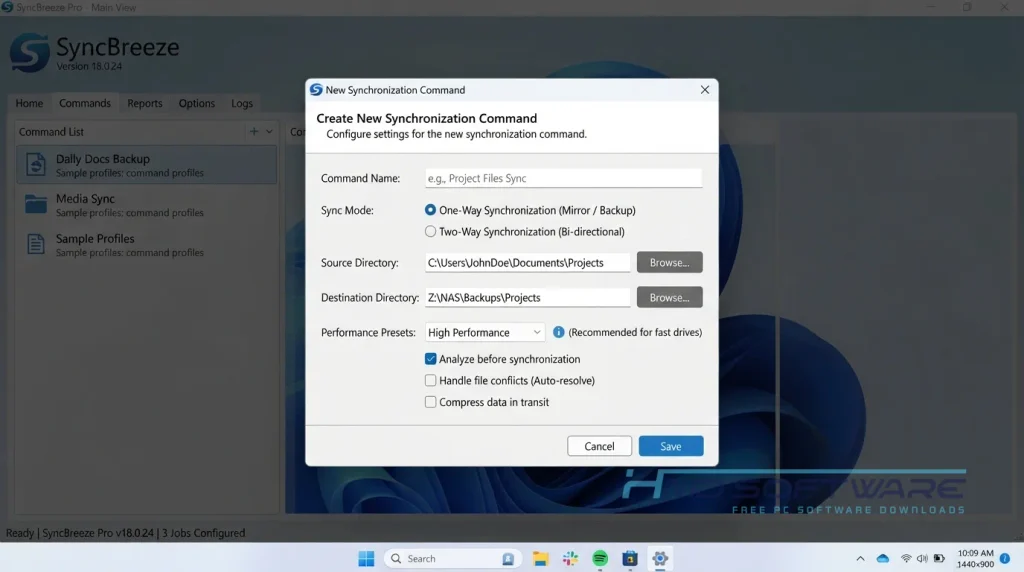
The application works by scanning your source and destination folders simultaneously, building a detailed map of every file and its timestamp. When you hit run, it displays a color-coded interface showing exactly what will be added, modified, or deleted.
This helps you see what is going on, so you do not make mistakes. Overwrite files that are important to you. SyncBreeze 2026 is a good choice if you want to sync files on your network and prefer an easy-to-use interface over complicated commands.
Choose your folders, pick a sync rule, and let the background service handle the heavy lifting while you work.
Key Features of SyncBreeze 2026
Here is what makes this tool genuinely useful for managing data.
- Multiple Sync Modes: Allows you to configure one-way backup or two-way bit-level synchronization depending on the project.
- High-Speed Processing: Analyzes millions of files rapidly, handling NAS storage devices without freezing the interface.
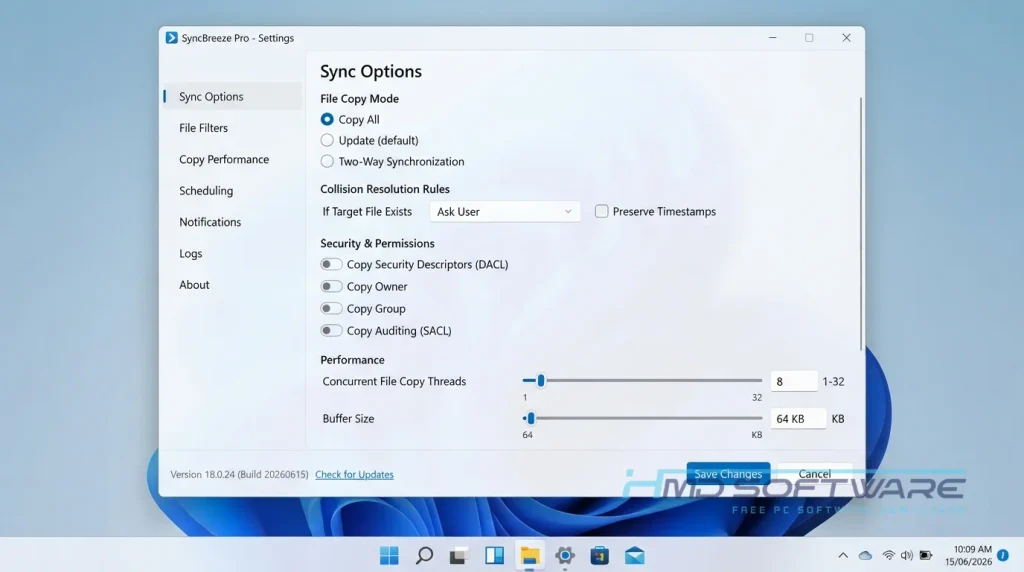
- Security and Access Control: Retains your exact Windows security settings, including ACLs and DACLs, during network transfers.
- Visual Interface: Uses a color-coded file map that makes it incredibly clear which files are about to change.
- Flexible Deployment: Offers a SyncBreeze command-line utility and web-based management interface in the premium editions.
- Broad Compatibility: Runs natively across modern Microsoft operating systems, including full Windows Server 2025 support.
Pros and Cons
Pros
- The color-coded preview stops you from accidentally deleting the wrong files.
- It handles massive network shares that normally cause standard Windows Explorer to crash.
- Setting up scheduled file sync jobs takes less than a minute.
- The offline installer is very small and requires no active internet connection to install.
Cons
- The completely free tier limits you to 100,000 files, which fills up fast on large drives.
- Understanding the exact difference between SyncBreeze Pro, Enterprise, and Server features can be confusing for new buyers.
How To Download SyncBreeze 2026
Follow these steps to get the correct setup file.
- Check the official Flexense site to locate the latest version.
- You can find a safe, verified download link on HMD Software, a reliable platform for PC software downloads.
- Choose the SyncBreeze 18.0.24 free download for your specific operating system version.
- Select between the 32-bit or 64-bit standalone offline installer based on your hardware.
- Save the compact 8 MB setup file directly to your downloads folder.
- It is advisable to avoid websites that offer pre-activated full-version downloads, as altered installations often contain malware designed to target local networks.
How To Install SyncBreeze Step by Step
Setting up the folder sync tool on your machine takes just a few clicks.
- Open your downloads folder and double-click the SyncBreeze setup exe.
- Accept the Flexense end-user license agreement when prompted.
- Choose your preferred destination folder or leave it on the default C: drive path.
- Let the installer extract the core application files.
- Click Finish to close the setup wizard and launch the program.
- Start your 30-day trial or select the free tier to begin creating your first sync command.
System Requirements
SyncBreeze 2026 is famously lightweight. You do not need a high-end dedicated server to run the standard desktop client, and it scales surprisingly well even on older hardware. Check these official SyncBreeze system requirements before running the software to ensure your real-time file sync jobs process smoothly without maxing out your CPU.
| Requirement | Minimum | Recommended |
| Operating System | Windows 10 (64-bit) | Windows 11 or Windows Server 2025 |
| RAM | 1 GB | 4 GB or more |
| Storage | 50 MB | 100 MB free space |
| Processor | Dual-Core 2.0 GHz | Quad-Core CPU for large networks |
| Internet | Required for trial activation | Optional for offline syncing |
| Additional | Administrator privileges | Gigabit Ethernet for network shares |
Is SyncBreeze Safe To Download?
Yes, SyncBreeze is safe to download and use. It is a legitimate IT tool from Flexense, a trusted software company, and the official installer passes all major antivirus checks. There is no hidden adware or unwanted browser extensions included.
To keep your system secure, ensure you download the official standalone setup rather than searching for cracked license keys, which almost always contain ransomware designed to lock the very network files you are trying to back up.
Best Alternatives To SyncBreeze 2026
If this specific file-sync software feels too technical, try these alternatives.
- SyncBackPro: A highly detailed alternative that offers deeper cloud storage integration but has a steeper learning curve.
- GoodSync: Excellent for direct peer-to-peer file syncing across the internet without relying on local network shares.
- FreeFileSync: An open-source option that is entirely free for commercial use, though its interface is slightly more cluttered than SyncBreeze.
Conclusion
SyncBreeze 2026 is a tool for syncing files on your local computer and across your network. If you are an IT professional or just a regular user at home, consider using SyncBreeze to back up your NAS drives or large folders.
The free version does have strict file count limits, but the core engine is very stable. Scroll up to the download link to get the latest version and try the color-coded sync for yourself.
Frequently Asked Questions
Is SyncBreeze 2026 free or paid?
SyncBreeze uses a freemium pricing model. You can download and use the standard free version indefinitely, but it restricts you to a maximum of 100,000 files and limits your total storage capacity.
If you need to manage larger enterprise storage systems or require the command-line utility, you will need to purchase a SyncBreeze Pro or Enterprise license after the initial trial expires.
Does SyncBreeze work on Windows 11?
Yes, the SyncBreeze standalone offline installer works perfectly on Windows 11 and natively supports both 32-bit and 64-bit architectures. It integrates cleanly with the modern file explorer system.
If you are deploying it in a business environment, the server edition also fully supports Windows Server 2022 and the newer Windows Server 2025 without triggering network share errors.
What is the latest version of SyncBreeze 2026?
The current version of SyncBreeze is 18.0.24, released at the beginning of 2026. This new version improved the sync engine. It can handle millions of files on slow network shares.
Checking for updates regularly ensures you have the latest bug fixes, especially if you rely on the web-based management interface to monitor automated file backup jobs remotely.
Which is better, SyncBreeze or SyncBackPro?
Choosing between SyncBreeze and SyncBackPro depends entirely on your specific workflow. SyncBreeze is generally faster at scanning massive local NAS setups and offers a much better color-coded visual preview of incoming changes.
SyncBackPro is often better for backing up your files to cloud services like AWS or Google Drive. Both SyncBreeze and SyncBackPro are great at syncing files in time for Windows users.
Latest Posts:
- Microsoft Office 365 Enterprise Free Download: Full Offline Setup
- Macrium Reflect Rescue Free Download: Bootable WinPE ISO Setup
- JPLAY Femto Free Download: Bit-Perfect Audiophile PC Player
- Milestone XProtect Corporate 2025 Free Download: VMS Setup for PC
- Microsoft Office 2010 Pro Plus Free Download: Full PC Setup