




Realtek HD Audio Drivers Download for Windows 11/10


Quick Answer: You can download the official Realtek HD Audio Drivers 6.0.9963.1 for free to fix sound problems on your PC. The setup takes about three minutes and works with both Windows 11 and Windows 10. This WHQL-certified offline installer is safe and quickly restores your microphone and speakers.
Introduction
Realtek HD Audio Drivers 6.0.9963.1 is essential software that enables your computer to communicate with your motherboard’s sound card. Most people look for Realtek HD Audio Driver downloads when their laptop speakers suddenly stop working after a Windows update.
If you have no sound or your microphone sounds bad, installing this package fixes the problem fast. I keep the latest offline installer on a flash drive since standard Windows sound drivers often lack basic volume controls or equalizer options.
What are Realtek HD Audio Drivers?
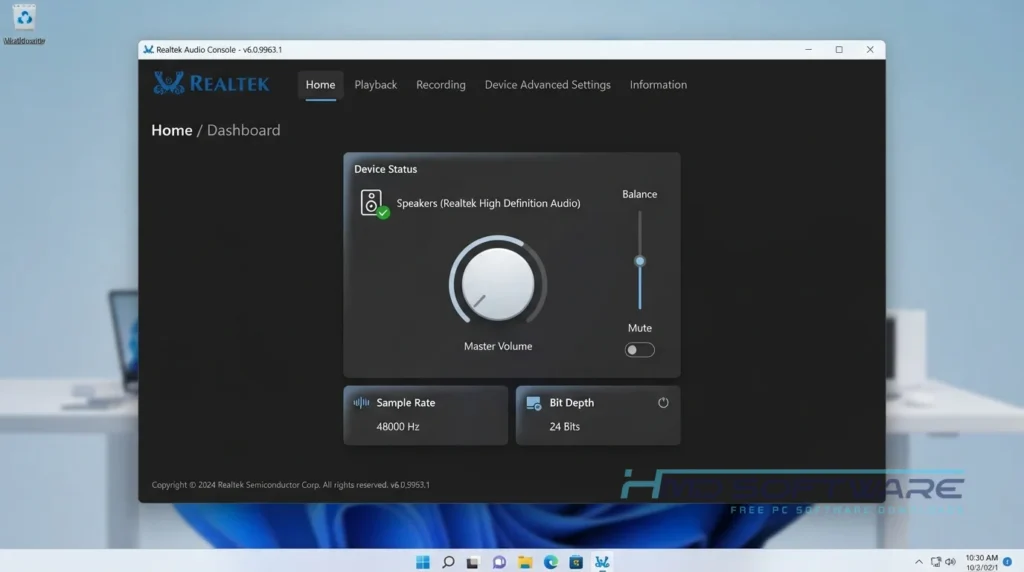
Realtek HD Audio Drivers is a sound card driver software developed by Realtek Semiconductor that controls audio playback and recording. It primarily functions as a hardware communication tool for Windows operating systems under a freeware license. The software enables ALC series chipsets on your motherboard to process high-quality 5.1 and 7.1 surround sound correctly.
What do Realtek HD Audio Drivers Do?
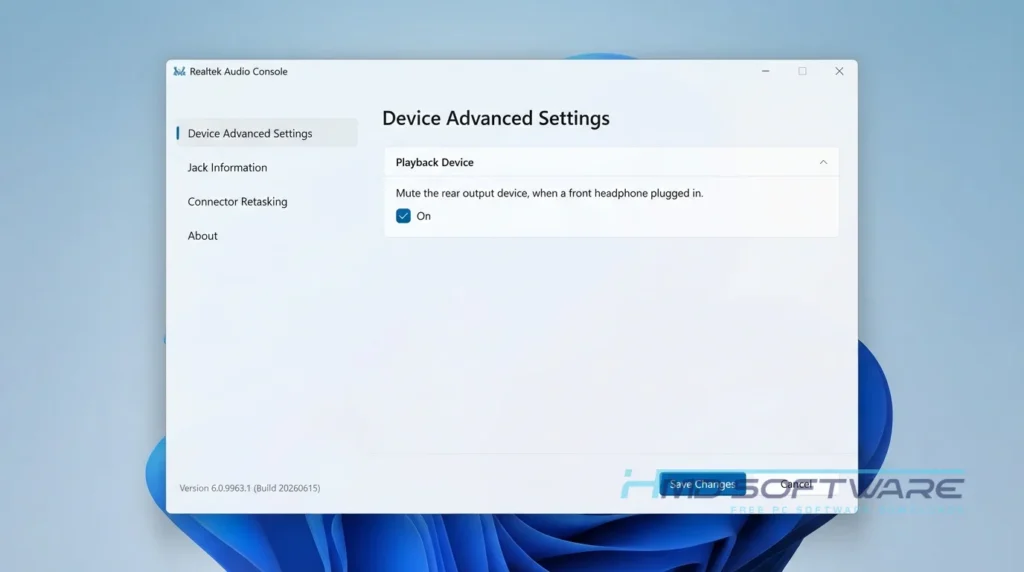
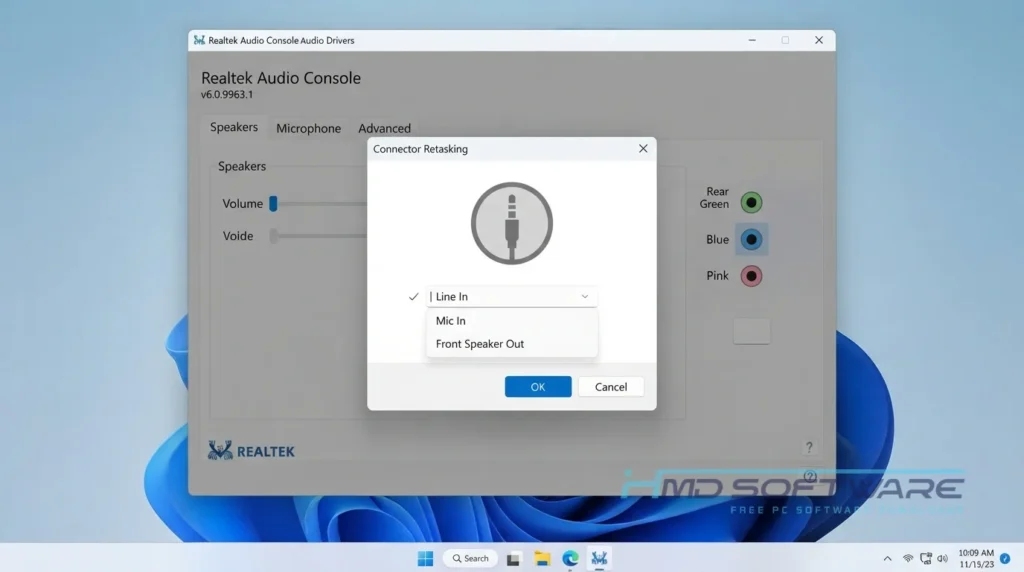
This motherboard sound driver translates digital audio files into the physical sound you hear through your headphones or PC speakers. If you plug a headset into your laptop and nothing happens, the driver handles the jack detection process to route the audio correctly.
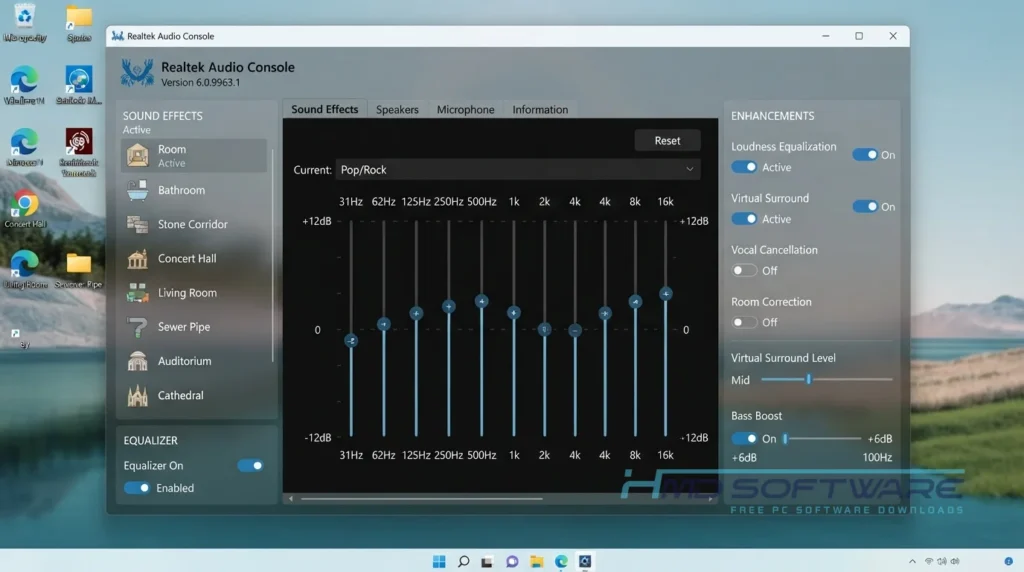
It also manages audio enhancement settings, giving you control over bass boost and background noise cancellation for your microphone. Many gamers use the Realtek Audio Console to adjust equalizer settings and audio profiles for different games.
Whether you are setting up a home theater with 7.1 surround sound or just trying to get your mic working for an online meeting, this software controls the entire signal path.
How do Realtek HD Audio Drivers Work?
The installation package loads a specific set of instructions, like the HDXMSI.inf file, directly into your operating system kernel. It tells Windows exactly how to talk to the tiny Realtek audio chip soldered onto your motherboard.
When you play a video, Windows sends the audio data to this driver, which then converts the digital code into an electrical signal for your speakers. It solves the frustration of audio lag and missing playback devices by bypassing the generic Microsoft drivers in favor of hardware-specific processing.
Key Features of Realtek HD Audio Drivers
Here is what you get after running the setup file.
- ALC Chipset Support: A compatibility feature that connects directly with ALC888, ALC892, and ALC269 audio chips.
- Jack Detection: A usability feature that automatically switches audio output when you plug in headphones.
- Surround Sound: A core performance feature that processes true 5.1 and 7.1 channel audio for home theaters.
- Realtek Audio Console: An interface feature available via the Microsoft Store driver that allows you to tweak your equalizer.
- Acoustic Echo Cancellation: A processing feature that stops your microphone from looping background noise during calls.
- WHQL Certification: A security feature ensuring Microsoft has tested the code for Windows 11 stability.
Pros and Cons
Pros
- It is completely free to download and use forever.
- Instantly fixes most common microphone and sound-not-working issues.
- Unlocks advanced equalizer controls not found in generic Windows drivers.
- The offline setup installs quickly without an active internet connection.
Cons
- The Realtek Audio Console app sometimes fails to open after major Windows updates.
- Figuring out how to find my Realtek audio chipset model usually requires digging deep through the Windows Device Manager because the software does not display it.
How To Download Realtek HD Audio Drivers
Grabbing the correct installation package is simple.
- Check whether your system requires the 64-bit or 32-bit Realtek HD Audio driver.
- You can find a safe, verified download link on HMD Software, a reliable platform for PC software downloads.
- Click the direct download link to request the offline installer executable.
- Save the setup file directly to your desktop or main downloads folder.
- Verify that you have at least 250 MB of free space for the extracted files.
- Always avoid third-party driver updater tools that ask for money to provide free drivers.
How To Install Realtek HD Audio Drivers Step by Step
Follow these directions to get your PC sound driver running properly.
- Locate the downloaded setup executable and double-click it.
- Click Yes when the Windows User Account Control prompt appears.
- Let the installer automatically uninstall any corrupted older audio drivers first.
- Your computer will reboot once to clear out the old files.
- The setup process will resume automatically after the restart.
- Click next to install the new Realtek High Definition Audio Drivers 6.0.9963.1.
- Restart your PC one final time to activate your sound devices.
System Requirements
Most motherboards already have the physical audio chip built right in. You do not need a high-end gaming machine to run this audio playback driver smoothly, but you do need a compatible Realtek chipset. Check these standard hardware specifications before starting the installation to ensure full compatibility.
| Requirement | Minimum | Recommended |
| Operating System | Windows 10 (32-bit) | Windows 11 (64-bit) |
| RAM | 1 GB | 4 GB or more |
| Storage | 250 MB | 500 MB free space |
| Processor | Intel Core i3 or equivalent | Intel Core i5 or higher |
| Internet | Not required | Optional for driver updates |
| Additional | ALC Audio Chipset | Realtek Audio Console app |
Are Realtek HD Audio Drivers Safe To Download?
Yes, this Realtek Audio Driver version 6.0.9963.1 is entirely safe to download and install. It is an official, WHQL-certified release that Microsoft has tested to ensure it contains no malware or system-crashing bugs.
Since it is a basic hardware driver, it does not include adware or track your browsing. To stay safe, download the standalone offline setup instead of using unreliable third-party tools. It is also a good idea to scan the file with Windows Defender before opening.
Best Alternatives To Realtek HD Audio Drivers
If you are building a custom audio setup, you might consider these alternatives.
- Microsoft High Definition Audio Device: The generic Windows sound device driver that works as a basic, temporary fallback if your specific installer fails.
- Nahimic Audio: A premium audio software suite often bundled with MSI motherboards that offers advanced gaming surround sound features.
- ASIO4ALL: A specialized, low-latency audio driver preferred by music producers who use digital audio workstations instead of standard PC audio.
Conclusion
Fixing a computer does not have to be frustrating. The Realtek HD Audio Drivers 6.0.9963.1 will quickly fix the problem with your microphone. You will have full control over the Realtek HD Audio Drivers and your speakers.
If you just reinstalled Windows 11 and have no sound, this is what you need. Scroll up, get the free download link, and restore your PC’s audio.
Frequently Asked Questions
Is the Realtek HD Audio driver free?
Yes, the Realtek Audio Drivers package is completely free to download and use. Realtek Semiconductor provides this software at no cost so your computer can interface properly with their hardware chips. You should never pay for a driver update. If a website asks for a credit card to unlock a “pro” version of this driver, it is a scam.
What is the difference between the Realtek and OEM driver versions?
The generic Realtek driver is provided directly by the chip manufacturer and covers basic audio functions for all compatible boards. An OEM driver is customized by your laptop or motherboard manufacturer, like Dell or ASUS, to support specific hardware features on your exact machine. It is usually best to try the OEM version first, and use the generic Realtek driver if the OEM one fails.
How to fix the Realtek HD Audio driver not working?
If your audio suddenly stops working after a Windows update, the fastest fix is to completely reinstall the driver. Open the Windows Device Manager, find your sound controller, right-click the Realtek device, and choose Uninstall. Make sure you check the box to remove the driver software. Reboot your computer, then run the latest offline setup to restore sound.
Does Realtek HD Audio work on Windows 11?
Yes, the latest installation packages are fully optimized for Windows 11 64-bit systems. They include WHQL certification, which means Microsoft has officially approved them for their newest operating system. The software works perfectly with the new Windows 11 taskbar volume controls. You can also download the companion Realtek Audio Console app from the Microsoft Store for additional equalizer settings.
Latest Posts:
- Microsoft Office 365 Enterprise Free Download: Full Offline Setup
- Macrium Reflect Rescue Free Download: Bootable WinPE ISO Setup
- JPLAY Femto Free Download: Bit-Perfect Audiophile PC Player
- Milestone XProtect Corporate 2025 Free Download: VMS Setup for PC
- Microsoft Office 2010 Pro Plus Free Download: Full PC Setup