




Internet Download Manager 2026 Free Download: Speed Up PC Downloads


Quick Answer: Yes, you can safely download Internet Download Manager 2026 for your PC to significantly speed up your file transfers. It runs perfectly on Windows 11 and offers a 30-day free trial before you need to buy an IDM license. The offline installer setup takes just a few seconds to complete.
Introduction
Internet Download Manager is a helpful tool that makes downloading large files from the internet much faster. Many people use Internet Download Manager when they get tired of a slow browser or when downloads don’t work properly.
If you often download large video files or big software packages, using the 2026 version of Internet Download Manager can save you a lot of time. I recently installed version 6.42 on my computer, and being able to resume downloads after a network drop is a huge help.
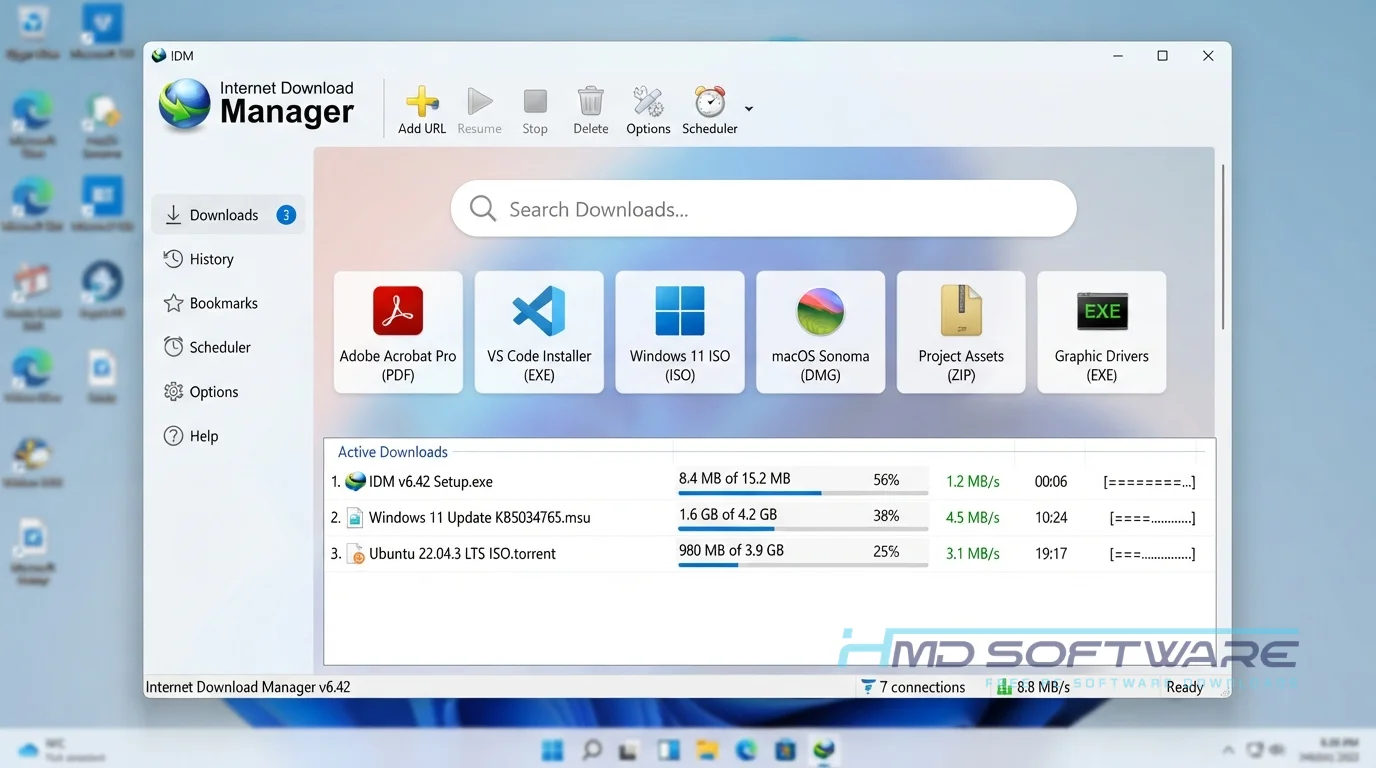
What Is Internet Download Manager 2026?
Internet Download Manager 2026 is a Windows download manager developed by Tonec Inc. This file download speed booster intercepts web browser links to capture and accelerate file transfers.
It’s a commercial product, though users can access a 30-day IDM free trial before purchasing a lifetime or one-year license.
What Does Internet Download Manager Do?
This utility takes complete control over how your computer retrieves files from the internet. Instead of letting your browser handle a slow, single-stream transfer, the software splits the file into multiple parts and downloads them all at the same time.
Many users install this video downloader to integrate with their browser and easily save embedded media from their favorite streaming sites.
You might also use it to batch-download multiple files for a big project, or schedule downloads automatically so that heavy games transfer overnight while you sleep. The download queue manager keeps everything organized, ensuring you never lose track of where your recently downloaded files ended up.
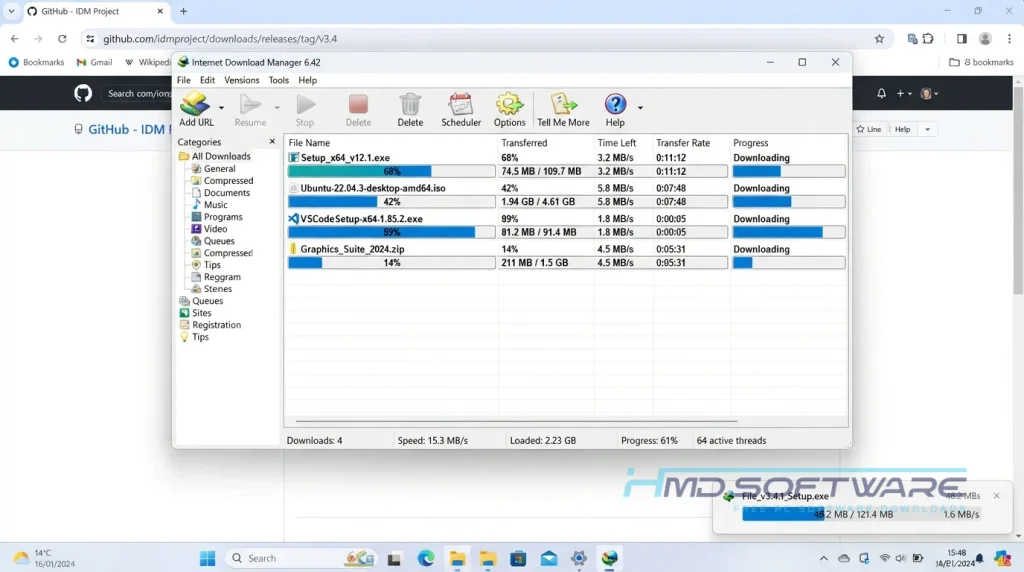
How Does Internet Download Manager Work?
The application works using a clever technology called dynamic file segmentation. When you click a link, the IDM browser extension instantly catches the request and takes over.
It breaks the incoming data into smaller pieces and routes them through available server connections at the same time to speed up downloads.
Built for anyone stuck with unreliable internet, it solves the incredibly frustrating problem of failed transfers. If your connection drops halfway through a massive file, the software pauses and resumes right where it left off.
Key Features of Internet Download Manager 2026
- Multipart Downloading: This feature splits your files during download to use your internet bandwidth more efficiently.
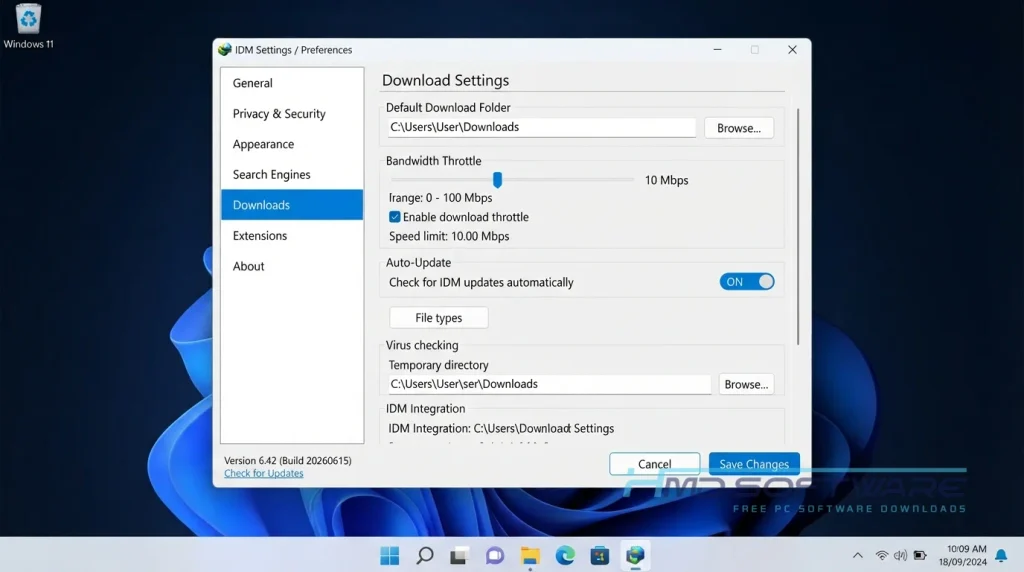
- Speed Limiter: Lets you set a maximum download speed so you can keep browsing the web without slowdowns.
- Antivirus Checking: A security and privacy feature that automatically scans finished files to protect your PC from malicious hidden payloads.
- Site Grabber: An interface usability feature that lets you scrape a website to download specific image or audio formats in bulk.
- Browser Integration: A compatibility feature that connects directly with Chrome, Firefox, and Edge to catch media links.
- Update Scheduler: A version-management feature that checks Tonec servers to keep your software up to date.
Pros and Cons
Pros
- It greatly speeds up downloads for large files, no matter your internet connection.
- You can easily resume broken downloads without starting over.
- The browser download integration tool instantly catches embedded media links.
- It uses very few system resources while running quietly in the background.
Cons
- The user interface looks quite dated compared to modern Windows apps.
- Since it is a paid utility, the IDM free trial stops working after 30 days unless you buy a license.
How To Download Internet Download Manager 2026
- Open your favorite web browser and search for the latest official IDM release.
- You can find a safe, verified download link on HMD Software, a reliable platform for PC software downloads.
- Look for the Internet Download Manager 6.42 Build 63 button and click it to begin.
- Save the lightweight executable installer (around 11 megabytes) directly to your desktop folder.
- Make sure you get the untouched trial edition, not a sketchy modified package.
- Avoid cracked files or keygens, as they often carry malware that can seriously compromise your system security.
How To Install Internet Download Manager Step by Step
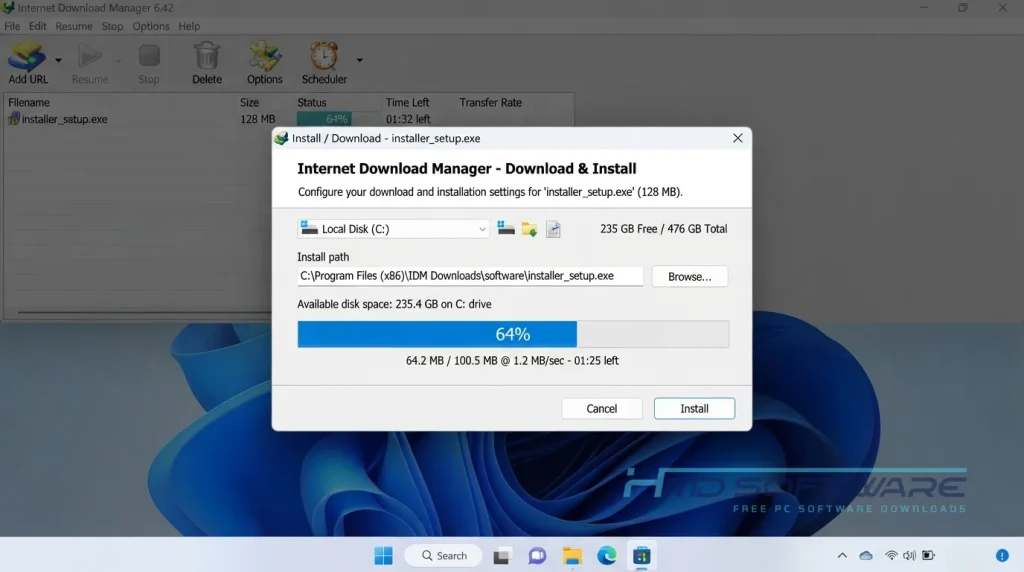
- Locate the downloaded executable file on your computer desktop and double-click it.
- Accept the Windows security prompt to allow the installer to make changes.
- Read through and agree to the standard Tonec software license agreement.
- Choose your preferred installation folder or leave the default directory selected.
- Click Next to let the setup wizard copy all required application files.
- Finish the installation, then let the program launch automatically so it can configure your web browser extensions.
System Requirements
You do not need a high-end computer to run this Windows download manager. It is highly optimized to run quietly in the background without eating up your available memory. Review these basic system requirements before installing IDM to ensure your PC handles background network traffic smoothly.
| Requirement | Minimum | Recommended |
| Operating System | Windows 8 (32-bit) | Windows 11 (64-bit) |
| RAM | 512 MB | 2 GB or more |
| Storage | 50 MB | 100 MB free space |
| Processor | Intel Pentium 4 | Intel Core i3 or higher |
| Internet | Active broadband connection | High-speed fiber or cable |
| Browser Support | Chrome, Firefox, Edge | Latest browser versions |
Is Internet Download Manager Safe To Download?
Yes, the official Internet Download Manager 2026 is completely safe to download and install on your computer. Tonec Inc. does not bundle any hidden spyware, cryptocurrency miners, or annoying adware into its setup files. The program only intercepts your intended clicks to speed up file transfers.
To keep your PC safe, always download the trial from a trusted source and avoid sites that offer pirated keys. It’s also a good idea to keep your antivirus on during installation to check the file.
Best Alternatives To Internet Download Manager 2026
If you are looking for a free alternative to IDM, try these excellent options.
- Free Download Manager (FDM): A completely free tool that supports BitTorrent downloads and offers a much more modern user interface.
- JDownloader 2: An open-source Java-based manager that excels at bypassing CAPTCHAs and grabbing multiple files from file-hosting websites.
- EagleGet: A lightweight download accelerator with great browser integration, though it receives fewer updates than the competition.
Conclusion
Internet Download Manager 2026 remains one of the most reliable ways to download large files quickly without browser timeouts.
If you frequently download large videos, big software updates, or have an unreliable internet connection, then IDM is worth a try. To download safely, scroll up and use the 30-day trial to notice the difference in speed.
Frequently Asked Questions
Is Internet Download Manager 2026 free or paid?
Internet Download Manager is paid commercial software, but Tonec Inc. offers a generous 30-day free trial for new users. You can download and test all the premium features, like dynamic file segmentation, without paying anything upfront.
Importantly, the trial doesn’t require a credit card or email address to activate. Once the trial ends, you must purchase a lifetime or one-year IDM license to continue using the software.
Does Internet Download Manager 2026 work on Windows 11?
The software works well on Windows 11, even with the latest 2026 updates. The developers consistently ensure it works with Windows and Microsoft security updates.
Whether you run the 32-bit or 64-bit version, it integrates smoothly with Windows 11 browsers like Microsoft Edge and Google Chrome to manage your download queue without system crashes or performance slowdowns.
What is the latest version of Internet Download Manager 2026?
The current stable release is Internet Download Manager 6.42 Build 63. This recent IDM 2026 update brought important bug fixes for video downloading on major streaming platforms and improved browser extension performance.
Keep your software updated because websites constantly change how they deliver videos and music. With the latest version of Internet Download Manager, the tool that gets audio and video links will keep working correctly, and you will not get errors when you try to connect.
Is Internet Download Manager 2026 safe to download and use?
Yes, it is completely safe as long as you download the official installer. The legitimate IDM setup file contains zero malware, adware, or tracking scripts.
The real danger comes from users searching for illegal cracked versions or keygens, which are notorious for infecting computers with ransomware. By sticking to a trusted source for your IDM download, you protect your system while gaining a highly secure download accelerator.
Latest Posts:
- Microsoft Office 365 Enterprise Free Download: Full Offline Setup
- Macrium Reflect Rescue Free Download: Bootable WinPE ISO Setup
- JPLAY Femto Free Download: Bit-Perfect Audiophile PC Player
- Milestone XProtect Corporate 2025 Free Download: VMS Setup for PC
- Microsoft Office 2010 Pro Plus Free Download: Full PC Setup