




Download Zone System Express Panel for Photoshop: Setup Guide & Overview

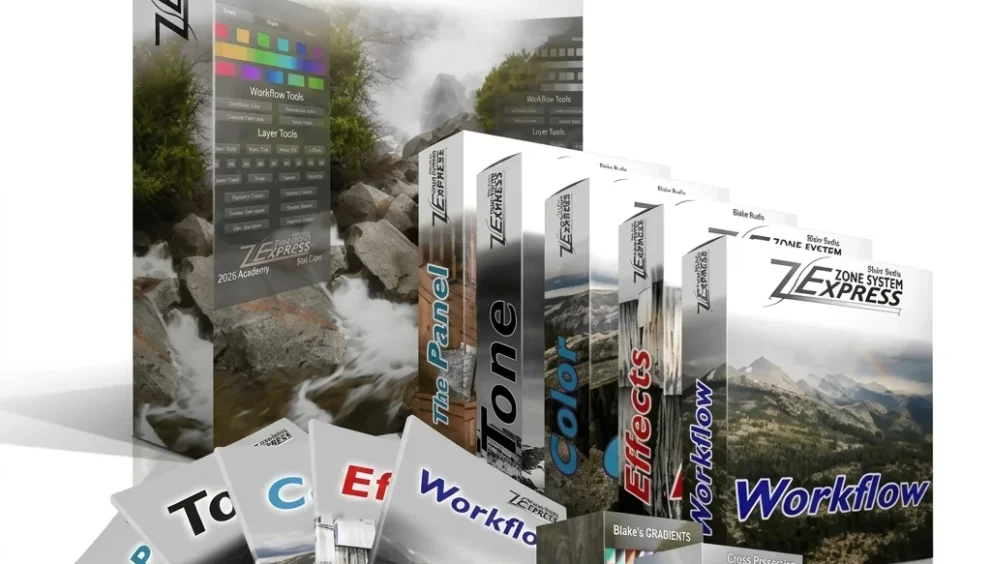
Quick Answer: Yes, you can safely download the Zone System Express Panel as a direct extension file for Photoshop. This is a paid tool, so there are no legitimate free downloads. The panel works on Windows 11 and macOS, and installs quickly using the standard Adobe plugin manager.
Introduction
The Zone System Express Panel is a useful tool in Photoshop that makes it easier to deal with exposure. I bought it a few years ago because I was tired of making complex luminosity masks by hand for my landscape photos.
Most professional photographers seek a secure download of the Zone System Express Panel because it translates Ansel Adams’ classic darkroom techniques into a digital workflow.
The Zone System Express Panel 2026 update keeps it fully compatible with the latest Adobe CC versions, making tonal range editing much faster and significantly more precise.
What is the Zone System Express Panel?
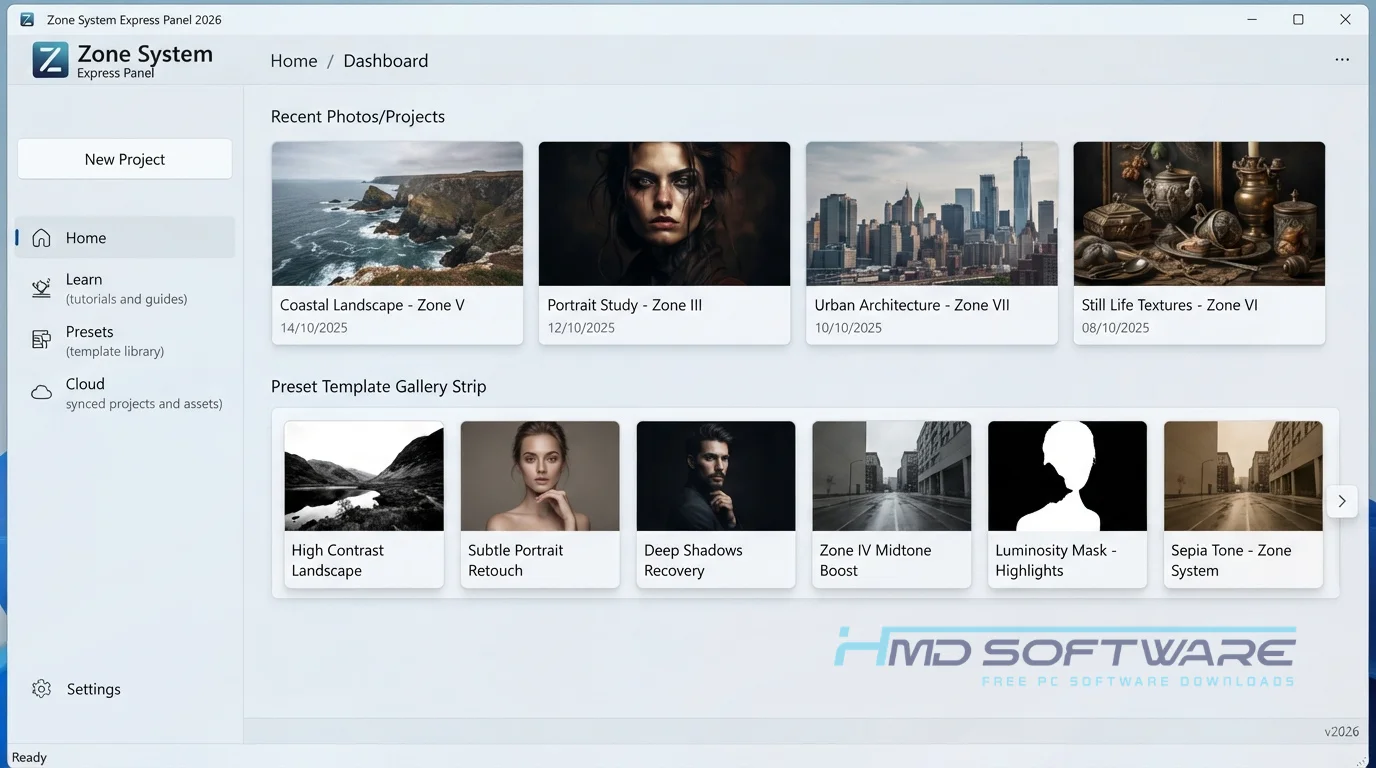
Zone System Express Panel is a commercial photo editing plugin developed by Blake Rudis at f64 Elite. This tonal range editing plugin operates within Adobe Photoshop on both Windows and macOS.
Originally released as a digital workflow solution, it functions as a non-destructive photo-editing extension that isolates specific exposure zones with targeted adjustment layers.
What Does the Zone System Express Panel Do?
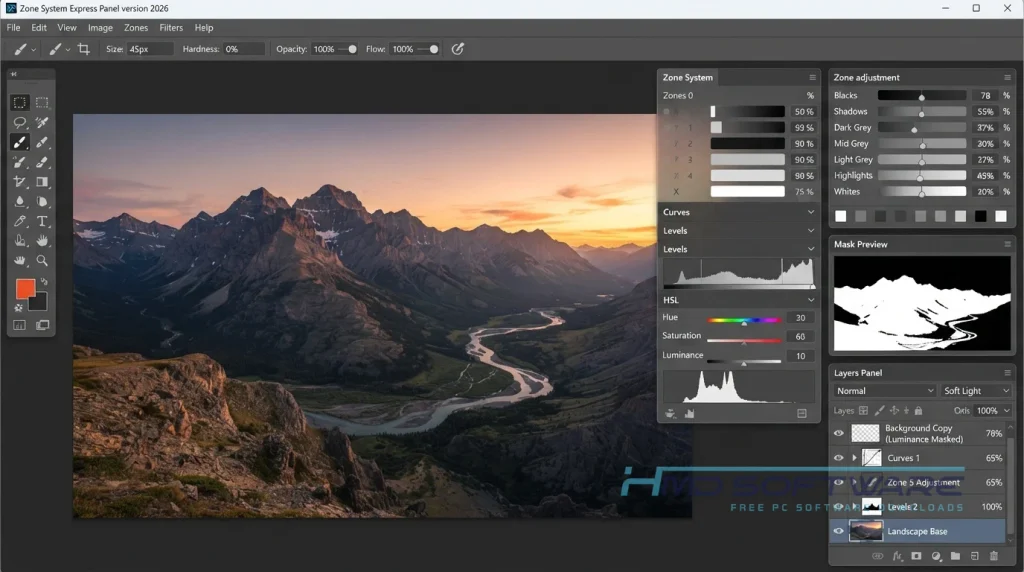
This extension completely replaces the tedious process of building manual luminosity masks. When you load a raw image into Photoshop, the panel splits the exposure into eleven distinct tonal zones.
If you are a landscape photographer trying to recover blown-out clouds, you click the targeted highlight zone to darken just that area without muddying the rest of your sky.
I often use the Zone System Express Panel to edit black-and-white art photos. The Zone System Express Panel is really good at helping me make a flat image stand out by separating the midtones. It’s also great for portraits, because you can smooth skin tones using natural light values instead of brush strokes.
How Does Zone System Express Panel Work?
The tool works by automating complex calculations behind the scenes through a dedicated interface window. Built specifically for photographers who find native Photoshop channels confusing, it simplifies the math.
When I press a button to select a light value, for example, deep shadows or bright highlights, the Zone System Express Panel creates a feathered mask. This enables me to adjust only the specific pixels I want.
By using overlapping curves, I achieve a neat, well-organized workflow that keeps the original base image unchanged.
Key Features of Zone System Express Panel
- Zone Masks: The Zone System Express Panel creates feathered selections based on Ansel Adams’ original 11 light values with a single click.
- Zone Curve Integration: Binds your targeted selections directly to adjustment layers, speeding up your local contrast edits.
- Zone Histogram: Gives you a specialized visual readout of your tonal distribution, separate from Photoshop’s default graphs.
- Color Tone Effects: The color tone effects feature applies cinematic color grading only to specific luminance values, leaving your actual blacks and whites unaffected.
- Non-Destructive Workflow: Keeps your original background layer entirely untouched by nesting all edits inside labeled folders.
- Adobe CC Compatibility: The Zone System Express Panel 5.0.1 extension loads directly into the native Photoshop workspace on both Windows and Mac Apple Silicon.
Pros and Cons
Pros
- This software really helps with luminosity masking tasks. It makes them go a lot faster.
- Highly organized layer structure keeps complex files manageable.
- Includes excellent training videos for beginners.
- Produces incredibly natural, artifact-free local contrast adjustments.
Cons
- The price of the Zone System Express Panel is a significant upfront investment for hobbyists.
- The panel does not work with Photoshop Elements, forcing you to maintain a full Creative Cloud subscription.
- Requires a basic understanding of exposure theory to get the best results.
How To Download Zone System Express Panel
To get the original extension file, you have to purchase a license from the creator. Those crack websites usually put stuff like malware in Photoshop plugins. You can download it from HMD Software, a website people trust for PC software.
After completing your purchase, you receive a direct download link for the setup file. The entire compressed package is quite small, usually under 50 MB depending on the included tutorials.
Always save the zip file to a dedicated folder on your hard drive rather than leaving it in your messy downloads folder. Never download a “free” version from a forum, as these often contain keystroke loggers.
How To Install the Zone System Express Panel in Photoshop
- Extract the downloaded zip file into a temporary folder on your desktop.
- Open Adobe Photoshop and ensure it is fully updated to the latest version.
- Double-click the provided panel installer file included in your download package.
- Follow the on-screen prompts to allow the extension to bind with your Adobe directory.
- Restart Photoshop completely so the application can read the new plugin data.
- Navigate to your top menu, click Window, select Extensions, and click the panel name to launch it.
System Requirements
Because this is an extension rather than a standalone program, your computer primarily needs to meet the baseline requirements for running a modern version of Adobe Photoshop.
Here are the exact hardware specifications you need to ensure the panel can calculate complex masks without freezing your machine during heavy editing.
| Requirement | Minimum | Recommended |
| Operating System | Windows 10 (64-bit) | Windows 11 (64-bit) |
| RAM | 8 GB | 16 GB or more |
| Storage | 2 GB free space | 10 GB free space on SSD |
| Processor | Intel Core i5 or equivalent | Intel Core i7 or M-series Mac |
| Host Software | Photoshop CC 2021 | Photoshop CC 2024 or newer |
| Internet | Required for license activation | Required for updates |
Is Zone System Express Panel Safe To Download?
Yes, buying and downloading the extension from the official f64 Elite website is completely safe. The official setup file does not include adware, trackers, or hidden subscription traps.
To keep your editing workstation secure, you must avoid third-party sites offering a “free fully activated” version, as these nearly always inject malicious code directly into Photoshop.
I recommend verifying your purchase receipt and backing up your unique license key to a cloud drive immediately after your transaction clears.
Best Alternatives To Zone System Express Panel
If you are looking for a slightly different approach to tonal masking, a few other extensions exist.
- TK8 Panel: A highly technical luminosity masking panel that offers deeper customization, though its interface is significantly more intimidating for absolute beginners.
- Lumi32: An excellent 32-bit masking tool that excels at separating extremely narrow bands of light, making it perfect for highly detailed macro photography.
- Raya Pro: Another tool many people like to use. Photographers who take pictures of buildings and houses like it because it offers features that let them combine digital images and take many photos at different exposures very quickly.
Conclusion
The Zone System Express Panel helps add contrast to your images. If you take landscape photos or do art photography and are tired of messy brush masks, this extension is worth buying.
It strips the math out of luminosity masking and lets you focus strictly on the art. Grab the official download above and start editing with real intention.
Frequently Asked Questions
Is Zone System Express Panel free or paid?
The panel is a premium, paid extension and does not offer a free version. You purchase a lifetime license for a one-time fee, which generally covers minor point updates.
Because there is no legitimate free trial, using pirated copies is risky and often leads to a corrupted Photoshop installation. The official purchase often includes the Zone System Express bundle, which includes detailed training videos.
Which Photoshop version is compatible with the Zone System Express Panel?
The extension requires a full, active subscription to Adobe Photoshop CC to function properly. It runs flawlessly on Photoshop CC 2021 through the newest Photoshop 2026 releases. It will not load or operate inside Photoshop Elements or Adobe Lightroom because those programs lack the underlying channel and masking architecture required to generate the specific tonal curves the plugin relies on.
What is the latest version of Zone System Express Panel?
Currently, the Zone System Express Panel 5.0.1 is the most stable and widely used build for modern operating systems. This specific update resolved minor display bugs on high-resolution 4K monitors and ensured native compatibility with Apple Silicon processors. You can verify your exact version by opening the extension window inside Photoshop and clicking the small information icon in the top corner.
Is Zone System Express Panel safe to use on a Mac?
Yes, the extension is perfectly safe and highly optimized for macOS environments. Whether you are running an older Intel-based Mac or a newer machine using macOS Sequoia, the panel installs directly into Adobe’s secure plugin directory. As long as you purchase the official release, it will not bypass Apple’s Gatekeeper security protocols or cause kernel panics while processing heavy 16-bit raw files.
Latest Posts:
- Microsoft Office 365 Enterprise Free Download: Full Offline Setup
- Macrium Reflect Rescue Free Download: Bootable WinPE ISO Setup
- JPLAY Femto Free Download: Bit-Perfect Audiophile PC Player
- Milestone XProtect Corporate 2025 Free Download: VMS Setup for PC
- Microsoft Office 2010 Pro Plus Free Download: Full PC Setup