




DiskSorter 2026 Free Download: Fast File Organizer for Windows

Quick Answer: DiskSorter 2026 is safe to download and has a free version for personal use. This file organizer works with Windows 11. You can set it up in about a minute and start organizing your folders and managing space right away.
Introduction
DiskSorter is a file classification tool from Flexense that organizes scattered data into folders. System administrators and regular PC users often look for a Disk Sorter download when their hard drives are full, and they need to know exactly what is taking up space.
The latest version, DiskSorter 18.0.12, makes it easy to see what is on your storage drives. You can sort files by type or size. The interface is simple and avoids confusing menus, so the results are easy to understand.
What Is DiskSorter 2026?
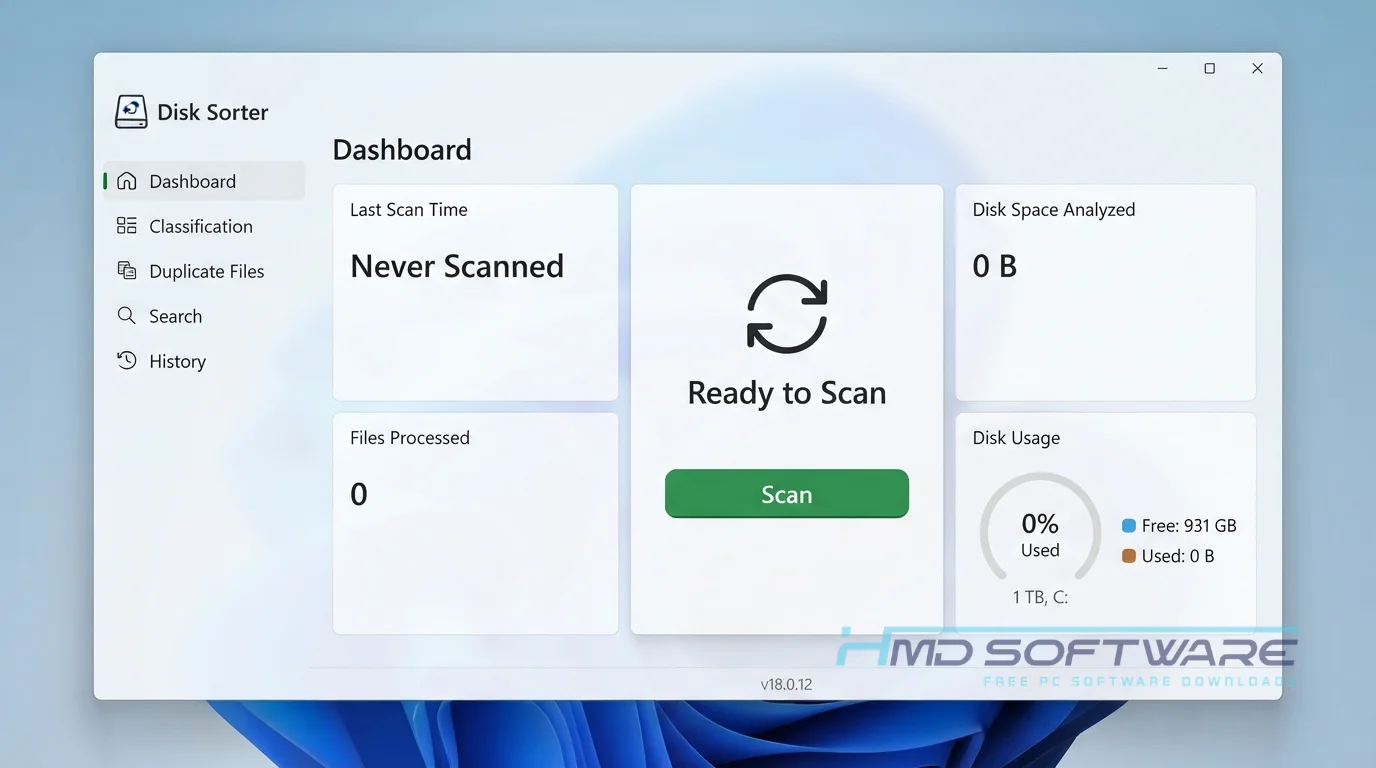
DiskSorter 2026 is a file organizer from Flexense that sorts and groups your data on local drives and network shares. Made for Windows, this 2026 storage tool scans your drives and organizes files by type, size, or date. It offers a free version for personal use, plus paid options for businesses.
What Does DiskSorter Do?
This disk space analyzer tool scans massive amounts of data and places everything into logical buckets. If your company uses NAS storage devices, you can point the application at your network share to see exactly how many duplicate videos or old document archives are wasting expensive space.
I often use it to generate a detailed file categorization report before buying a new hard drive. It helps you classify files by type so you can delete what you no longer need.
IT teams use it to set up file classification rules that automatically flag unauthorized media files hiding on business servers, saving hours of manual searching.
How Does DiskSorter Work?
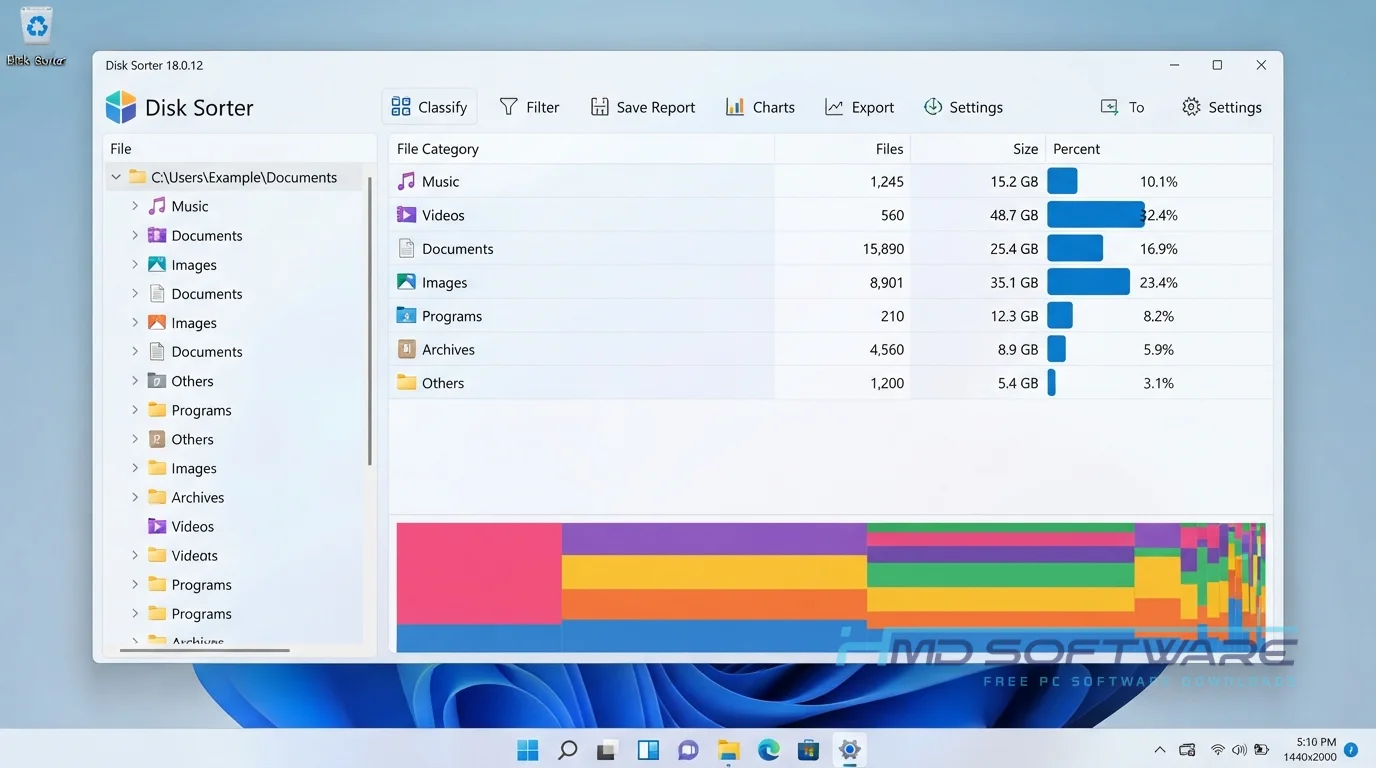
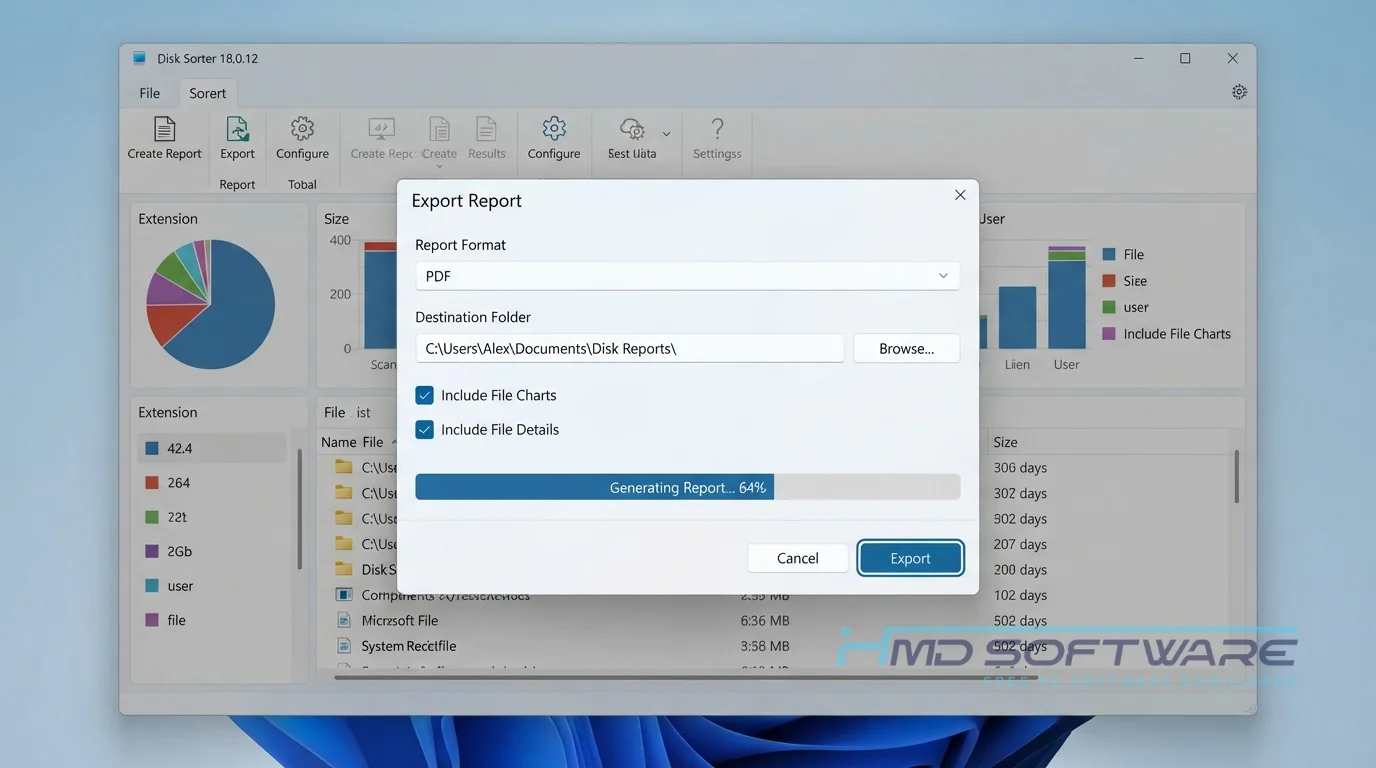
The application reads your drive’s master file table and matches every item against thousands of built-in file classification plug-ins. Select a target folder or disk, press Analyze, and wait a few moments while it builds a visual map of your data.
It is built for anyone overwhelmed by digital hoarding. It solves the main problem: storage blindness. Instead of clicking through hundreds of random folders and guessing where big files live, you look at a simple disk-usage pie chart that explains everything clearly.
Key Features of DiskSorter 2026
- Automatic Categorization: A main performance feature that puts your files into logical media folders, document folders, and system folders.
- Network Share Analysis: A speed-processing feature allowing you to scan massive enterprise NAS storage devices over your local connection.
- Secure Data Deletion: A privacy feature that helps you permanently erase sensitive, outdated files directly from the results menu.
- Visual Chart Reports: An interface usability feature that turns raw storage data into an easy-to-read disk usage pie chart.
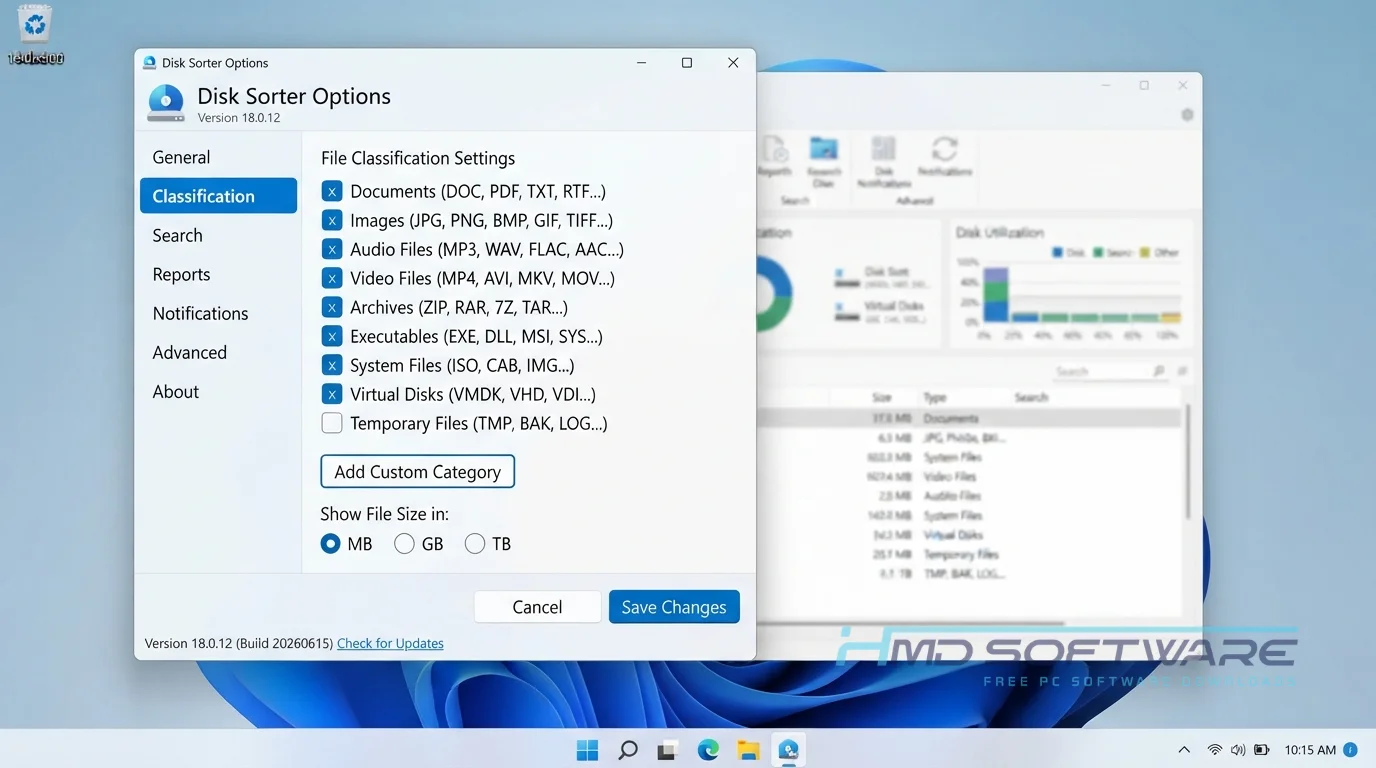
- Custom Classification Rules: A file compatibility feature letting you define exactly how the software identifies proprietary business documents.
- Multi-Platform Support: A platform support feature ensuring the 64-bit download runs smoothly on Windows 11 and Windows Server environments.
Pros and Cons
Pros
- Classifies thousands of files in just a few seconds.
- Provides an easy-to-read visual breakdown of your hard drive.
- Completely free download for basic home use.
- Lets you quickly filter and delete bulky files.
Cons
- The free version limits you to scanning up to 500,000 files at once.
- The user interface looks very technical and slightly outdated.
- You need the expensive DiskSorter Enterprise tier to run automated periodic classification jobs.
How To Download DiskSorter 2026
Getting the offline installer for your computer takes only a minute or two.
- Open your web browser and search for the specific version of this file categorization utility.
- You can find a safe, verified download link on HMD Software, a reliable platform for PC software downloads.
- Decide if you need the standard 32-bit executable or the more capable 64-bit download for newer machines.
- Save the setup file, which is typically under 10 megabytes, to your desktop.
- Always verify the digital signature from Flexense before opening the file to ensure you avoid tampered setups from random forum links.
How To Install DiskSorter Step by Step
Setting up this file management tool on your PC is very straightforward and clean.
- Locate the downloaded setup executable in your main downloads folder.
- Double-click the file to launch the Flexense installation wizard.
- Accept the standard user agreement, then click Next.
- Select your preferred installation directory on your primary hard drive.
- Click Install and let the wizard copy the core application files to your system.
- Close the setup screen and open the program from your new desktop shortcut to begin analyzing.
System Requirements
You do not need a high-end workstation to organize your local drives or network folders. The application runs exceptionally well on older hardware and uses very little active memory during a standard disk scan. Check your current system specs before you start. Here are the exact hardware specifications required to run this storage analysis software smoothly on your desktop.
| Requirement | Minimum | Recommended |
| Operating System | Windows 10 (32-bit) | Windows 11 (64-bit) |
| RAM | 512 MB | 2 GB or more |
| Storage | 20 MB | 50 MB free space |
| Processor | 1 GHz Dual-core | 2 GHz Multi-core |
| Internet | Not required | Optional for license check |
| Additional | Standard admin rights | Administrator privileges required |
Is DiskSorter Safe To Download?
DiskSorter is okay to put on your computer. The people who made DiskSorter, Flexense, provide a download file. This file doesn’t include ads or anything that takes over your computer. Other people have checked the file for viruses. They say it is safe too.
To keep your computer safe, do not use cracked copies of DiskSorter 2026, as they could contain ransomware. Instead, get the program from a reliable website and scan the installer with Windows Defender before running it.
Best Alternatives To DiskSorter 2026
If this file-categorization utility doesn’t match your workflow, you might prefer these other tools.
- WinDirStat: A completely free, open-source disk usage analyzer that builds a highly visual, colorful block map of your hard drive.
- TreeSize Free: Provides a familiar Windows Explorer-style interface that quickly highlights which folders consume the most space.
- SpaceSniffer: A portable application that uses a unique treemap visualization to help you understand your file structure instantly.
Conclusion
DiskSorter 2026 18.0.12 helps you see what is taking up space on your computer. If your hard drive is full of junk or your network folders are a mess, DiskSorter 18.0.12 makes it easy to clean up your files.
It removes the guesswork and shows you exactly where your largest files hide. Scroll back up to start your DiskSorter free download and finally organize your digital life.
Frequently Asked Questions
Is DiskSorter 2026 free or paid?
The developer offers a fully free version for personal, non-commercial use on one computer only. While this freeware level suits simple home organization, it limits the number of files that can be classified to 500,000 per scan.
If you need a DiskSorter commercial license for business use or require automated reporting features, you must purchase DiskSorter Pro, Server, or Enterprise.
Does DiskSorter 2026 work on Windows 11?
Yes, the latest version of the file classification software runs flawlessly on Windows 11 systems. The developers actively maintain the code to support modern 64-bit architectures and the latest Microsoft file system updates.
You can confidently scan both internal NVMe drives and external USB hard drives without encountering random crashes or compatibility errors on your new desktop.
What is the latest version of DiskSorter 2026?
The most recent stable release is DiskSorter 18.0.12, which introduced several background optimizations to improve file scanning on large network drives. The Flexense team frequently issues minor updates to patch bugs and expand their built-in file classification rules.
Checking the version number before installing ensures you benefit from the fastest processing speeds and the most accurate file identification algorithms available.
What is the difference between DiskSorter and DiskSorter Pro?
The main difference is scanning capacity and automated reporting. The free version restricts your scans to 500,000 files and offers basic HTML exports.
DiskSorter Pro raises the file limit, supports multiple user profiles, and allows you to save detailed disk monitoring reports in PDF and Excel formats. The Pro version also acts as a command-line utility, which IT professionals rely on for scripting.
Latest Posts:
- Microsoft Office 365 Enterprise Free Download: Full Offline Setup
- Macrium Reflect Rescue Free Download: Bootable WinPE ISO Setup
- JPLAY Femto Free Download: Bit-Perfect Audiophile PC Player
- Milestone XProtect Corporate 2025 Free Download: VMS Setup for PC
- Microsoft Office 2010 Pro Plus Free Download: Full PC Setup