




Disk Pulse 2026 Free Download: Real-Time Disk Activity Analyzer


Quick Answer: You can safely download Disk Pulse 2026, which has a free version for personal use. This real-time file monitoring tool works well on Windows 11. The offline installer sets up in about a minute and immediately shows you every file that changes or gets deleted on your hard drive.
Introduction
Disk Pulse 2026 is a reliable software tool for monitoring file changes. System administrators and advanced users often use it to find out what’s filling up hard drive space.
If you grab Disk Pulse 18.0.16, the newest release, you get highly accurate tracking of every file creation or deletion. I use it to catch background programs writing temporary files without my permission. It tracks everything quietly in the background without slowing down your computer.
What Is Disk Pulse 2026?
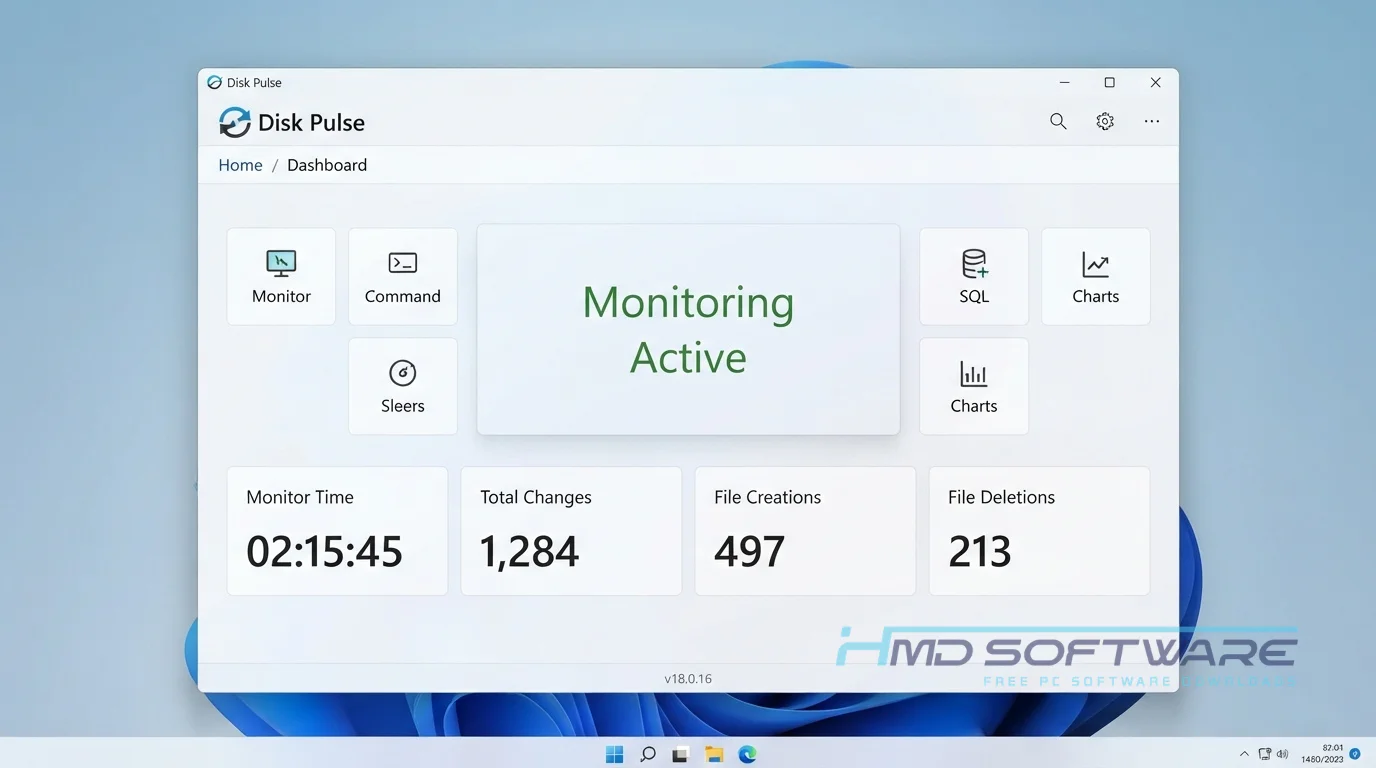
Disk Pulse 2026 is a real-time file-monitoring tool from Flexense that tracks changes to your storage drives. It works on Windows and instantly detects when files are created, changed, or deleted. You can use it for free at home, but businesses need a paid license.
What Does Disk Pulse Do?
This utility monitors your chosen hard drives or specific folders and logs every file change. If you suspect a rogue background program is altering your documents, this file integrity monitoring software catches it red-handed.
I often use it to monitor a specific project directory to see exactly which files a heavy application generates. IT professionals frequently rely on it to detect unauthorized file changes across a secure network.
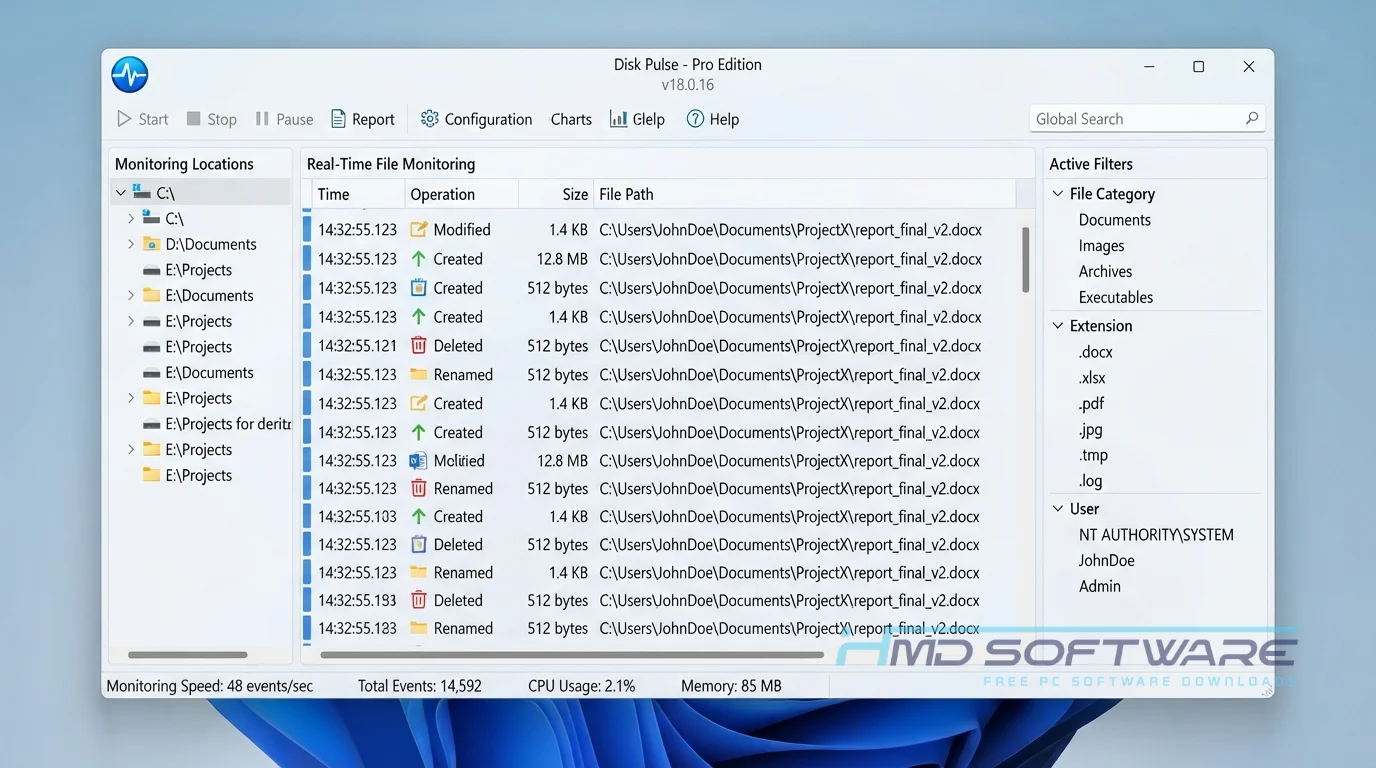
You can filter file changes by type, making it easy to find large video files or hidden log files that consume storage space. It works much like a security camera for your hard drive.
How Does Disk Pulse Work?
The software intercepts file system activity at the operating system level before it even reaches the application layer. It is built for anyone tired of guessing what just caused their hard drive light to flash wildly. The main problem it solves is blind spots in your file management.
Select a disk, click the monitor button, and watch a live feed of changes populate your screen. It translates complicated system background noise into a highly readable list of exact file actions.
Key Features of Disk Pulse 2026
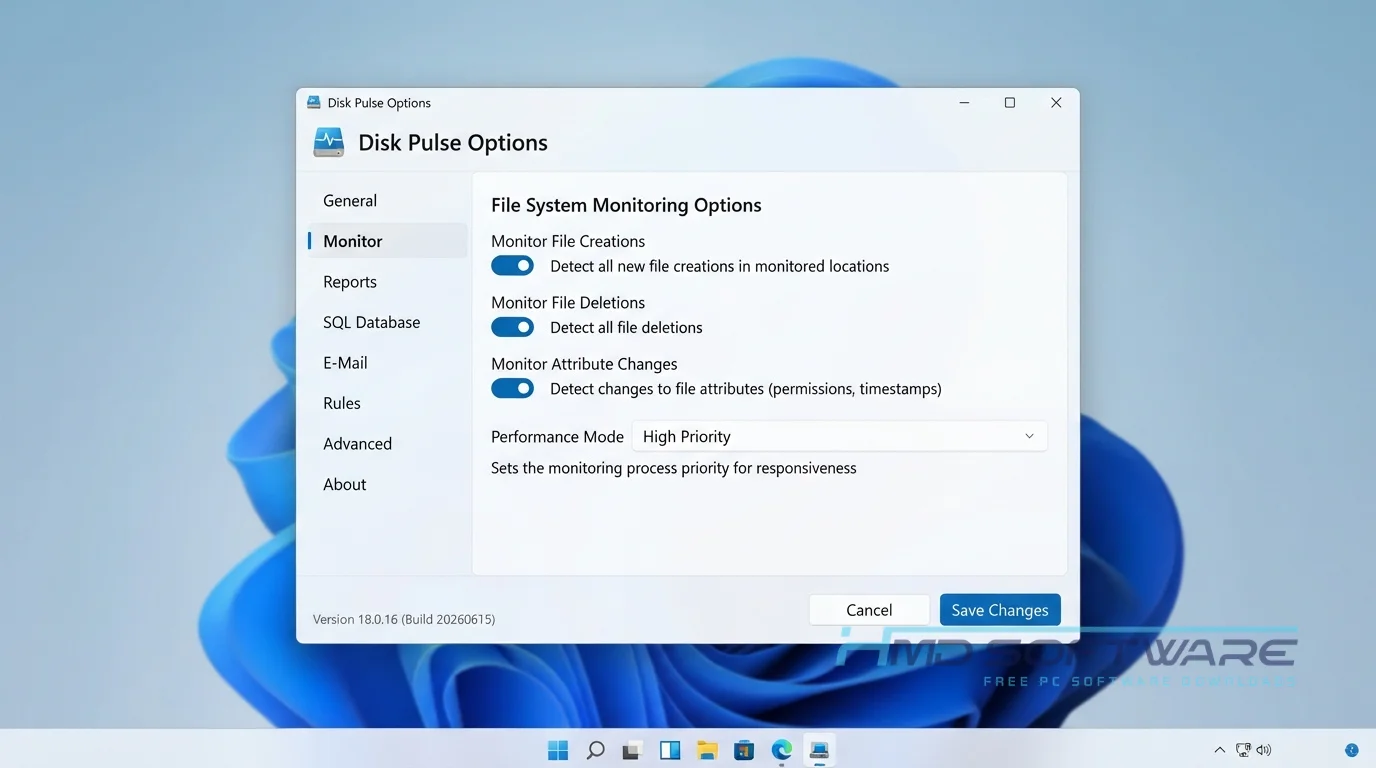
- Real-Time Tracking: This feature helps you track what is happening with your files. It shows you when files are created or deleted, the moment it happens.
- Targeted Rule Filters: A speed-processing feature allowing you to monitor only specific file extensions instead of entire drives.
- E-Mail Notification Tool: A security feature that alerts you immediately if someone tampers with protected directories.
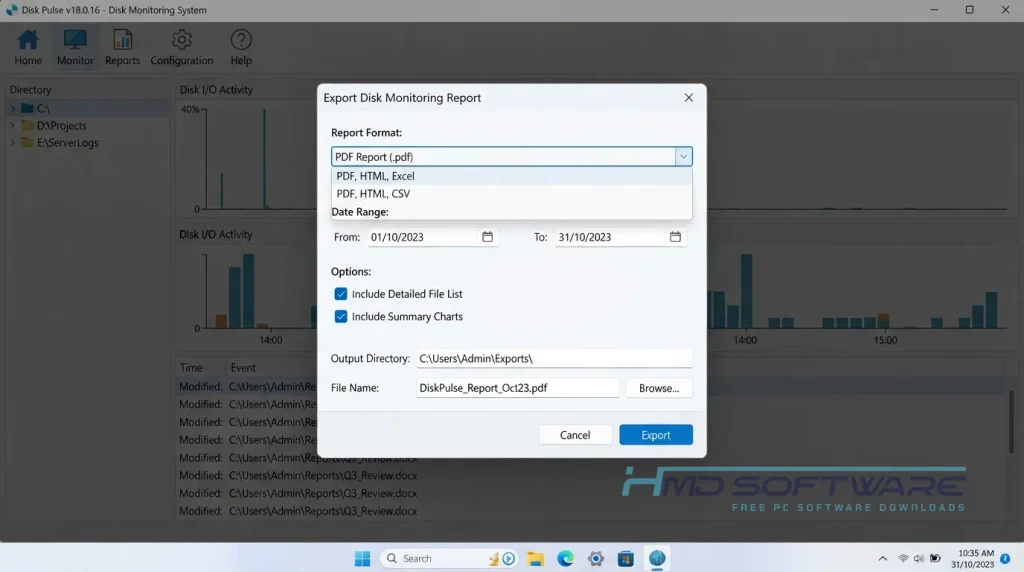
- HTML PDF Excel Report Export: An interface usability feature letting you save the live disk monitoring reports into shareable documents.
- SQL Database Export: A file compatibility feature for enterprise users wanting to log long-term data externally.
- 64 Bit Download Optimization: This means the tool is designed to run on modern computers, so you do not have to worry about it slowing you down.
Pros and Cons
Pros
- It immediately detects any hidden modifications to background files on your PC.
- CPU and memory usage remain very low during active scanning.
- The charts show the changes in detail by file extension.
- The free version covers basic home-user needs well.
Cons
- The interface looks dated and technical for casual users.
- DiskPulse Pro or Ultimate is required for exporting detailed reports.
- The free edition strictly limits the maximum number of files you can monitor simultaneously.
How To Download Disk Pulse 2026
Getting the offline installer on your computer takes only a few quick clicks.
- Open your web browser and look for the latest version of Disk Pulse 2026.
- You can find a safe, verified download link on HMD Software, a reliable platform for PC software downloads.
- Download the 32-bit or 64-bit version depending on your operating system.
- Save the setup file, usually about 10 megabytes, to your main desktop folder.
- Always steer clear of third-party sites that require custom download managers, since they often include hidden adware.
How To Install Disk Pulse Step by Step
Setting up this file integrity monitoring software is very straightforward.
- Find the downloaded executable in your default Downloads folder.
- Double-click the installer to launch the setup wizard.
- Accept the End User License Agreement to proceed.
- Select the destination folder on your main hard drive where you want it to live.
- Click Install and let the wizard copy the core application files.
- Finish the setup and launch the program to begin your very first disk scan.
System Requirements
You do not need a high-end workstation to monitor your local storage drives effectively. The software runs very lightly in the background, using minimal active memory. Check your current system specs before you start. Here are the exact hardware specifications required to run this disk usage analyzer tool smoothly on your PC.
| Requirement | Minimum | Recommended |
| Operating System | Windows 10 (32-bit) | Windows 11 (64-bit) |
| RAM | 512 MB | 2 GB or more |
| Storage | 50 MB | 100 MB free space |
| Processor | 1 GHz Intel or AMD | Dual-core 2 GHz or higher |
| Internet | Not required | Optional for license check |
| Additional | Standard local admin rights | Administrator privileges required |
Is Disk Pulse Safe To Download?
Yes, it is entirely safe to install on your computer. Flexense is a highly reputable developer of IT management utilities, and its official executable files contain no bundled adware or malicious tracking scripts. Independent antivirus tests confirm the setup file is clean.
To stay safe, do not download cracked versions of DiskPulse Server or the Enterprise edition, as these often contain malware. Always scan the downloaded file with Windows Defender before installing it to be sure it is safe.
Best Alternatives To Disk Pulse 2026
If this utility doesn’t meet your technical needs, you might prefer these alternatives.
- FolderChangesView: A tiny, completely portable tool by NirSoft that lists all modified files without requiring an installation.
- Directory Monitor: Provides real-time notifications for file deletions and includes a slightly more modern, colorful user interface.
- Process Monitor: A highly advanced Microsoft Sysinternals utility that tracks exact registry and file system activity for heavy troubleshooting.
Conclusion
Disk Pulse 2026 quickly shows you what is using your hard drive space or changing your private folders. IT administrators and home users can use this tool to closely monitor their system activity.
You stop guessing and start seeing exact file modifications instantly. Scroll back up to download DiskPulse for free, install it quickly, and take full control of your local storage today.
Frequently Asked Questions
Is Disk Pulse 2026 free or paid?
The developer offers both a generous free version and multiple paid premium tiers. The basic freeware edition works perfectly for personal users who need to monitor a limited number of local files.
If you need a DiskPulse commercial license for business, you must purchase DiskPulse Pro, Server, or Enterprise. These paid versions unlock advanced reporting and SQL database exports.
Does Disk Pulse 2026 work on Windows 11?
Yes, the latest version of this monitoring utility runs flawlessly on Windows 11. The developer consistently updates the software architecture to fully support modern Windows environments.
Whether you choose the 32-bit or 64-bit installer, it integrates natively with the Windows file system. You will not encounter any random crashes or compatibility errors when tracking directories on Microsoft’s newest OS.
What is the latest version of Disk Pulse 2026?
The most recent stable release is DiskPulse 18.0.16, which introduced several under-the-hood performance optimizations to improve file tracking. The Flexense development team frequently pushes minor updates to squash bugs and improve compatibility with network drives.
Checking the official release notes ensures you are running the absolute newest build. Upgrading to this specific version guarantees you have the most accurate directory scanning available.
What is the difference between DiskPulse and DiskPulse Pro?
The free version limits you to monitoring up to 100,000 files at once and only supports basic text exports. DiskPulse Pro removes this strict file limit and unlocks advanced features IT professionals need.
With the Pro edition, you gain the ability to export detailed HTML, PDF, and Excel reports. It also lets you filter specific file changes with highly customized rules.