




BRL-CAD Free Download & Setup Guide for Windows PC


Quick Answer: You can get BRL-CAD 7.42.2 for free. It is easy to use. It works well. It runs fine on Windows 11, although setting it up may take a few minutes. Most people finish installing in less than five minutes, so you can start using its modeling and ray tracing tools quickly.
Introduction
BRL-CAD is an open source 3D modeling tool originally developed by the U.S. Army Ballistic Research Laboratory that provides constructive solid geometry editing and ray tracing. Engineers, military researchers, and defense contractors often look for a BRL-CAD 7.42.2 download when they need to run complex vulnerability and lethality analysis.
If you want free CAD software for engineers that handles heavy geometric analysis without crashing, this is a solid pick. I will walk you through exactly how to get it running on your PC without any headaches.
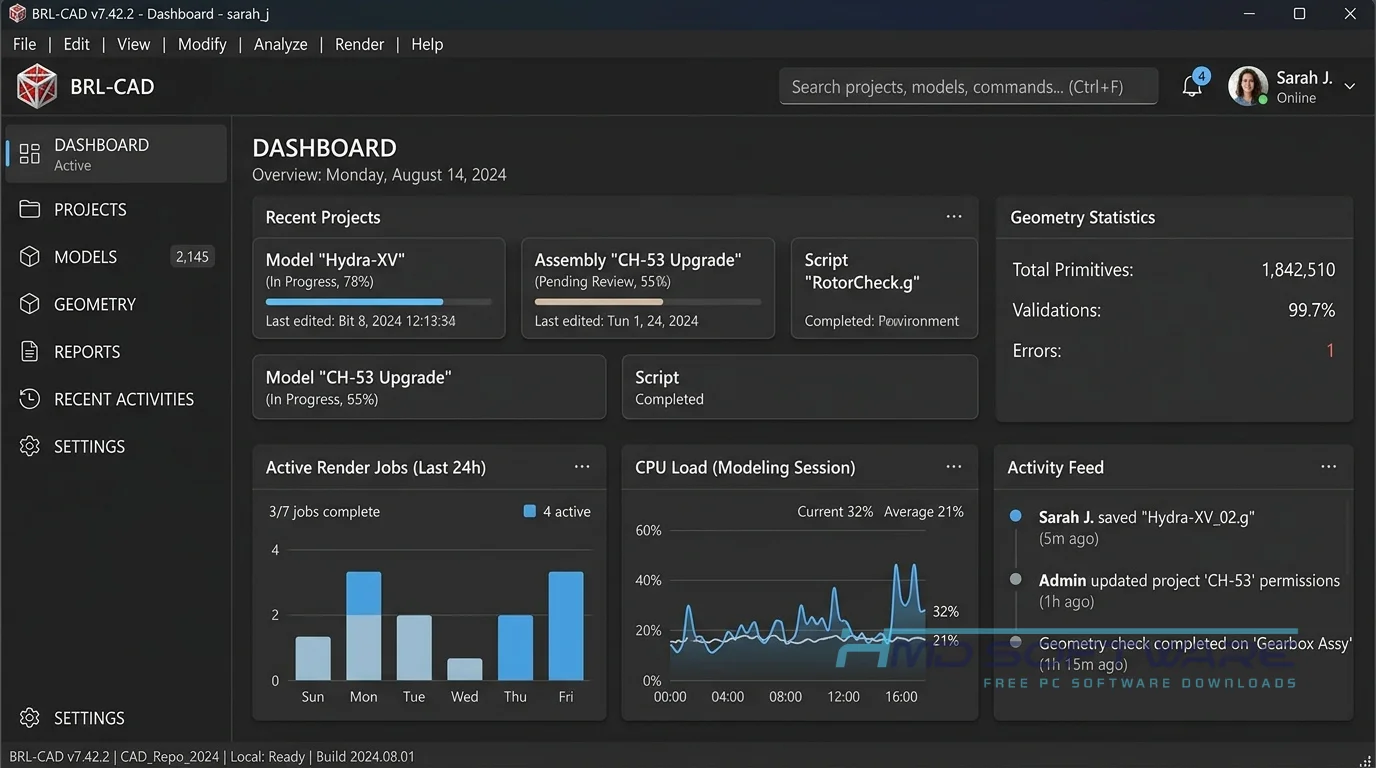
What Is BRL-CAD?
BRL-CAD is open-source constructive solid geometry software developed by the U.S. Army Research Laboratory. It is released under both BSD and LGPLv2 licenses and offers military-grade solid modeling, geometric analysis, and ray tracing. The software works on Windows, Mac, and Linux, so it is accessible on most computers.
What Does BRL-CAD Do?
The program excels at building detailed 3D models by combining basic shapes using mathematical logic. Instead of just drawing a surface mesh, you are building a dense mathematical representation of a physical object.
For example, defense researchers use the MGED geometry editor to simulate how combat vehicles react to different impacts. An engineering firm might use the software to perform thermal analysis on a complex mechanical part, leveraging the librt ray-tracing library.
It handles things like line-of-sight checks and massive BoT mesh ray-tracing tasks much better than standard commercial alternatives. It is a highly specialized scientific modeling software that is free to download and focuses entirely on accurate physical simulation rather than pretty visuals.
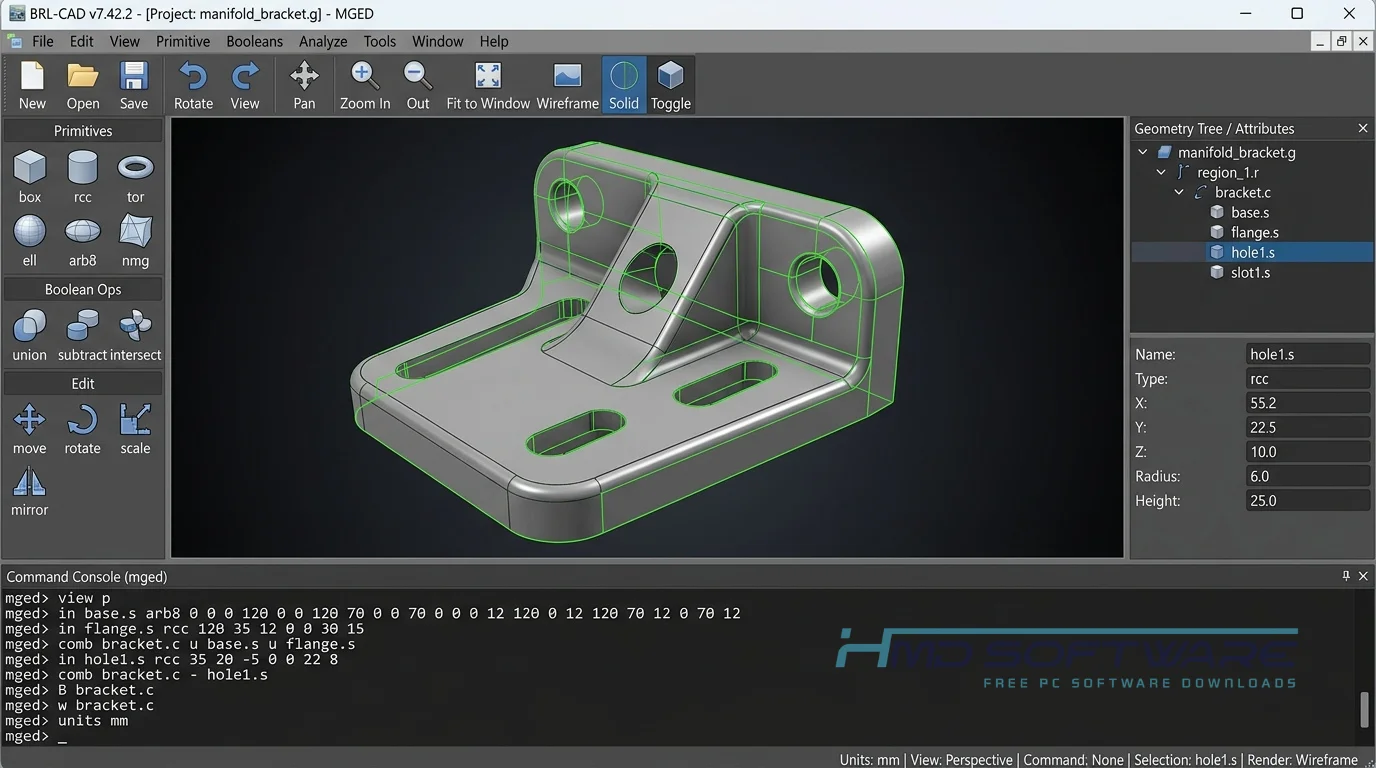
How Does BRL-CAD Work?
You build models by combining primitive shapes such as boxes, spheres, and cylinders using Boolean operations such as add, subtract, and intersect. It is primarily built for academics and analysts who require absolute mathematical precision.
The software solves the problem of surface-level modeling by tracking an object’s actual volume and density. The learning curve is admittedly steep, especially if you stick to the older command-line interface.
However, using the newer Archer interface makes it much easier for most people to arrange parts and visualize the solid geometry.
Key Features of BRL-CAD
- Constructive Solid Modeling: Focuses on Boolean operations to create highly accurate 3D geometry rather than simple surface meshes.
- High-Speed Ray Tracing: Uses the advanced HLBVH spatial partitioning system to render incredibly detailed physical simulations quickly.
- Open Source Security: Because the full source code is public, defense organizations can easily audit the program for absolute privacy.
- Multiple Interfaces: Users can switch between the classic MGED geometry editor and the slightly friendlier Archer interface.
- Native File Format: Stores everything safely in its own highly efficient .g database format.
- Cross-Platform Support: You can download BRL-CAD for Windows or run it natively on Linux and Mac.
Pros and Cons
Pros:
- Completely free open source CAD software for businesses.
- Incredibly stable when handling massive, complex military simulations.
- Unmatched accuracy in math for analyzing physical volume.
- Runs well on older hardware and Linux distributions.
Cons:
- The user interface feels decades old and is hard to learn.
- It lacks modern 2D drafting tools found in most mainstream CAD programs.
- Importing certain modern STEP files can sometimes result in broken geometry.
How Do I Download BRL-CAD for PC?
- Open your web browser and search for a verified repository hosting the latest release.
- You can find a safe, verified download link on HMD Software, a reliable platform for PC software downloads.
- Choose the BRL-CAD 7.42.2 Windows installer download, which is typically an executable (.exe) file around 150 MB in size.
- Wait for the installer file to finish saving to your local drive before opening it.
- Always scan the downloaded .exe file with your antivirus before opening it to ensure a safe installation.
How To Install BRL-CAD Step by Step
- Find the downloaded installer file. It is probably inside your Windows Downloads folder.
- Double-click the executable file to trigger the installation wizard.
- Read and accept the standard open-source license agreement to move forward.
- Choose where you want the software installed, or leave the default C: drive destination.
- Click the install button and wait a few minutes while the core files extract.
- Close the setup wizard and launch the program from your new desktop shortcut.
System Requirements
Before downloading BRL-CAD for free, make sure your computer’s hardware meets these minimum specifications. Since the programme centres on pure mathematical processing rather than on impressive graphics, there is no need for you to have an expensive rendering workstation to use it. It operates smoothly on standard modern desktop systems.
| Requirement | Minimum | Recommended |
| Operating System | Windows 10 (64-bit) | Windows 11 (64-bit) |
| RAM | 4 GB | 8 GB or more |
| Storage | 500 MB free space | 2 GB SSD storage |
| Processor | Intel Core i3 or AMD equivalent | Intel Core i5 / Ryzen 5 |
| Graphics | Basic integrated graphics | Dedicated GPU with 2GB VRAM |
| Internet | Optional for setup | Required for source updates |
Is BRL-CAD Safe To Download?
Yes, the program is completely safe to download and install on your machine. Because it is an open-source project managed closely by government and academic institutions, the installer does not contain any hidden adware, spyware, or malicious tracking scripts.
To keep your PC secure, never download the software from random third-party torrent sites. Always verify you are getting the exact version from a trusted repository, and keep your Windows Defender active when downloading executable files.
Best Alternatives To BRL-CAD
- FreeCAD: A highly popular parametric 3D modeler that is much easier for beginners to learn and features a massive library of community plugins.
- OpenSCAD: A great choice if you prefer writing programming scripts to generate solid 3D models rather than clicking through graphical menus.
- Blender: While technically a polygon mesh modeler rather than a CAD tool, it excels if you need artistic freedom and photorealistic rendering.
Conclusion
BRL-CAD remains a highly capable solid modeling tool for those who need extreme mathematical precision over modern graphical flair. If you work in engineering, defense research, or academic analysis, it handles massive geometry simulations beautifully. You can grab the latest version today to see how it handles your toughest rendering tasks. Check the download link above to get the offline installer and start building.
Frequently Asked Questions
Is BRL-CAD free or paid?
The software is completely free to download, use, and modify. It operates under open-source licenses, primarily the BSD and LGPLv2 licenses.
This means individual students, massive engineering firms, and government defense contractors can install the application without paying any subscription fees or purchasing commercial seats. You get full access to the source code and all its modeling tools at zero cost.
Does BRL-CAD work on Windows 11?
Yes, the latest precompiled installer works well on Windows 11. Even though the code is old, the development team keeps the program up to date for modern 64-bit systems.
You run the standard executable, and both the MGED and Archer interfaces will function correctly on your modern desktop without requiring any special compatibility modes.
What is the latest version of BRL-CAD?
The latest version of BRL-CAD is 7.42.2. This new version of BRL-CAD has some changes. It works better with the BoT mesh raytracing system. It also works better with geometry conversion tools.
If you are running an older build, such as 7.32.2, you should definitely upgrade to the latest version to benefit from faster processing and a more stable modeling environment.
Is BRL-CAD safe to download and use?
Yes, it is incredibly safe. The core project is closely scrutinized by academic and military institutions, which means the code is exceptionally clean.
As long as you fetch the BRL-CAD 7.42.2 installer from a reputable file host or the official project repository, you do not have to worry about bundled adware or malware. Just run a quick virus scan on the executable file before opening it.
Latest Posts:
- Microsoft Office 365 Enterprise Free Download: Full Offline Setup
- Macrium Reflect Rescue Free Download: Bootable WinPE ISO Setup
- JPLAY Femto Free Download: Bit-Perfect Audiophile PC Player
- Milestone XProtect Corporate 2025 Free Download: VMS Setup for PC
- Microsoft Office 2010 Pro Plus Free Download: Full PC Setup