




Bambu Studio Free Download & Setup Guide for Windows PC


Quick Answer: You can safely download the Bambu Studio offline installer for free and install it directly on your PC. This 3D slicer works well on Windows 11. Setup takes about five minutes, so you can quickly start slicing multi-color prints and managing your 3D print farm on your local network.
Introduction
Bambu Studio is a dedicated 3D printing slicer software developed by Bambu Lab that converts your digital models into printable instructions. Most 3D printing enthusiasts and farm operators look for a Bambu Studio download to prepare their files with advanced speed and quality settings.
The latest version, Bambu Studio 02.06.00.51, introduces critical hotfixes to the cooling logic and improved first-layer defect detection. You will find that this free program dramatically speeds up print preparation, especially if you plan to use tree support structures or send multi-plate printing jobs to your hardware.
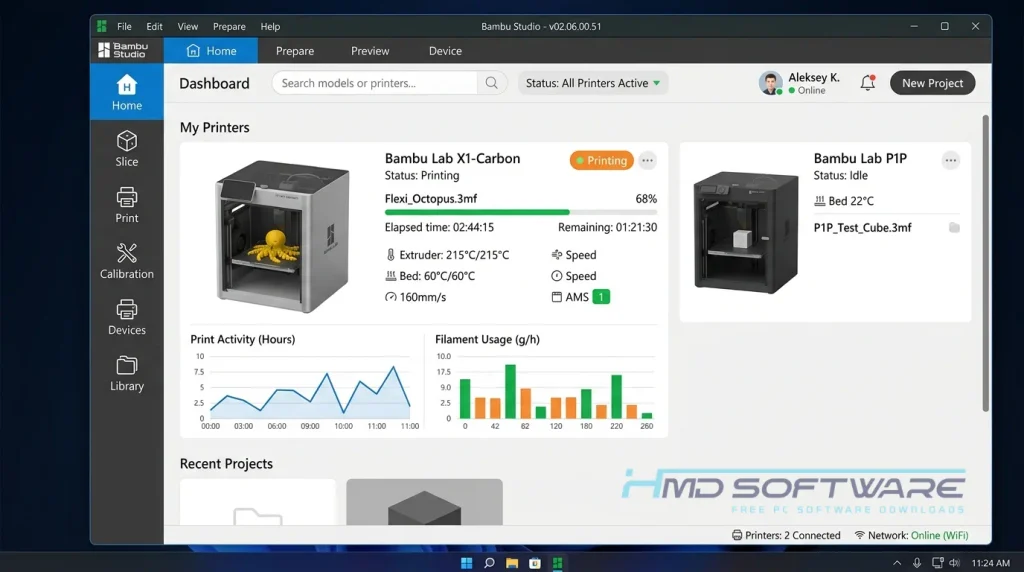
What Is Bambu Studio?
Bambu Studio is a free, open-source 3D slicer software developed by Bambu Lab that prepares digital models for 3D printing. It runs natively on Windows, macOS, and Linux platforms under an AGPL-3.0 license.
The core function involves converting STL and STEP file imports into physical G-code machine paths, giving users precise control over print profiles, material handling, and remote farm management.
What Does Bambu Studio Do?
This slicer software translates raw 3D shapes into precise machine movements that a 3D printer can physically execute. If you import a complex mechanical bracket, the software automatically generates tree support structures to hold up overhanging geometry during the build.
Hobbyists frequently use the multi-material slicer software download to paint textured models and map those colors directly to the AMS Automatic Material System. When working in an engineering shop, you can load highly accurate STEP file imports and arrange dozens of parts across a multi-plate printing project.
This completely removes the guesswork from deciding how much filament a print needs or how long a complex build will take.
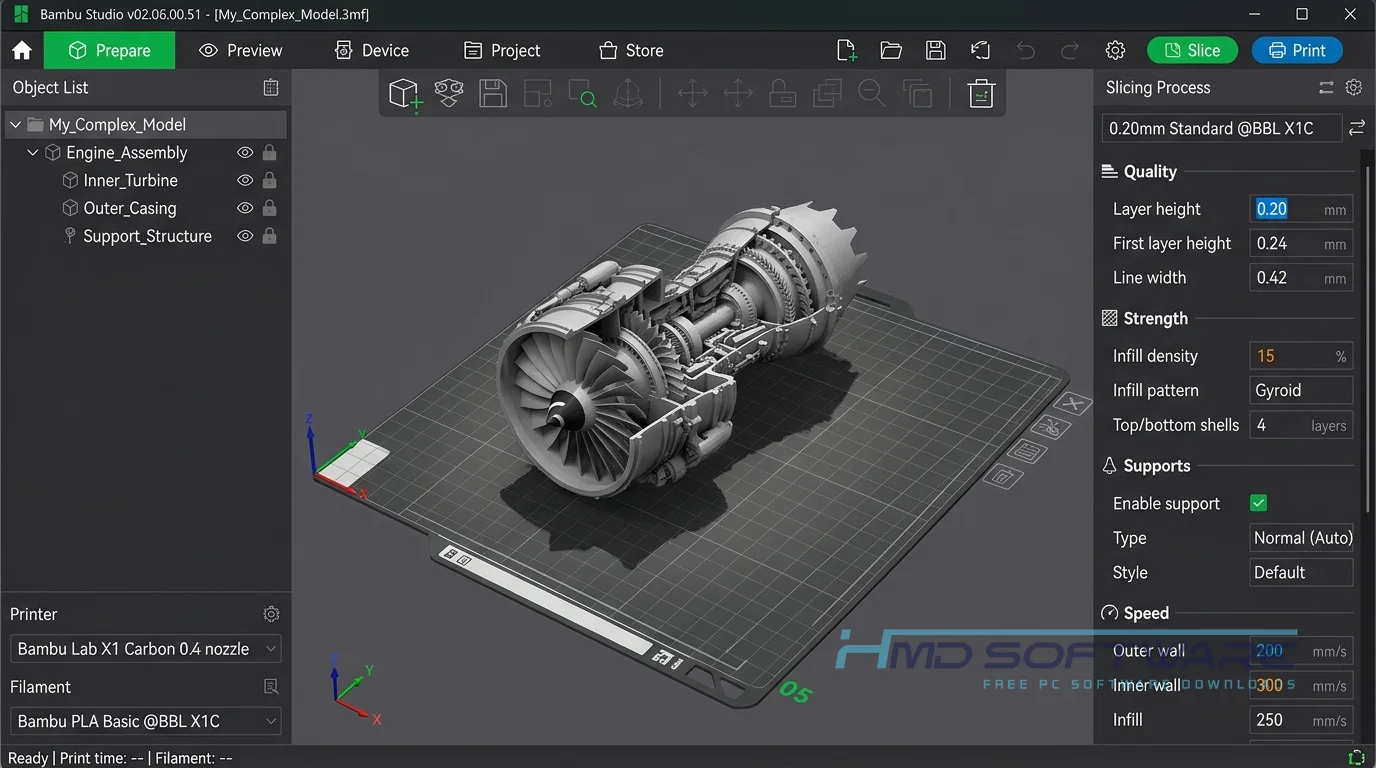
How Does Bambu Studio Work?
The application works by slicing three-dimensional models into hundreds of flat, two-dimensional layers. When you load a part, you assign specific print profiles for your filament type and choose how dense the internal plastic infill should be.
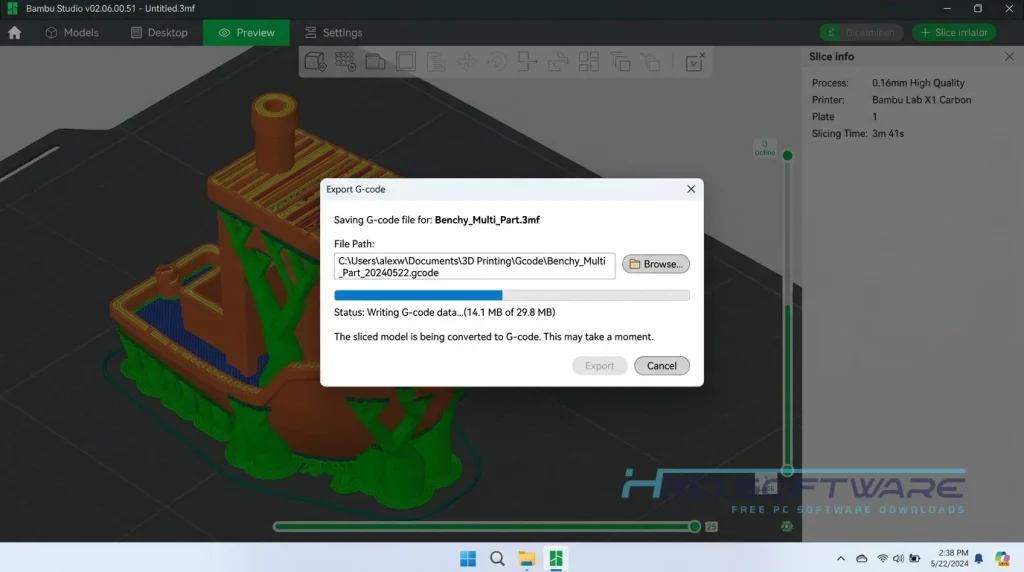
The software then applies specialized algorithms, such as Arch Move technology, to calculate the fastest toolhead path while avoiding surface vibration. Once the visual layer preview looks good, the program sends the finalized G-code instructions straight to your hardware over a WAN//LAN printing connection.
Key Features of Bambu Studio
- Project Workflows: The 3MF project format bundles your parts, custom paint data, and print profiles into one manageable file.
- Multi-Color Assignment: You can paint OBJ, GLTF, and GLB textured models digitally and automatically map them to your filament spools.
- Network Printing: The Bambu Network plugin download lets you send files remotely without needing a microSD card.
- Advanced Slicing: Native STEP file support creates smooth arcs rather than jagged geometry during heavy G-code generation.
- Custom Text Integration: The built-in 3D Text tool makes adding raised or recessed lettering to any surface remarkably simple.
- Version Control: The straightforward Bambu Studio update download system ensures you always run the newest hotfix.
Pros and Cons
Pros:
- The slicing speeds are really fast even when you are working with files that have many plates.
- Easily connects with the Bambu Handy app for monitoring.
- Generates excellent tree supports that snap off cleanly by hand.
- The latest version of Bambu Studio requires no paid subscription.
Cons:
- Some advanced features require the Bambu Connect plugin to function fully.
- The layer preview tab can lag severely if you rotate models on an older PC without a dedicated graphics card.
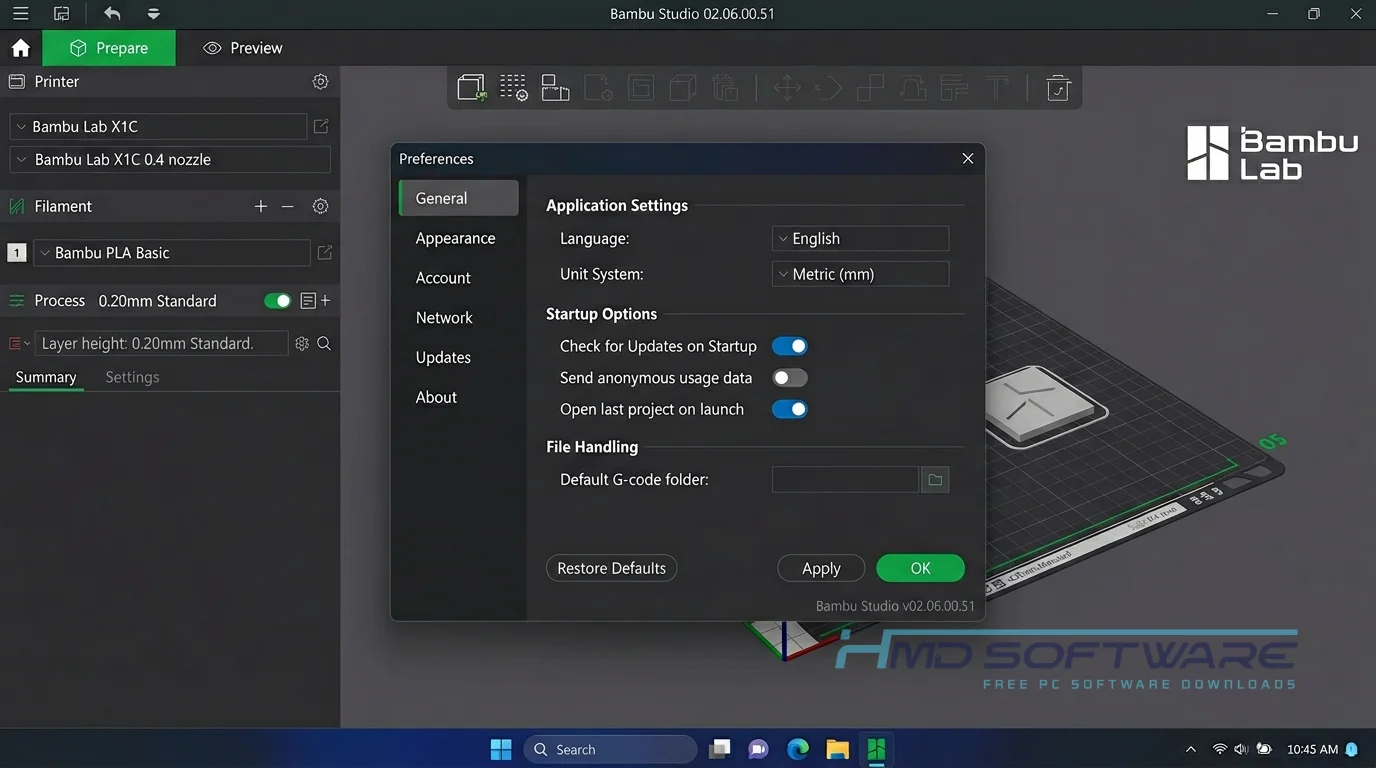
How To Download Bambu Studio
- Open your web browser and search for a secure software repository to avoid malicious setup files.
- You can find a safe, verified download link on HMD Software, a reliable platform for PC software downloads.
- Select the Bambu Studio free download specifically designed for your current desktop operating system.
- The standard Bambu Studio offline installer free download for Windows 11 will be a few hundred megabytes.
- Wait for the installer .exe file to fully save to your local Downloads folder.
- Always ensure your firewall allows the file to pass through cleanly, as heavy engineering applications can sometimes trigger false-positive security warnings.
How To Install Bambu Studio Step by Step
- Navigate to the folder where you saved the Bambu Studio install file.
- Double-click the setup application to launch the main installation wizard.
- Accept the open-source license agreement and allow the required user access control permissions.
- Choose your preferred hard drive installation location, ensuring you have at least 2 GB of free space.
- Select which specific printer models and default filament profiles you want to load during the initial setup.
- Click Finish and open the program to sign in to your cloud account.
System Requirements
Before you install the slicer, confirm that your desktop workstation can handle heavy 3D rendering. Slicing complex geometric files requires a capable processor and enough memory to keep the layer preview screen smooth. If your system falls short, generating supports will take noticeably longer. Here is what your machine needs to run everything properly.
| Requirement | Minimum | Recommended |
| Operating System | Windows 10 (64-bit) | Windows 11 (64-bit) |
| RAM | 4 GB | 8 GB or more |
| Storage | 2 GB available | 5 GB free space on SSD |
| Processor | Intel Core i3 or equivalent | Intel Core i5 / AMD Ryzen 5 |
| Internet | Required for cloud slicing | Required for firmware updates |
| Graphics Card | OpenGL 2.0 integrated graphics | Dedicated GPU (NVIDIA or AMD) |
Is Bambu Studio Safe To Download?
Yes, the Bambu Studio offline installer is completely safe to download and use on your computer. Because the software is backed by the open-source community and hosted on GitHub, developers constantly review the code for security vulnerabilities.
The official Bambu Studio package does not contain any hidden ads or background-running programs. To keep your computer safe, do not download Bambu Studio from websites. Instead, always update Bambu Studio using the built-in update feature.
Best Alternatives To Bambu Studio
- OrcaSlicer: The open-source fork provides more extensive manual calibration tests should you want to adjust the exact flow rates and pressure advance values on custom hardware.
- PrusaSlicer: Many users grab the free download when they want a heavily tested, rock-solid alternative with massive community support for older machines.
- UltiMaker Cura: If you run older printers, the free Cura download offers thousands of third-party plugins and works reliably on low-end hardware.
Conclusion
Bambu Studio is a good choice if you have a new, fast 3D printer. It is also a good option if you want to print in many colors or need to make a quick prototype without an SD card. You can download Bambu Studio for Windows. Start making real objects from your ideas.
Frequently Asked Questions
Is Bambu Studio free or paid?
Bambu Studio is free for everyone to download and use. You do not have to pay a fee or buy a special license to use all the features of Bambu Studio.
Bambu Lab provides the full application as an open-source tool, meaning anyone can use the same software package that professional print farm operators use without spending a dime.
Does Bambu Studio work on Windows 11?
Yes, the latest version is fully optimized for Windows 11. Its 64-bit design lets it use modern multi-core processors, so slicing large, high-resolution models is much faster.
As long as your graphics card drivers are up to date, you will not encounter any weird visual glitches when previewing complex print paths in the workspace.
What is the latest version of Bambu Studio?
The current stable version is Bambu Studio 02.06.00.51, which is mainly a hotfix release. It fixes a bug where the printer nozzle did not cool down properly after finishing a print job.
Keeping your installation updated to this patch is highly recommended, as it also brings noticeable stability improvements when using filament-saving mode during large multi-color print runs.
Is Bambu Studio safe to download and use?
It is completely safe as long as you pull the installer from a verified source. The program contains no malware, and all cloud-based remote slicing occurs on secure servers.
If you prefer to keep your files local for privacy reasons, you can easily enable LAN-only mode in the settings, which prevents the software from sending your geometry data to the internet.
Is Bambu Studio free or paid?
Bambu Studio is free for everyone to download and use. You do not have to pay a fee or buy a special license to use all the features of Bambu Studio.
Bambu Lab provides the full application as an open-source tool, meaning anyone can use the same software package that professional print farm operators use without spending a dime.
Does Bambu Studio work on Windows 11?
Yes, the latest version is fully optimized for Windows 11. Its 64-bit design lets it use modern multi-core processors, so slicing large, high-resolution models is much faster.
As long as your graphics card drivers are up to date, you will not encounter any weird visual glitches when previewing complex print paths in the workspace.
What is the latest version of Bambu Studio?
The current stable version is Bambu Studio 02.06.00.51, which is mainly a hotfix release. It fixes a bug where the printer nozzle did not cool down properly after finishing a print job.
Keeping your installation updated to this patch is highly recommended, as it also brings noticeable stability improvements when using filament-saving mode during large multi-color print runs.
Is Bambu Studio safe to download and use?
It is completely safe as long as you pull the installer from a verified source. The program contains no malware, and all cloud-based remote slicing occurs on secure servers.
If you prefer to keep your files local for privacy reasons, you can easily enable LAN-only mode in the settings, which prevents the software from sending your geometry data to the internet.
Latest Posts:
- Microsoft Office 365 Enterprise Free Download: Full Offline Setup
- Macrium Reflect Rescue Free Download: Bootable WinPE ISO Setup
- JPLAY Femto Free Download: Bit-Perfect Audiophile PC Player
- Milestone XProtect Corporate 2025 Free Download: VMS Setup for PC
- Microsoft Office 2010 Pro Plus Free Download: Full PC Setup