




Automapki Autoconverter Free Download & Setup Guide for PC

Quick Answer: You can safely download the Automapki Autoconverter offline installer for your PC. It works well with Windows 11. Although you need a paid license for ongoing commercial use, a free trial is available to test the batch 3D file converter. Setup is quick and takes about a minute.
Introduction
If you work with 3D models, you know how frustrating it is when your main CAD software cannot open certain files. Automapki Autoconverter solves this problem by converting complex geometry between many different industry standards.
Engineers and 3D printing fans often use this tool when they need reliable 3D file conversion software to fix unreadable meshes. The latest version, Automapki Autoconverter 2.3.6, does all translations on your computer without needing cloud uploads.
You get to keep your proprietary designs completely private while moving parts easily into your preferred workspace.
What Is Automapki Autoconverter?
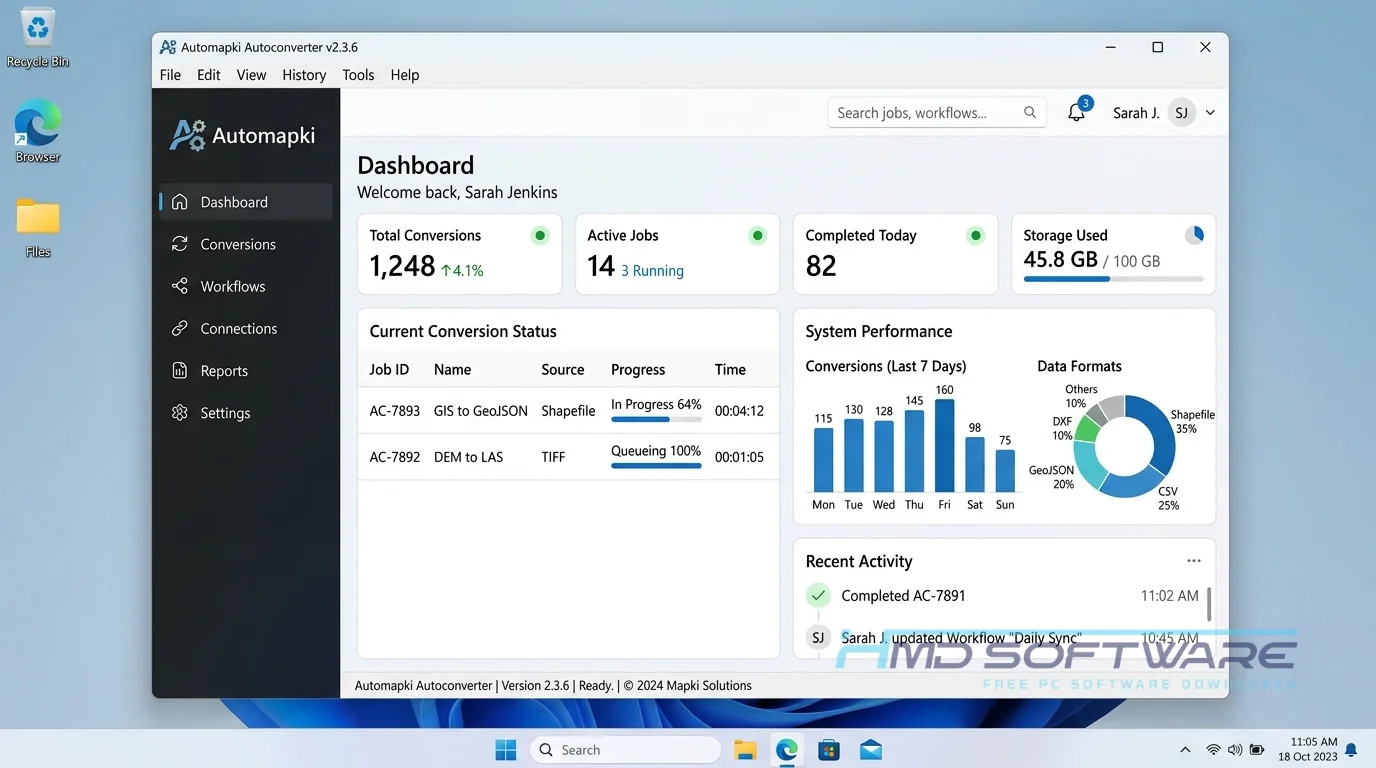
Automapki Autoconverter is a desktop 3D file conversion tool developed by Automapki that translates mesh and solid geometry between different rendering and CAD formats.
Built natively for Windows, this utility is licensed commercially and offers a free trial. It functions as a standalone application independent of larger drafting suites.
What Does Automapki Autoconverter Do?
This utility bridges the gap between incompatible 3D design ecosystems. Instead of struggling to open a complex STEP, IGES, or BREP file in a basic modeling program, you drop the file into the application and export it as an easily readable format.
Most people use it to prep architectural models, acting as a quick Rhino SKP converter free download to move Rhinoceros 3DM format files into SketchUp SKP environments. It also excels as an STL file converter download for 3D printing pipelines.
You can quickly smooth meshes or reduce polygons to make large CityJSON files smaller before importing them into game engines or animation software. This saves you hours of manual cleanup.
How Does Automapki Autoconverter Work?
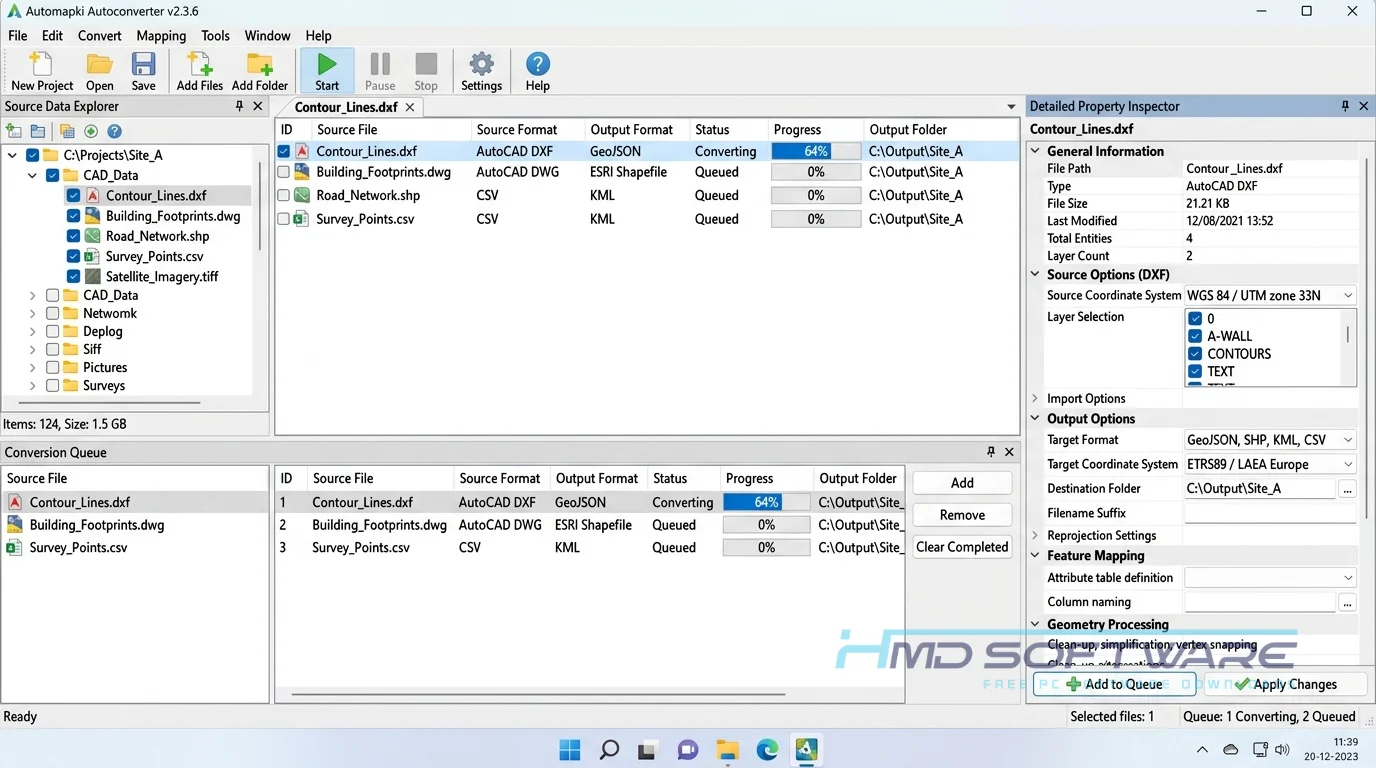
The app works with 3D shapes on your computer using a simple, easy-to-use interface. You load your file, adjust mesh settings as needed, and choose your output format. It is made for CAD experts and 3D artists who often spend hours fixing broken mesh details during imports.
By handling point cloud ASC XYZ data and complex material texture conversion internally, the software bypasses the typical errors caused by native import plugins. You get a universal desktop translator for 3D surfaces and solids that requires no programming knowledge to operate.
Key Features of Automapki Autoconverter
- Wide Format Support: Import and export Filmbox FBX and Collada DAE and glTF, AutoCAD DWG and DXF 3D files quickly, without needing the CAD software.
- Polygon Reduction Tools: Easily simplify large 3D models to help them run faster in modern game engines.
- Command Line Processing: Execute command line batch conversion tasks to process entire folders of high-resolution models overnight.
- Local Processing Engine: All mesh repair and conversion software tasks are performed entirely offline to protect sensitive corporate assets.
- Hierarchical Support: Retain complex component instances and hierarchical model assemblies during file translation to save critical rebuilding time.
- Clean User Interface: The accessible Quick Access Toolbar lets you find your most-used STL file converter features instantly.
Pros and Cons
Pros:
- Translates native Rhinoceros 3DM format and SketchUp SKP files without requiring the host software to be installed.
- The batch 3d format converter free trial lets you test large directories.
- Excellent vertex normal preservation during complex exports.
- Extremely lightweight system footprint prevents computer slowdowns.
Cons:
- The user interface looks a bit dated compared to modern design applications.
- The autoconverter free trial 2-day limit is painfully short for proper testing.
- Lacks advanced manual mesh repair tools for severely broken or non-manifold geometry.
How To Download Automapki Autoconverter
- Always grab the setup files from a trusted database rather than shady third-party forums to keep your workstation entirely secure.
- HMD Software is a trusted platform where you can find the verified autoconverter x64 setup file without any hidden hassle.
- Navigate to the CAD utility section and select the autoconverter standalone MSI installer download button directly.
- The download package is roughly 30 megabytes, so it will finish transferring to your local storage drive in seconds.
- Verify that you are grabbing the correct 64-bit architecture file for your specific PC hardware.
- Before you run the executable file, scan the autoconverter zip download with your daily antivirus program just to be perfectly safe.
How To Install Automapki Autoconverter Step by Step
- Locate the recently downloaded AutoMapKi AutoConverter installer file in your main Windows Downloads directory.
- Double-click the MSI file to start the setup. The main setup wizard will come up. Guide you through the process.
- Agree to the standard license terms to access advanced setup options.
- Choose your preferred local installation directory, ideally on your primary solid-state drive for better performance.
- Click the Install button and grant Windows Administrator permissions when prompted.
- Once the progress bar finishes loading, close the installer and launch the application from your new desktop shortcut to begin converting files.
System Requirements
You do not need a powerful computer to run this 3D model conversion tool. Since it only handles data translation and not live rendering, it works well on regular office computers.
Check these basic hardware requirements before you try to process massive architectural point cloud files or heavy mechanical assemblies to avoid memory crashes.
| Requirement | Minimum | Recommended |
| Operating System | Windows 10 (64-bit) | Windows 11 (64-bit) |
| RAM | 2 GB | 8 GB or more |
| Storage | 100 MB free disk space | 500 MB free space on SSD |
| Processor | Intel Core i3 or AMD equivalent | Intel Core i5 or higher |
| Internet | Required for license activation | Optional after setup |
| Additional | Standard graphics drivers | Dedicated GPU for large previews |
Is Automapki Autoconverter Safe To Download?
Yes, it is completely safe to download from legitimate software portals. The official automapki software download packages do not contain aggressive adware, background crypto-mining scripts, or bundled browser toolbars.
It simply functions as a clean 3D mesh converter tool. To keep your PC protected, never search for a full-version autoconverter download with a crack, as those modified files almost always carry hidden ransomware.
Stick to the official autoconverter trial download and purchase a legitimate commercial license if it fits your daily engineering workflow.
Best Alternatives To Automapki Autoconverter
- MeshLab: A completely free, open-source 3D mesh processing system that excels at heavy polygon reduction and point cloud cleaning for academic researchers or indie game developers.
- CrossManager: A highly powerful enterprise-grade CAD file converter tailored specifically for heavy mechanical engineering formats like CATIA, NX, and SolidWorks across large teams.
- Spin3D: A much lighter, beginner-friendly desktop utility that handles basic batch 3d format converter tasks perfectly for standard home 3D printing files like STL and OBJ formats.
Conclusion
Automapki Autoconverter is a useful tool for anyone working with incompatible 3D software. It can save engineers and artists hours of manual work by correctly converting mesh data the first time.
If you regularly jump between complex CAD programs, game engines, and slicing software, this tool easily justifies its space on your hard drive. Grab the latest offline installer today and test the translation quality on your most stubborn 3D models.
Frequently Asked Questions
Is Automapki Autoconverter free or paid?
This is paid software designed for CAD users and 3D printing studios that require dependable mesh conversion. However, you can download a trial to see how fast it works on your computer.
The trial limits the number of file conversions you can perform and requires a standard license to unlock unrestricted batch processing.
Does Automapki Autoconverter work on Windows 11?
Yes, the application is fully optimized to run natively on Windows 11 systems. You can download the Autoconverter 2.3.6 x64 Windows installation files knowing they support the latest operating system security.
Since it uses a lightweight local processing engine, it runs smoothly without needing old compatibility modes. It also works with older Windows 10 64-bit systems. environments.
What is the latest version of Automapki Autoconverter?
The latest version is Automapki Autoconverter 2.3.6. This update offers better stability when exporting glTF formats and improved handling of hierarchical model assemblies.
If you upgrade from Autoconverter 2.3.5, you will see fewer missing faces when importing large SketchUp files. You can get the latest update through your software dashboard.
Is Automapki Autoconverter safe to download and use?
Yes, the official software is perfectly safe to install on your workstation. Automapki digitally signs the standalone installer and is entirely free of spyware or bundled bloatware.
Because the program processes all 3D mesh data locally on your machine, it is highly secure for sensitive corporate designs. Always avoid downloading sketchy patch files from unauthorized sites to maintain that system security.
Latest Posts:
- Microsoft Office 365 Enterprise Free Download: Full Offline Setup
- Macrium Reflect Rescue Free Download: Bootable WinPE ISO Setup
- JPLAY Femto Free Download: Bit-Perfect Audiophile PC Player
- Milestone XProtect Corporate 2025 Free Download: VMS Setup for PC
- Microsoft Office 2010 Pro Plus Free Download: Full PC Setup