




AnyRail 2026 Free Download for PC: Setup Guide & Features


Quick Answer: Yes, you can safely download AnyRail 2026 for Windows 11 and 10 to plan your model train tracks. The free trial lets you build layouts with up to 50 track sections. Setting up the file takes less than five minutes on most computers.
Introduction
If you love building model railroad layouts, AnyRail is a great tool for drawing your track plans before buying real pieces. Most hobbyists search for AnyRail 7.18 when they need to organize track pieces from different brands without making mistakes in their hobby rooms.
This layout planner eliminates the guessing game when connecting tight curves or turnouts (track switches). The latest version of AnyRail 2026 brings fresh library updates for modern track manufacturers. You get a direct way to sketch your dream railway layout without needing advanced engineering design skills.
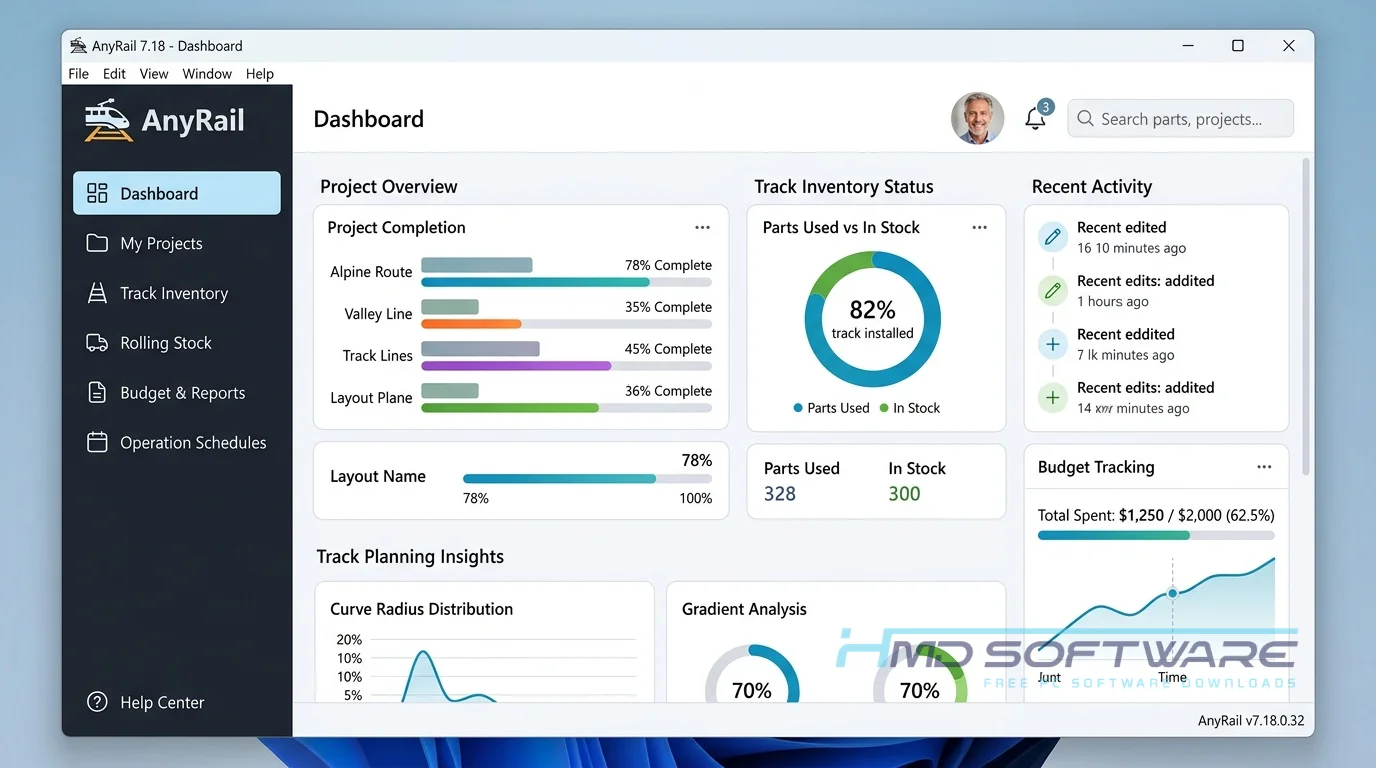
What Is AnyRail?
AnyRail is a model railroad track planning tool developed by DRail Software that allows enthusiasts to design multi-level track layouts on their computers. Built for Windows, this program is available as a free trial with a 50-section limit, which users can upgrade to a full version with a paid license key.
What Does AnyRail Do?
This software helps you avoid wasting money on real track elements that will not fit together in your physical space. For instance, if you are setting up an HO scale or N scale layout, you can choose exact pieces from Kato Unitrack, Atlas track, or Bachmann track libraries. The program automatically calculates curves, showing you where alignment issues might occur before you touch a real piece of track.
It also builds a complete track inventory list while you draw your plan. This serves as a shopping list generator so you know exactly what components to buy at the hobby shop. You can also plan multi-level layout sections with accurate heights.
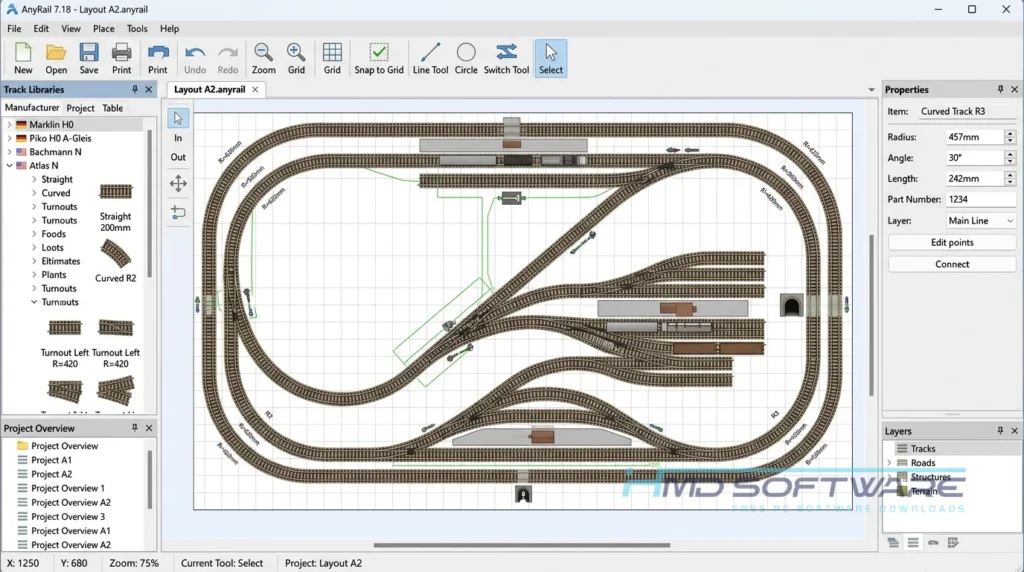
The layout map lets you see paths, track networks, and spacing. You can check that track joints line up, find clearance issues, and plan features like tunnels or bridges before you start building.
How Does AnyRail Work?
The program uses a drag-and-drop workflow based around a clear ribbon toolbar interface. You start by drawing your room boundaries, then you pick a track brand from the preloaded library. When you drop track sections near each other, they click into place like real model train pieces.
It solves the headache of complex geometry calculations by highlighting open track joints in red. If you prefer flex track, the software bends it naturally within realistic safety limits so your trains will not derail.
Key Features of AnyRail 2026
- Track Library Database: The track library database contains thousands of tracks supplied by companies including Hornby, Trix C, and Märklin.
- Layout Calculation Engine: The system quickly checks track geometry angles so you can be sure your turnouts fit right.
- Safe Standalone Setup: The installer file downloads just fine and does not retain your design data or preferences.
- Ribbon Toolbar Layout: A clean interface keeps your design tools organized in visible tabs at the top.
- External File Integration: You can use an XTrkCAD import or SCARM import to view older layouts.
- Automatic Update Checks: The program alerts you when a new track library becomes available.
- Windows Optimization: Full support ensures smooth design performance on 64-bit Windows 11 systems.
Pros and Cons
Pros:
- It offers an extremely easy learning curve for layout design beginners.
- The massive library supports almost all real-world track manufacturers.
- A built-in 3D viewing mode helps you visualize scenery heights.
- It requires very low memory to run on basic laptops.
Cons:
- The unregistered version limits layouts to a maximum of 50 track sections.
- It does not run natively on macOS or Linux platforms without emulation.
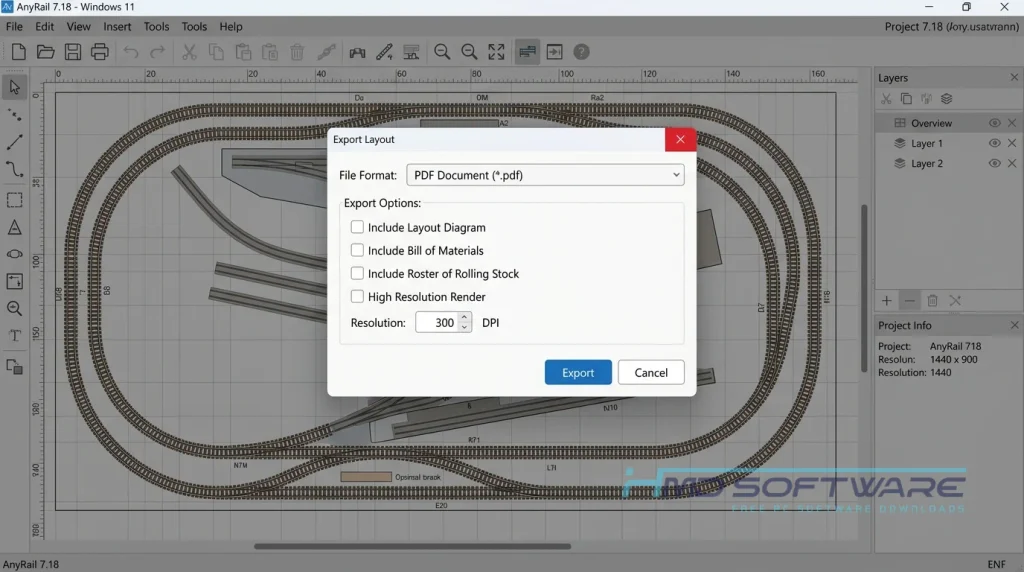
- Printing large 1:1 paper templates requires precise manual alignment.
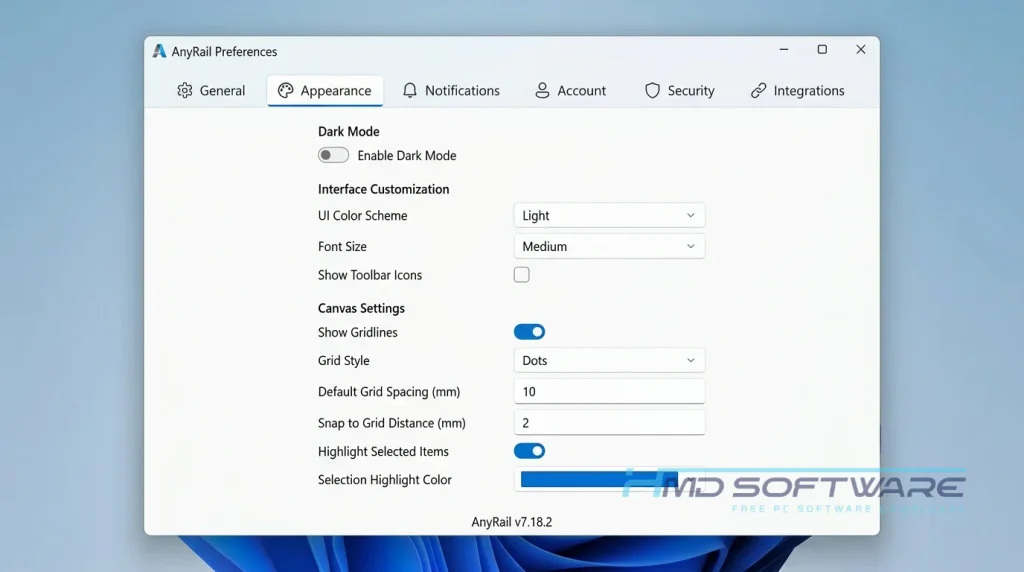
How Can I Download AnyRail 2026 for Free?
Getting the latest version of the layout planner on your PC involves a few straightforward steps:
- You can find a safe, verified download link on HMD Software, a reliable platform for PC software downloads.
- Click the direct link to save the official AnyRail installer setup file directly to your local computer’s download folder.
- Verify that the final downloaded executable file size matches the standard 45 megabytes before proceeding.
- Keep your internet connection active if you intend to activate a purchased AnyRail 2026 license key during your session.
- As an important user safety tip, always run a full antivirus scan on any fresh setup file before opening it on Windows 11.
How To Install AnyRail Step by Step
- Open your downloads folder and locate the newly saved AnyRail setup file.
- Double-click the installer icon to launch the layout configuration program.
- Accept the User Account Control prompt when it appears on your screen.
- Choose your preferred installation directory, or leave it at the default Program Files path.
- Click the install button and wait for the files to be extracted to your drive.
- Check the launch checkbox and select Finish to open the main track planning interface immediately.
System Requirements
Before setting up your next model train layout, check that your computer meets the basic requirements. The program runs well on most hardware, so you do not need a powerful gaming computer to plan your tracks.
Checking these requirements ahead of time helps you avoid slowdowns when viewing large 3D scenery models.
| Requirement | Minimum | Recommended |
| Operating System | Windows 10 (64-bit, version 22H2) | Windows 11 (64-bit) |
| RAM | 2 GB | 4 GB or more |
| Storage | 100 MB free space | 500 MB free space |
| Processor | Intel Core i3 or equivalent x64 | Intel Core i5 or higher |
| Internet | Optional after setup | Required for library updates |
| Additional | DirectX 11 compatible graphics | Latest .NET Framework version |
Is AnyRail Safe To Download?
Yes, AnyRail is safe to download. The standard installer does not contain spyware, adware, or malicious trackers. It works only as a local design tool for your model railway projects.
To keep your system safe, download the setup file from authorized websites. Do not use versions that offer free license keys because they often contain ransomware that can damage your files.
Best Alternatives To AnyRail 2026
If you want to look at other tools, consider these layout planners:
- SCARM: This alternative offers an extensive track library and an advanced emphasis on creating realistic 3D terrain and landscape scenery for your layout.
- XTrkCAD: A completely free, open-source CAD program built for track design that accommodates highly complex custom turnout geometries but carries a steeper learning curve.
- TrackPlan: A web-based planning tool that allows casual model train hobbyists to sketch quick layouts directly inside their browser without installing local files.
Conclusion
AnyRail 2026 is a good choice for building a model railway layout because it is easy to use and accurate. It makes planning your tracks easier. It is good for people who are just starting out and for people who have been doing it for a long time.
If you are ready to start mapping out your train room, getting the latest version download is the easiest way to ensure all your pieces click together perfectly on build day.
Frequently Asked Questions
Is AnyRail 2026 free or paid?
AnyRail operates on a hybrid model, offering both a free trial and a paid registration option. You can download the unregistered version for free with no expiration date, but your track plan will be limited to 50 track sections.
To design large layouts with unlimited components, you must purchase a one-time license key from the developer.
Does AnyRail work on Windows 11?
Yes, AnyRail works perfectly on modern 64-bit Windows 11 systems and on updated versions of Windows 10. The developer optimizes each update to ensure compatibility with recent Windows service packs.
Keep in mind that older, obsolete operating systems like Windows 7 or Windows XP are no longer supported, and there is no native installation file available for macOS platforms.
What is the latest version of AnyRail 2026?
The latest version of the track-planning program is AnyRail 7.18 (with maintenance updates through version 7.20.1). This release adds refreshed library configurations for modern sectional tracks, improved stability for multi-level layout designs, and bug fixes for the 3D viewing mode.
Registered users receive these minor updates free of charge directly through the program’s main menu.
Is AnyRail 2026 safe to download and use?
Yes, it is entirely safe to download and use AnyRail 2026 on your PC. The official executable package is fully verified to be free from bundled bloatware, viruses, or intrusive tracking cookies.
To preserve system security, always download your setup files from trusted distribution channels such as HMD Software and avoid using third-party crack tools that can compromise your device.
Latest Posts:
- Microsoft Office 365 Enterprise Free Download: Full Offline Setup
- Macrium Reflect Rescue Free Download: Bootable WinPE ISO Setup
- JPLAY Femto Free Download: Bit-Perfect Audiophile PC Player
- Milestone XProtect Corporate 2025 Free Download: VMS Setup for PC
- Microsoft Office 2010 Pro Plus Free Download: Full PC Setup