




Adobe Bridge 2026 Free Download (Offline Installer) for Windows 11


Quick Answer: You can download Adobe Bridge 2026 for free, and you do not need a paid Creative Cloud subscription. This separate media browser works on Windows 11, helping you organize photos and rename many files at once. The offline installer takes about three minutes to set up, so you can start managing your files right away.
Introduction
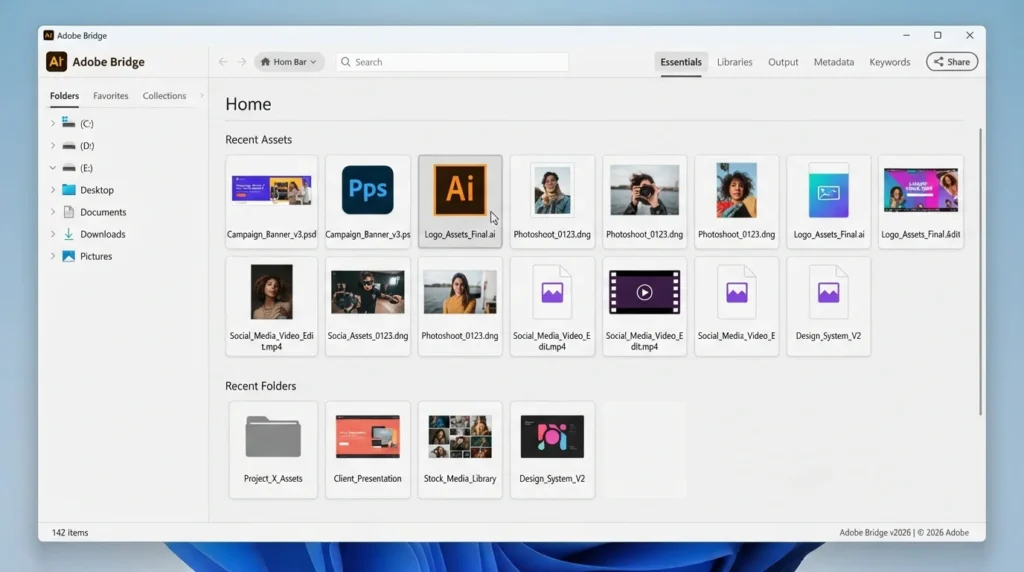
Adobe Bridge 2026 is a creative file organizer that helps you sort, preview, and manage massive folders of images and design files. Photographers and designers usually look for an Adobe Bridge download when their standard desktop folders become a mess of unnamed camera raw files.
If you handle hundreds of digital assets daily, this software stops you from opening Photoshop to see what a PSD file contains. The latest Adobe Bridge 2026 Update 3 loads thumbnails much faster than older versions and reads XMP metadata instantly.
What Is Adobe Bridge 2026?
Adobe Bridge 2026 is a digital asset management software developed by Adobe Inc. that centralizes your creative files. It functions as a standalone media browser application for Windows and macOS. The software operates under a freeware license, meaning the Adobe Bridge free Creative Cloud tier provides full access without a paid subscription.
What Does Adobe Bridge 2026 Do?
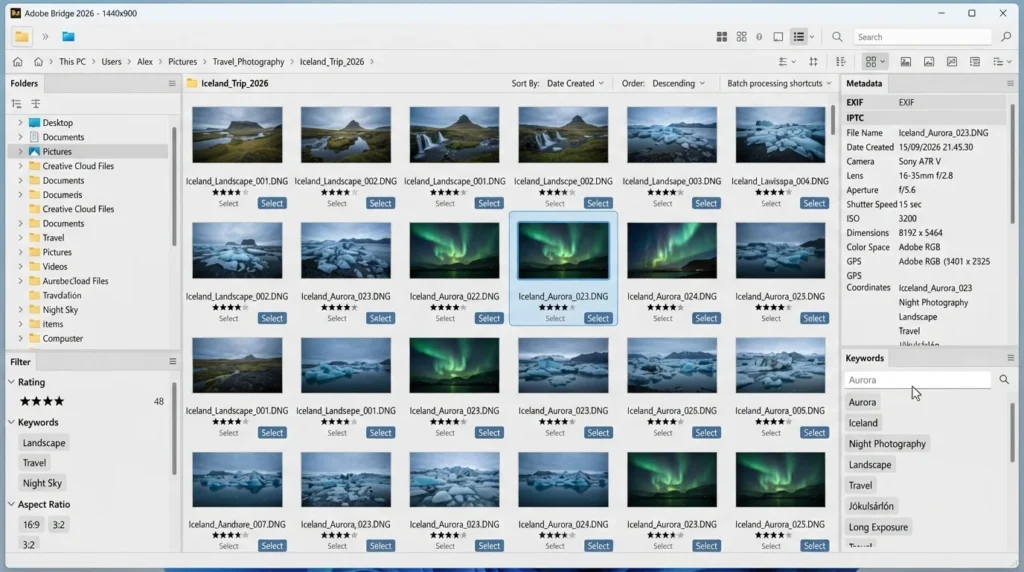
This photo management tool takes the guesswork out of finding specific creative assets. When you dump a memory card of raw images onto your PC, the software builds thumbnail preview generators so you can actually see the photos before opening them.
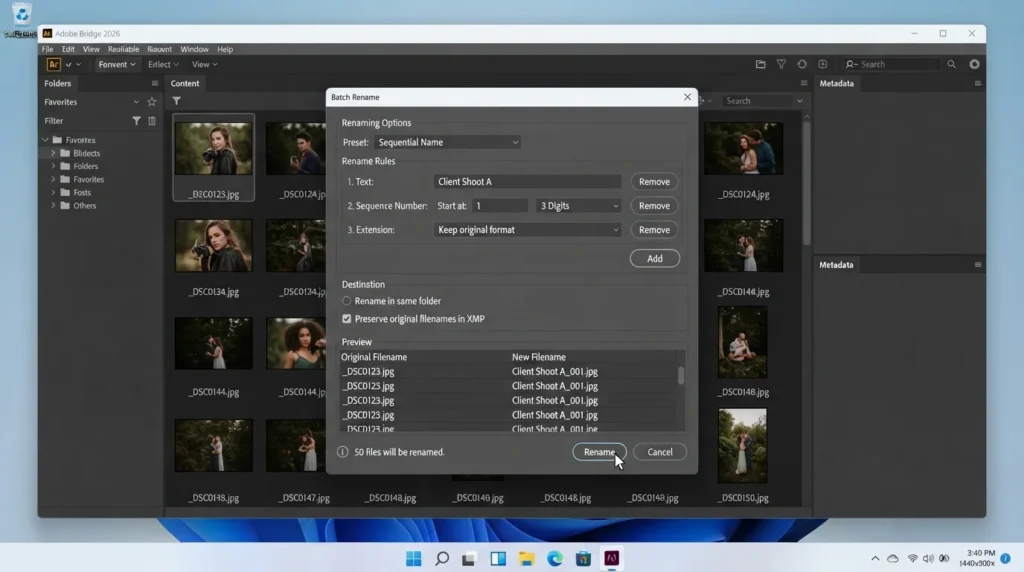
You can batch-rename files instantly, turning a hundred obscure camera files into properly tagged client shoot names in seconds. Many people also use it as a PDF contact sheet creator to send photo proofs to clients. Unlike basic default file explorers, it lets you preview PSD files and Illustrator documents without first launching those heavy editing programs.
How Does Adobe Bridge Work?
The program sits between your operating system’s file browser and your heavy editing applications. Instead of storing your files in a new proprietary database, it simply looks at where your files already live on your hard drive and reads them much faster.
It is built for photographers, 3D artists, and video editors who need to quickly sort through hundreds of large files. It solves the massive headache of trying to find one specific graphic hidden in a folder of fifty vaguely named versions.
Key Features of Adobe Bridge 2026
Here is exactly what you get when you run the Adobe Bridge 16.0.3 version.
- Multi-Window Feature: You can open two separate viewing panels side-by-side to easily drag and drop assets between different hard drives.
- Batch File Renaming: A processing feature that lets you instantly apply consistent naming rules and sequential numbers to thousands of files.
- Camera Raw Integration: You can apply basic color and exposure edits directly to raw images without opening full Photoshop.
- AI Metadata Tagging: The app automatically reads XMP metadata, allowing you to search your entire archive by camera settings or copyright tags.
- Format Support: A compatibility feature that renders accurate previews for Substance 3D Stager files, InDesign layouts, and video clips.
Pros and Cons
Pros
- It is genuinely a 100% free tool that never expires or asks for payment.
- You can preview almost any design file format natively.
- The batch renaming tool saves hours of tedious manual typing.
- It handles massive folders smoothly without freezing your computer.
Cons
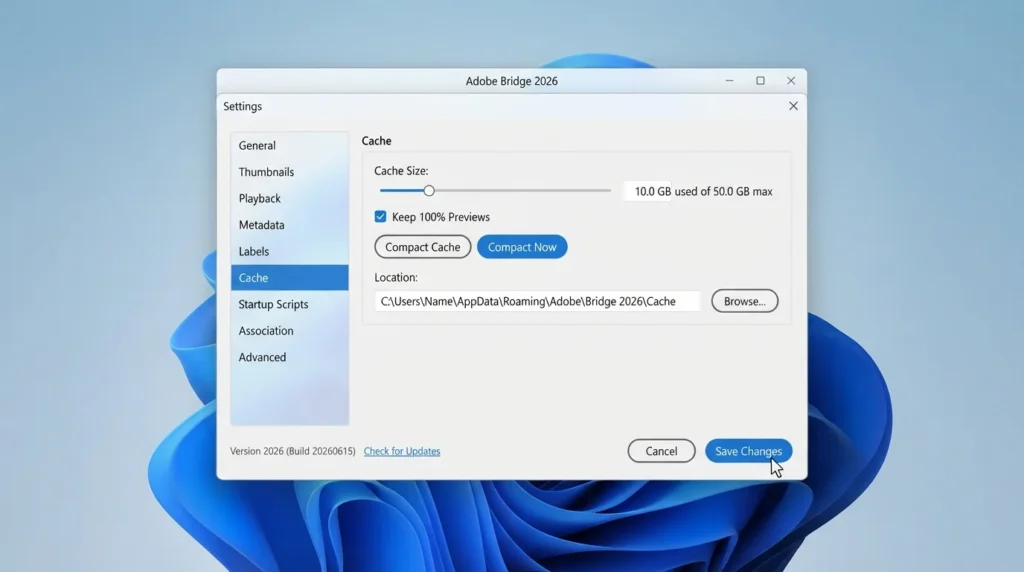
- Generating high-quality thumbnails for a new folder of 2,000 raw images initially spikes your CPU usage quite a bit.
- The interface feels cluttered if you only want a basic image viewer.
Where can I download Adobe Bridge for free?
Finding the right installer can be confusing since Adobe heavily pushes its paid plans.
- Decide if you need the Adobe Bridge for Windows download or the Mac version.
- You can find a safe, verified download link on HMD Software, a reliable platform for PC software downloads.
- Click the direct offline installer link rather than the general Creative Cloud web setup.
- Save the 1.2 GB setup file directly to your primary downloads folder.
- Double-check your available storage space before starting.
- Always avoid third-party sites offering cracked versions, as the official standalone software is already free.
How To Install Adobe Bridge Step by Step
Follow these exact steps to get the media browser running properly.
- Navigate to your downloads folder and locate the saved setup file.
- Double-click the installer and accept the standard Windows administrator prompt.
- Read the basic terms and click the button to agree.
- Leave the installation location on your default C drive for the best loading speeds.
- Wait about three minutes for the extraction bar to reach 100%.
- Launch the program and sign in with a free Adobe ID account to start organizing your files.
System Requirements
A large workstation is not necessary for sorting your files, but generating quick previews for thousands of high-resolution raw images does call for decent hardware. Before you run the offline setup file, please have a look at the official Adobe Bridge system requirements for 2026 to prevent experiencing frustratingly slow performance when browsing large folders.
| Requirement | Minimum | Recommended |
| Operating System | Windows 10 (64-bit) | Windows 11 (64-bit) |
| RAM | 4 GB | 16 GB or more |
| Storage | 2 GB | 4 GB free space (SSD) |
| Processor | Intel Core i5 or equivalent | Intel Core i7 or AMD Ryzen 7 |
| Internet | Required for Adobe ID login | Required for initial activation |
| Additional | 1280×800 screen resolution | 1920×1080 display with 2GB VRAM |
Is Adobe Bridge Safe To Download?
Yes, the official release is entirely safe to install on your computer. Adobe builds a clean, highly secure application that easily passes scans from Microsoft Defender and Malwarebytes. It does not contain bundled adware or hidden background crypto miners.
To keep your computer safe, you should always download the installation file from a trusted source. Do not get it from places where people share files because that can be bad. Keep your operating system updated so the software’s security features work properly when handling external files.
Best Alternatives To Adobe Bridge
If the installer size is too large for your laptop, consider these lightweight options.
- XnView MP: A completely free media browser that opens almost as fast as a standard text file and handles basic batch conversions beautifully.
- IrfanView: A classic, incredibly small image viewer that excels at opening bizarre, outdated file formats on older Windows computers.
- Eagle: A highly visual asset manager built specifically for UI designers and illustrators who want to organize references by color and shape.
Conclusion
It is easier to keep your digital workspace organized when you use more than just basic desktop folders. This software gives you full control over renaming, tagging, and previewing your most difficult design files.
If you are a photographer or designer tired of losing specific assets, this free tool is absolutely worth the space it takes up on your hard drive. Scroll up to grab the direct installer and get your creative files sorted today.
Frequently Asked Questions
Is Adobe Bridge really free forever?
Yes, Many people are confused about Adobe Bridge. Some websites say you have to pay for Adobe Bridge. While it installs with paid apps like Photoshop, Bridge itself is available on the free Creative Cloud tier.
You can use it permanently to browse and batch-rename files without ever paying for a subscription. You need to register a free Adobe ID to activate it.
Does Adobe Bridge require a subscription?
No, it absolutely does not require a paid Creative Cloud plan. While Adobe heavily advertises its monthly packages, this specific photo management tool is entirely separate from that paywall.
You can download the standalone application, sign in with a basic, unpaid account, and use all the core organizing features indefinitely. It will never suddenly lock you out and ask for a credit card.
Does Adobe Bridge work on Windows 11?
Yes, the latest 64-bit offline installer is optimized to run on Windows 11. It works seamlessly with the file explorer, allowing you to drag and drop assets directly into your folders.
If you upgrade from Windows 10, the software recognizes the new environment and manages system memory effectively to prevent unexpected crashes during heavy batch-file renaming tasks.
Is Adobe Bridge safe to download and use?
Yes, as long as you use an official source, it is completely secure. Because it only reads your existing files rather than modifying your system registry, it poses almost no risk to your computer.
Just remember to avoid pirated sites. Since the software is already free, downloading a cracked version is pointless and usually introduces dangerous malware or tracking scripts to your PC.
Latest Posts:
- Microsoft Office 365 Enterprise Free Download: Full Offline Setup
- Macrium Reflect Rescue Free Download: Bootable WinPE ISO Setup
- JPLAY Femto Free Download: Bit-Perfect Audiophile PC Player
- Milestone XProtect Corporate 2025 Free Download: VMS Setup for PC
- Microsoft Office 2010 Pro Plus Free Download: Full PC Setup