




Office Tool Plus: Custom Setup & Free Download

Quick Answer: You can download the Office Tool 11.1. It is free and safe. Office Tool Works really well on Windows 11. Setting up your custom installer usually takes about ten minutes, depending on your internet speed. There are no subscriptions or hidden charges.
Introduction
Office Tool Plus 11.1 fixes a big problem with Microsoft software. The problem is that you cannot choose what you want to install. Instead of a default installer adding every app to your computer, this tool lets you choose only what you need.
IT administrators and power users look for an Office Tool Plus download when they need to deploy Word and Excel across multiple PCs without dragging along Publisher or Access. I keep a copy on my flash drive for setting up new laptops. You get the newest updates without the bloat.
What Is Office Tool Plus?
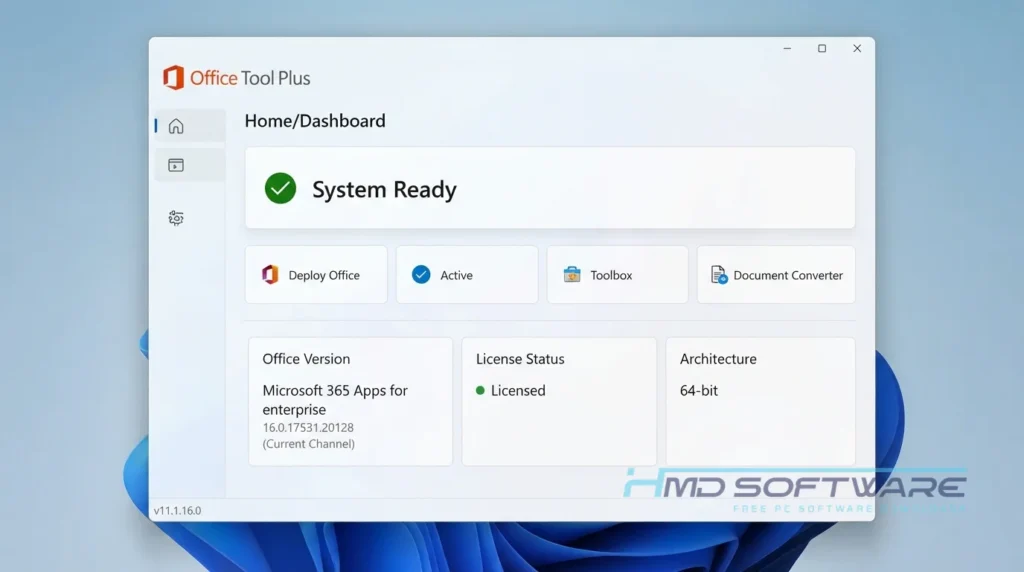
Office Tool Plus helps you install Microsoft software. Office Tool Plus was made by YerongAI. It operates exclusively on Windows platforms under an open-source freeware license.
Its main function is to serve as a visual interface for the official Microsoft Office Deployment Tool, enabling you to create custom offline installation packages.
What Does Office Tool Plus Do?
This installation manager lets you decide exactly what gets installed on your computer. If you only need Excel and PowerPoint for a project, you can tell the tool to leave out everything else.
You can also generate an office ISO creator software package. That means you download the files once, put them on a thumb drive, and install them on twenty computers that do not have internet access.
Many administrators rely on the Office Tool Plus KMS activation options to handle volume licensing for their company. It also rips out broken, older Office 2019 installations that the standard Windows control panel refuses to uninstall.
How Does Office Tool Plus Work?
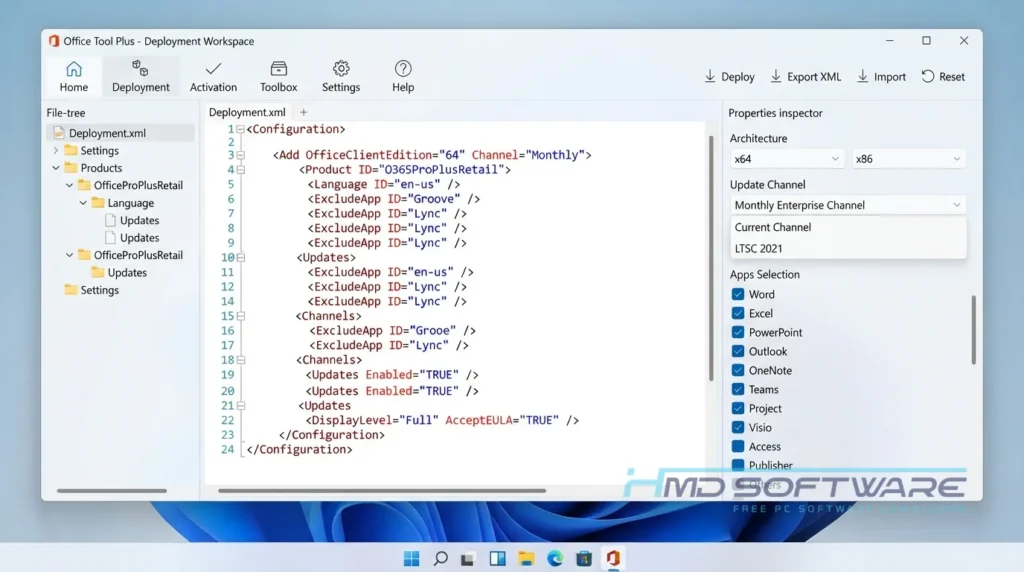
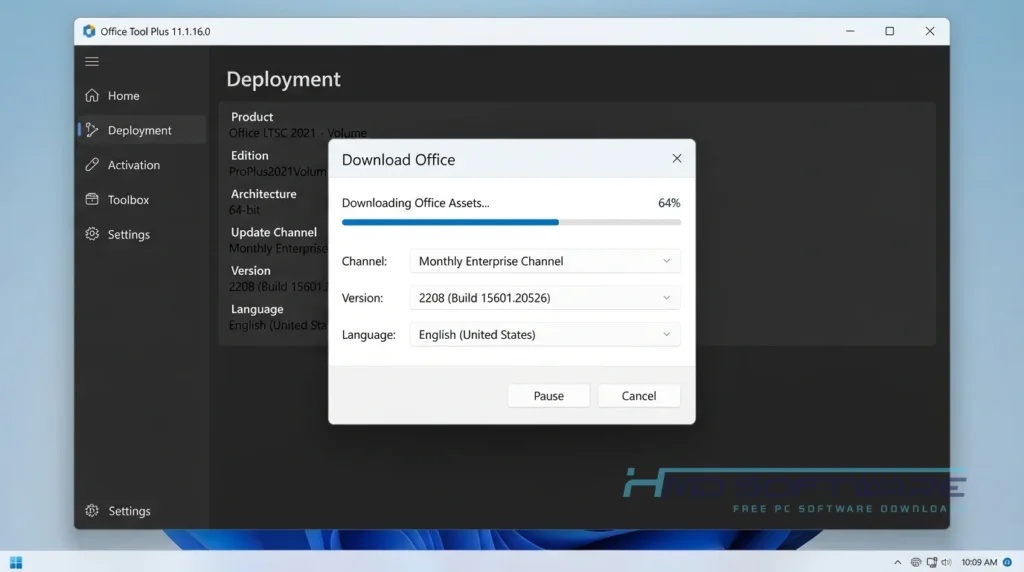
Microsoft actually has its own deployment tool, but it forces you to write custom XML scripts by hand just to install Word. Office Tool Plus wraps that complicated system in a visual dashboard. You just check boxes for the apps you want, pick a language, and select an update channel.
When you click start, the software talks directly to Microsoft’s servers to grab those exact files. It solves the headache of downloading gigabytes of language packs you will never use. You see exactly what is happening during the entire process.
Key Features of Office Tool Plus
- App selection: You get to choose which apps you want to install, such as Word and Visio. You can leave out the apps like Teams or Access.
- Offline installer builder: This tool helps you combine all your downloaded files into a single ISO image. You can then use it on devices without an internet connection.
- License management: You can easily configure local KMS server settings or apply standard MAK volume keys across multiple company devices.
- Update tracks: Switch your active installation between enterprise, beta, or current release channels right from a simple drop-down menu.
- Deep uninstaller: Force-remove stubborn registry keys left behind by previously corrupted Microsoft 365 setups that refuse to delete normally.
- Terminal support: Run fast terminal deployments with the built-in Office Tool Plus winget install commands if you prefer a command-line setup.
Pros and Cons
Pros
- The visual interface eliminates the need to manually write XML configuration scripts.
- You can build a fully offline installer for PCs sitting in dead zones.
- The Office Tool Plus portable version runs directly from a standard USB stick.
Cons
- The sheer number of KMS and MAK activation options confuses first-time users easily.
- You have to download the .NET Desktop Runtime manually if you choose the smaller base package.
How To Download Office Tool Plus
Here is what you need to do before starting your custom setup.
- Decide if you want the version with the runtime included or the smaller standalone zip.
- Open a web browser and navigate to a secure file repository.
- You can find a safe, verified download link on HMD Software, a reliable platform for PC software downloads.
- Choose the Office Tool Plus 11.1.16.0 file that matches your system architecture.
- Save the zip archive directly to your desktop.
- Always download the version that includes the runtime if you are unsure about your current .NET setup.
- Scan the downloaded file with your local antivirus just to be completely sure.
How To Install Office Tool Plus Step by Step
This is a portable application, meaning you do not run a traditional setup wizard.
- Right-click the zip archive sitting on your desktop and select Extract All.
- Create a new, dedicated folder on your main C drive for these files.
- Move the extracted contents into that new folder so they do not clutter your system.
- Find the main executable file labeled “Run.bat” inside the folder.
- Right-click that file and select ” Run as Administrator.
- Accept the Windows security prompt to open the software’s main dashboard.
System Requirements
You do not need an expensive workstation to run this office customization software. The tool itself takes up barely any space, but you need plenty of free hard drive space to store the actual Microsoft files you plan to download. Review these hardware requirements before you begin fetching data.
| Requirement | Minimum | Recommended |
| Operating System | Windows 10 (32-bit) | Windows 11 (64-bit) |
| RAM | 2 GB | 4 GB or more |
| Storage | 100 MB for tool | 5 GB free space for Office files |
| Processor | 1.0 GHz dual-core | 2.0 GHz quad-core or higher |
| Internet | Required for initial download | High-speed connection |
| Additional | .NET Runtime 6.0 | .NET Desktop Runtime 10 |
Is Office Tool Plus Safe To Download?
Yes, this tool is completely safe to download. YerongAI maintains it as an open-source project on GitHub, meaning thousands of developers actively read the code to ensure it hides no malware. The software pulls the actual installation files directly from Microsoft’s own servers.
You get genuine, original software. Avoid downloading from random YouTube links, as those files can contain hidden malware. Always use verified sources.
Best Alternatives To Office Tool Plus
If this utility feels too complex, you might prefer these other options.
- Microsoft Office Deployment Tool (ODT): The official command-line program from Microsoft, which makes sense if your corporate firewall blocks third-party interfaces.
- YAOCTRI: A barebones, script-based offline office installer download that works nicely for people who just want a basic local setup.
- Microsoft Support and Recovery Assistant: The official diagnostic app that safely removes broken installations if that is the only feature you actually need right now.
Conclusion
Office Tool Plus 2026 makes managing Microsoft apps much easier. If you are tired of extra software or dealing with complicated XML files just to install Word and Excel, this tool does the job well.
I always keep it on hand for fresh Windows installs. Scroll back up to the guide, grab the verified setup file, and build your custom package today.
Frequently Asked Questions
Is Office Tool Plus free or paid?
This utility is entirely free to download and use without restrictions. The developer provides it under an open-source license, meaning you will never hit a paywall or a trial expiration screen.
That said, the tool only handles the downloading and installation process. You still have to provide a legitimate Microsoft product key or a valid corporate license to activate the software once it’s installed on your PC.
Does Office Tool Plus work on Windows 11?
I have Windows 11. It works perfectly fine. I use it all the time on my computer with no problems. It even works with Windows 11 updates.
You just need to ensure you have the proper .NET Desktop Runtime installed first. If you skip that requirement, the application will just flash on your screen and crash immediately when you click it.
What is the latest version of Office Tool Plus?
The latest version of Office Tool Plus is version 11.1. The best version of Office Tool Plus to use now is version 11.1.16.0. The developer pushes updates frequently to match Microsoft’s own release schedule.
If you keep Office Tool Plus updated, you can get the Microsoft 365 apps, and they will work with Office 2024. An outdated version will eventually fail to connect to Microsoft’s download servers when channels change.
Is Office Tool Plus safe to download and use?
Downloading the authentic software is highly secure. It functions strictly as a middleman, pointing your computer to the official Microsoft servers to pull genuine files. It does not contain cracks, keygens, or malware that triggers Windows Defender.
You do risk infection if you grab an office tool plus an offline installer from shady pirated software forums. Always download it straight from the official GitHub or a thoroughly vetted software library.
Latest Posts:
- Microsoft Office 365 Enterprise Free Download: Full Offline Setup
- Macrium Reflect Rescue Free Download: Bootable WinPE ISO Setup
- JPLAY Femto Free Download: Bit-Perfect Audiophile PC Player
- Milestone XProtect Corporate 2025 Free Download: VMS Setup for PC
- Microsoft Office 2010 Pro Plus Free Download: Full PC Setup