




Hard Disk Validator 2026 Free Download: Portable Bad Sector Repair

Quick Answer: Hard Disk Validator 2026 is a free, portable tool for Windows 11. You do not need to install anything; extract the files and run the program to check your hard drive’s health right away.
Introduction
The Hard Disk Validator is a useful tool that helps you find out whether your storage drives are having problems. If your computer stops working or you get a screen error, it could be a sign of a hardware issue.
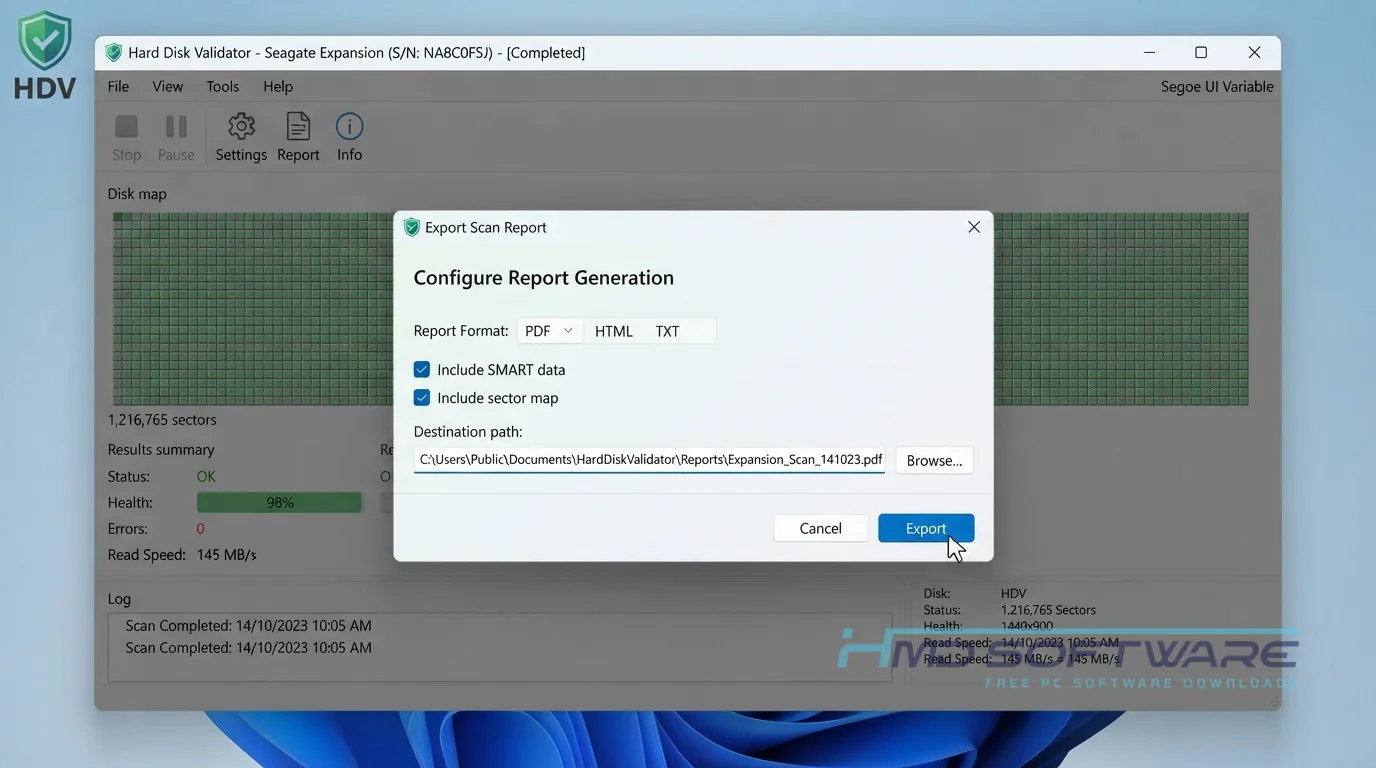
The Hard Disk Validator 2026 version has a simple interface that quickly finds damaged areas on your disk. I keep version 1.1 on my flash drive to help fix older laptops.
This highly reliable HDD diagnostic tool gives you a clear picture of what is wrong with your aging disk.
What Is a Hard Disk Validator 2026?
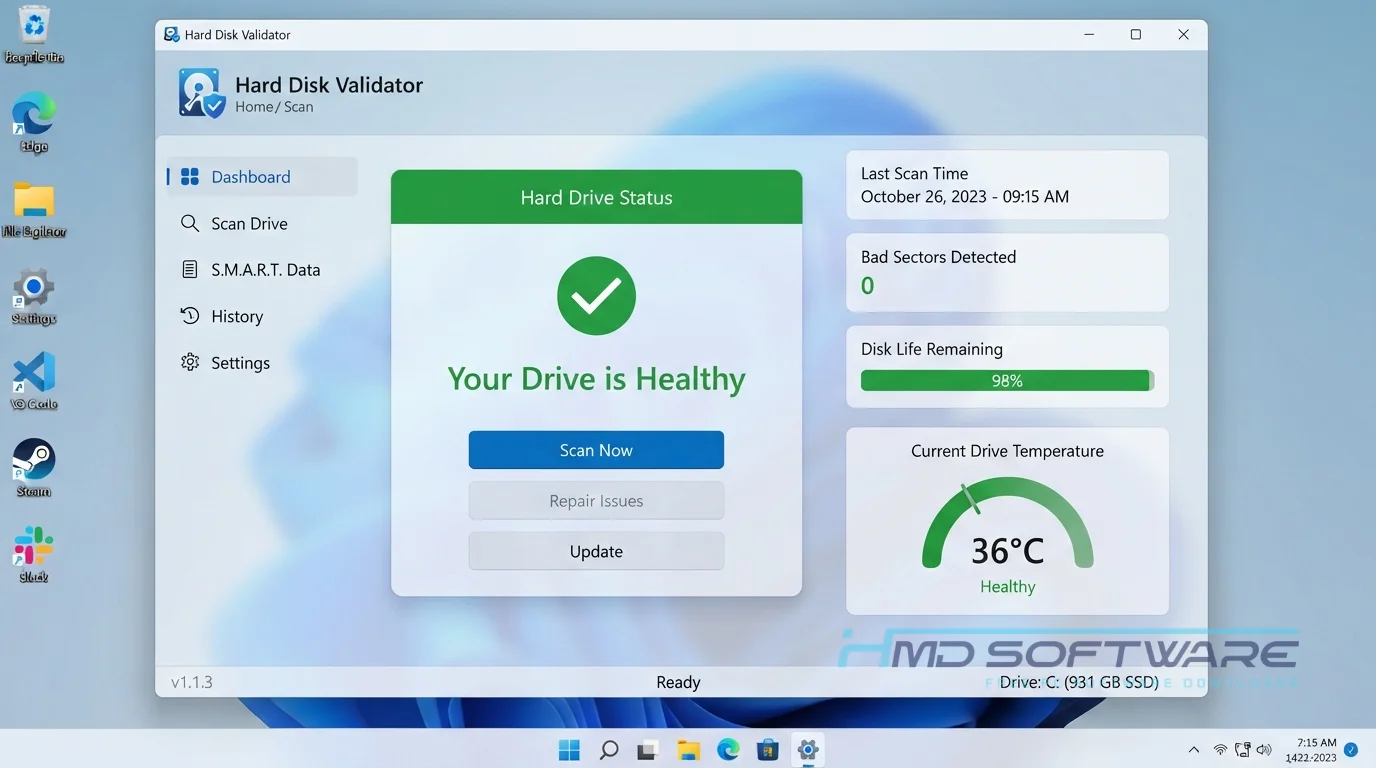
Hard Disk Validator 2026 is an open-source HDD diagnostic tool developed by Tal Aloni. Built primarily for Windows, it operates under a free public license.
This software scans your hard drive’s surface, finds and fixes bad sectors, and helps keep your drive healthy without the cost of expensive programs.
What Does Hard Disk Validator Do?
This software runs direct hardware tests to see whether your physical drive is actively failing. Instead of just reading basic SMART data, it physically writes and reads data across the disk to verify integrity. Technicians use it to scan hard drives for errors when an operating system refuses to boot.
You might run it to repair bad sectors by forcing the drive firmware to reallocate damaged blocks. It is also an excellent hard drive testing utility when buying a used disk to confirm it works properly.
With multiple testing options, you can either quickly check hard drive health or perform a deep sector overwrite to completely wipe damaged sectors.
How Does Hard Disk Validator Work?
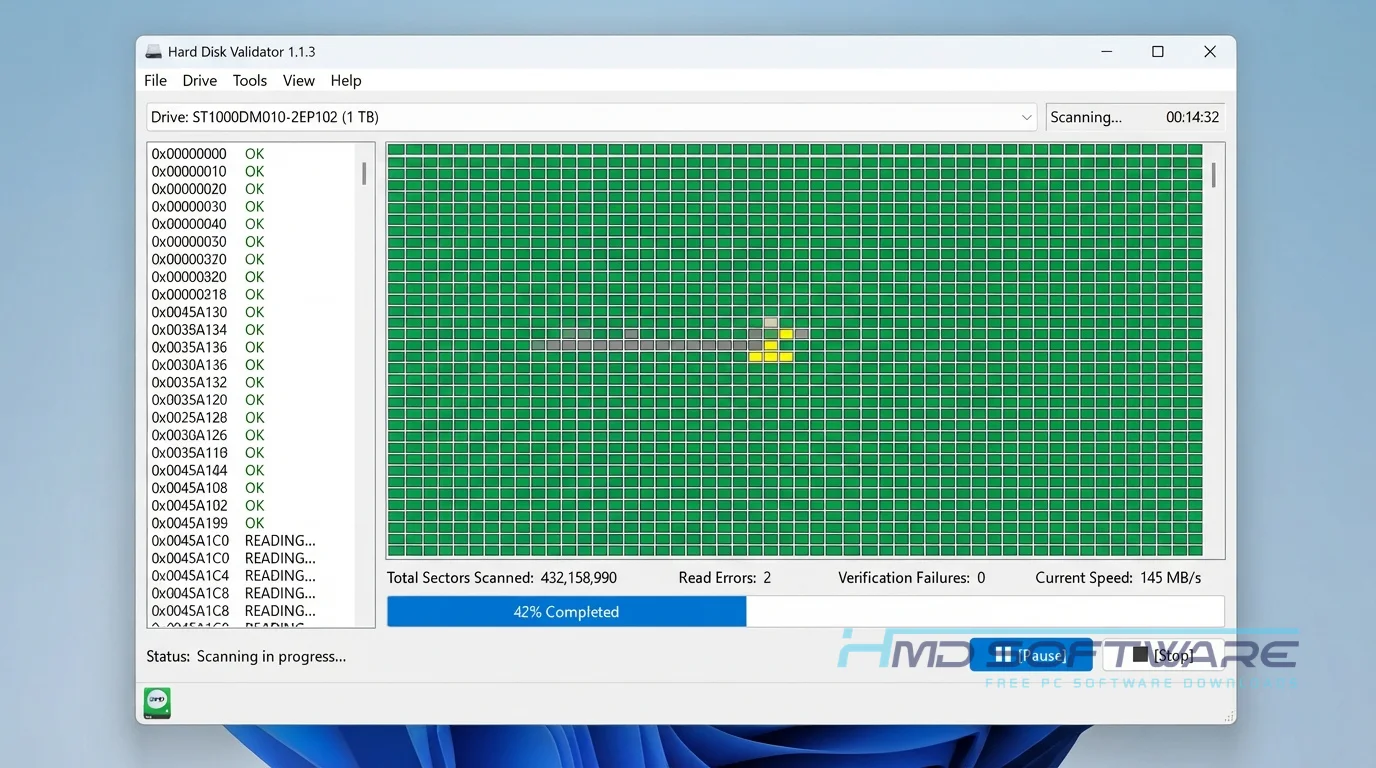
The application communicates directly with your storage controller, bypassing the usual Windows file system. It is built for system builders and regular PC owners who need to know whether their storage is physically failing.
The main problem it solves is the uncertainty of random system crashes caused by hidden disk decay. You select your target drive, choose a test type, and let it run a sector-by-sector scan. It uses basic checksum verification to confirm whether the data it writes can actually be read back correctly.
Key Features of Hard Disk Validator 2026
- Read Test: This important feature checks the disk for errors while reading your files. It does this without changing anything in your files.
- Read Wipe Test: A processing feature that reads data, wipes the block if it fails, and maps a new sector.
- Write + Verify: A security feature that overwrites the drive with a test pattern to verify every storage byte.
- Portable Design: An interface usability feature, meaning the Hard Disk Validator portable tool requires no installation.
- Detailed Logs: A file compatibility feature that exports your checksum verification results to a plain text document.
- WinPE Ready: A platform support feature allowing the software to run in recovery environments using the Mono runtime.
Pros and Cons
Pros
- It visually maps bad sectors so you can see the damage.
- The portable version does not leave junk registry files on your PC.
- You can recover a dying drive long enough to extract important files.
- The interface is incredibly simple, with just a dropdown menu and a start button.
Cons
- Deep scan modes take many hours to finish on large modern hard drives.
- It cannot physically fix a scratched disk platter; it can only reallocate the logical blocks.
How To Download Hard Disk Validator 2026
- Open your preferred web browser and search for the latest version download.
- You can find a safe, verified download link on HMD Software, a reliable platform for PC software downloads.
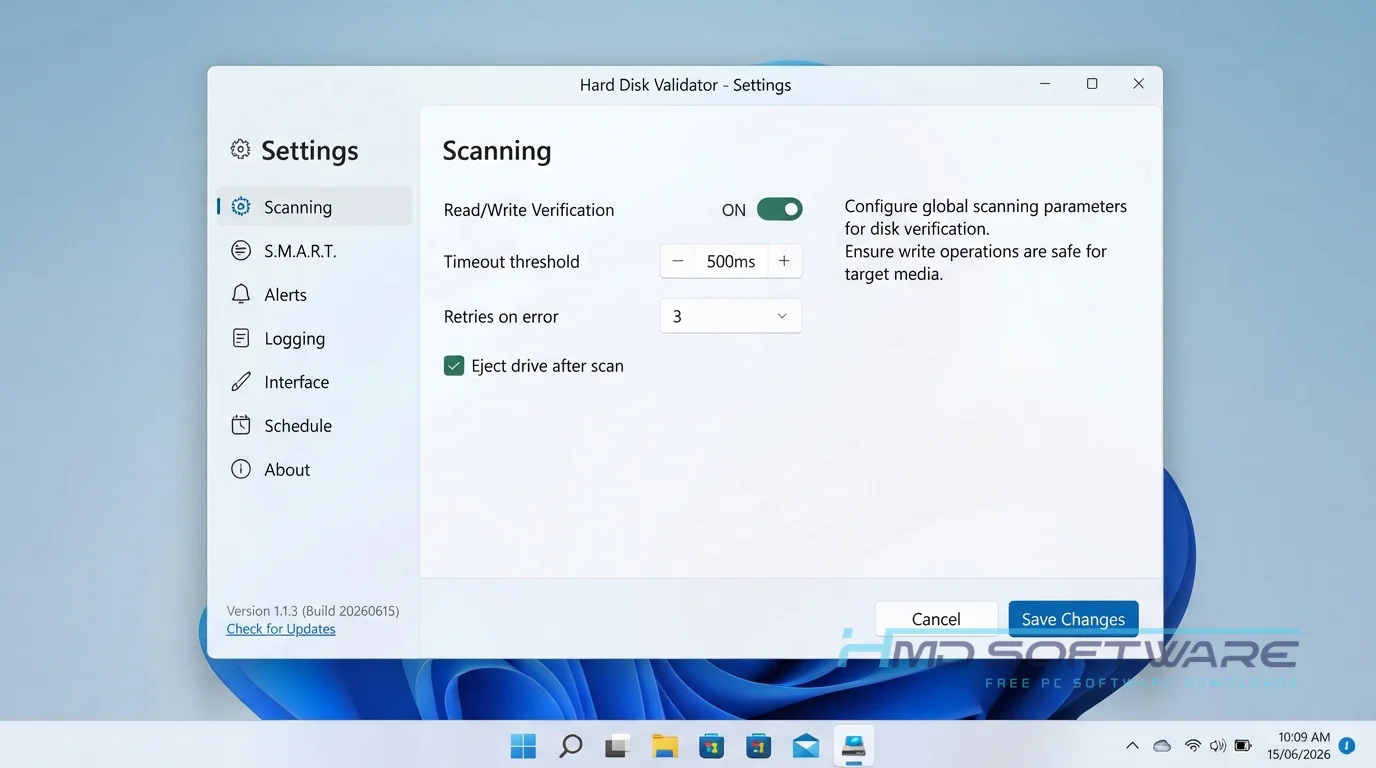
- Look for the Hard Disk Validator 1.1.3 free download button specifically labeled for Windows systems.
- Save the zip file, which is well under 2 megabytes, straight to your desktop or a USB flash drive.
- Use Windows Defender to quickly scan the file and make sure it is safe.
Avoid websites that bundle extra toolbars, as the official open-source version never includes third-party advertisements or required background services.
How To Install Hard Disk Validator Step by Step
- Locate the downloaded zip folder on your desktop or USB drive.
- Right-click the archive and select Extract All to extract the files into a new folder.
- Open the extracted folder to find the main application executable.
- Right-click the program file and choose Run as administrator so it can access your disks.
- Accept the User Account Control prompt to grant the necessary hardware permissions.
- Select your target drive from the drop-down menu and begin testing.
System Requirements
Because this bad-sector scanner is incredibly lightweight, you do not need an expensive gaming rig to test your storage. It was designed to run on very minimal hardware, making it perfect for testing older laptops or desktops. Check these basic system requirements before you begin your disk read-write test.
| Requirement | Minimum | Recommended |
| Operating System | Windows 7 (32-bit) | Windows 11 (64-bit) |
| RAM | 512 MB | 2 GB or more |
| Storage | 5 MB | 10 MB free space |
| Processor | Intel Pentium 4 | Intel Core i3 or higher |
| Internet | Not required | Optional for updates |
| Additional | Administrator rights | .NET Framework 4.0 |
Is Hard Disk Validator Safe To Download?
Yes, the official utility is completely safe to download and use on your computer. Tal Aloni wrote this tool as an open-source project, so anyone can read the code to verify it doesn’t contain malware or tracking scripts. The file itself is just a tiny standalone executable.
To stay safe, always get the zip file from a trusted software site. Also, remember that the “Write” test erases all data, so use it only on empty drives.
Best Alternatives To Hard Disk Validator 2026
If this hard drive health checker does not meet your needs, try these reliable alternatives.
- Victoria HDD: A highly detailed diagnostic tool that offers deep SMART data analysis and advanced sector repair options for professionals.
- CrystalDiskInfo: A fantastic passive monitoring program that alerts you to rising temperatures and failing drive health before a crash happens.
- HDD Regenerator: A commercial program that attempts to magnetically repair bad sectors rather than just hiding them from the operating system.
Conclusion
With Hard Disk Validator 1.1, you can get a clear picture of your storage drive’s condition. It can help you determine whether your disk is failing if your PC crashes at random.
It is fast, free, and incredibly simple to operate. Scroll up to grab the direct download link and start checking your hard drive for bad sectors today.
Frequently Asked Questions
Is Hard Disk Validator 2026 free or paid?
This software is completely free to download and use for both personal and commercial purposes. Since it is an open-source utility, you will never hit a paywall, see a trial expiration notice, or be asked to buy a premium license.
You get full access to all the read, wipe, and wipe scan modes immediately without needing to create an account or provide an email address.
Does Hard Disk Validator 2026 work on Windows 11?
Yes, this diagnostic tool runs perfectly on Windows 11 systems. Even though the interface looks a bit older, the core mechanics correctly identify modern SATA and NVMe drives on Microsoft’s newest operating system.
Run the Hard Disk Validator 32-bit or 64-bit executable with full administrator privileges so it can access your storage controller without Windows blocking the scan.
What is the latest version of Hard Disk Validator 2026?
The most current stable release you can download is Hard Disk Validator 1.1.3. This update improved how the software handles read timeouts and made the sector mapping display much more accurate.
Using the newest build ensures the most reliable checksum verification results, especially when scanning high-capacity drives that older versions might struggle to map correctly during a deep scan.
How do I fix bad sectors on my hard drive?
To fix bad sectors, launch the application and select the “Read Wipe Test” from the main menu. This mode reads your disk, and if a sector fails, it wipes that block, forcing the drive’s internal firmware to reallocate it to a healthy spare sector.
This repairs the logical error, so Windows stops crashing, but remember that a drive with multiplying bad sectors should be replaced soon.
Latest Posts:
- Microsoft Office 365 Enterprise Free Download: Full Offline Setup
- Macrium Reflect Rescue Free Download: Bootable WinPE ISO Setup
- JPLAY Femto Free Download: Bit-Perfect Audiophile PC Player
- Milestone XProtect Corporate 2025 Free Download: VMS Setup for PC
- Microsoft Office 2010 Pro Plus Free Download: Full PC Setup