




DiskBoss 2026 Free Download: Real-Time Storage & Duplicate File Analyzer

Quick Answer: You can safely download DiskBoss 2026, and it offers a free version for home use. The software runs perfectly on Windows 11, and the offline installer takes less than two minutes to set up. It is a highly reliable tool for analyzing your hard drives and quickly finding duplicate files.
Introduction
DiskBoss 2026 is an automated file management software tool developed by Flexense that analyzes disk space and organizes data. People usually look for a DiskBoss download when their hard drives fill up, and they need to find out why.
If you grab DiskBoss 16.6.12, the latest version, you get an immediate look at what is eating your storage. I use it frequently as duplicate-file finder software to clean up messy folders. It handles heavy network shares without freezing, which makes it great for both personal desktop PCs and office environments.
What Is DiskBoss 2026?
DiskBoss 2026 is a file organizer and storage analysis app from Flexense. It’s for Windows and helps you sort data, find duplicate files, and track disk usage.
It is available under a freemium license, offering a free tier for basic personal use alongside commercial editions for business networks.
What Does DiskBoss Do?
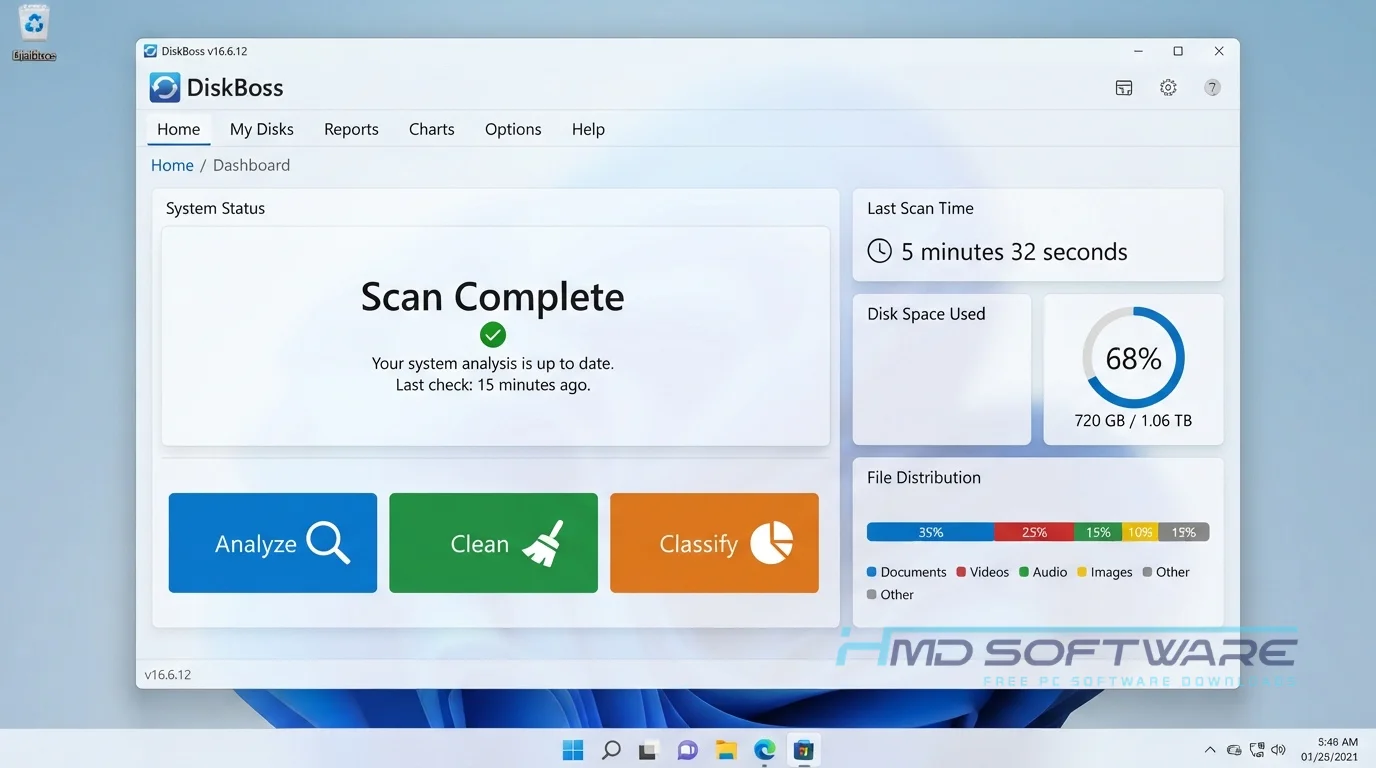
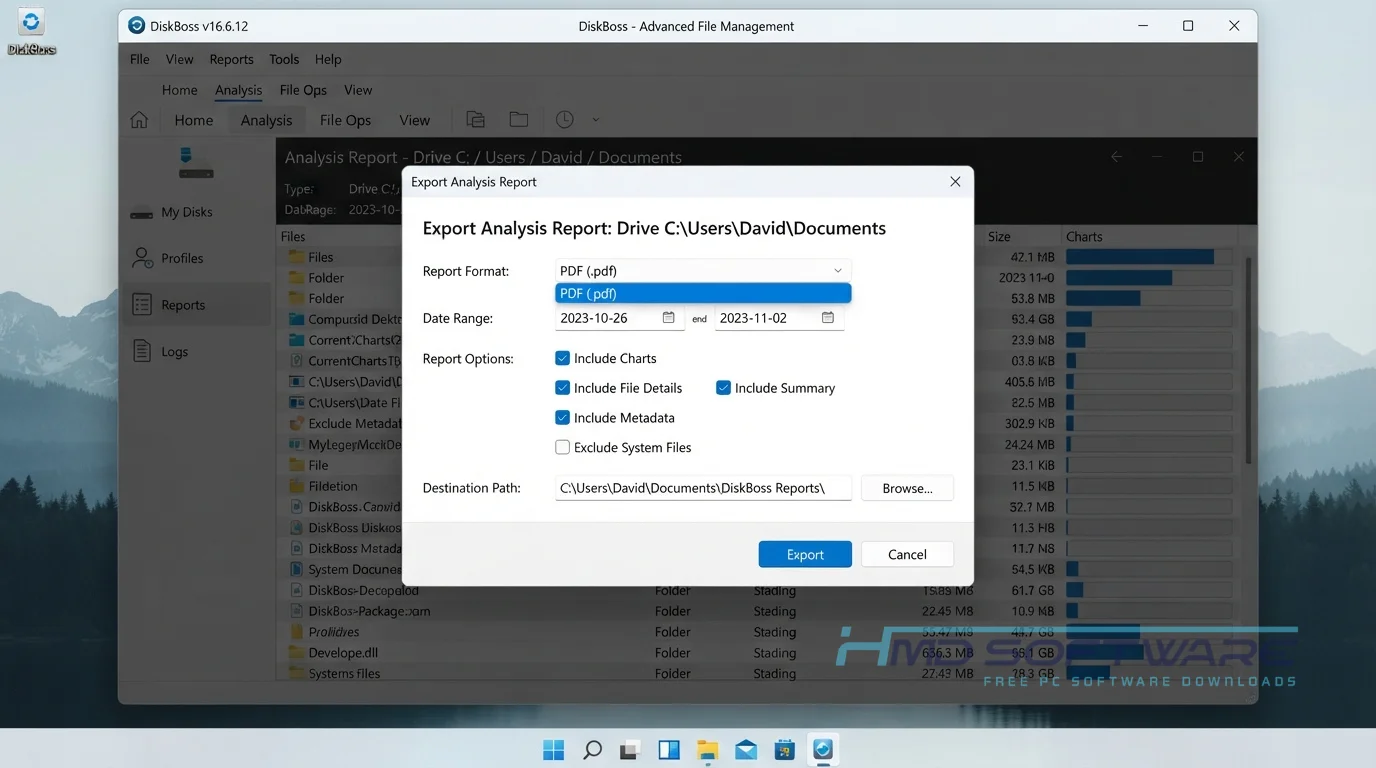
This disk space analysis tool scans your local drives or network shares and breaks down exactly how you use your storage. If you have years of disorganized family photos, you can run it to instantly classify and categorize your files. It shows you a clear chart of where the largest files are stored.
Many IT administrators rely on it for NAS storage analysis to see who is hoarding data on company servers. I also use it as a file synchronization tool to back up specific project folders to an external drive. You can easily set up a bulk file delete operation to clear out junk files based on specific rules you create.
How Does DiskBoss Work?
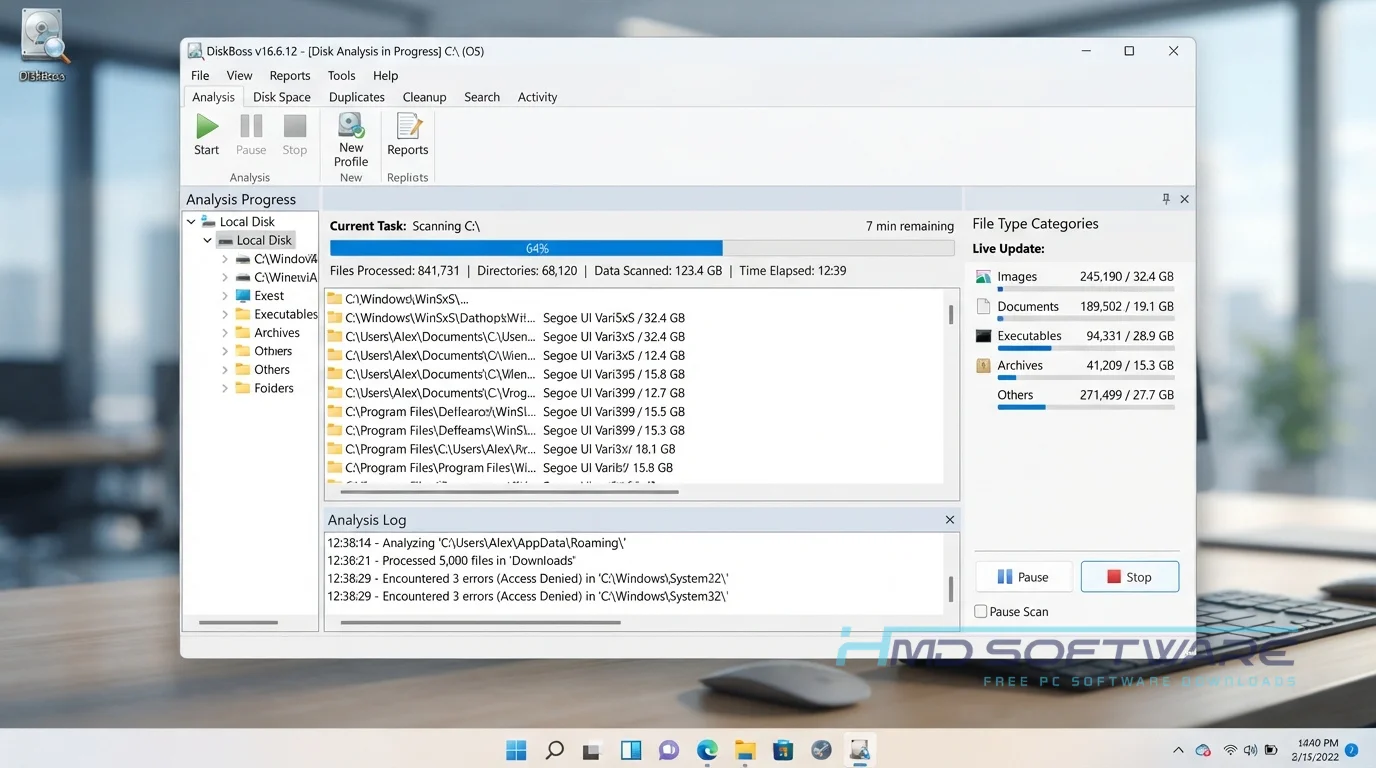
The application reads your file system directly and applies the search rules you define. Select a drive, click Analyze, and wait a few moments while it processes the data. It is built for anyone who hates digging through endless nested folders to find space-hogging videos.
DiskBoss 2026 solves the problem of not knowing what is filling up your storage. Instead of guessing, you see a clear menu showing which files use the most space, and you can remove duplicates with one click.
Key Features of DiskBoss 2026
- Disk Space Analysis: Scans your drives and creates reports so you know what is taking up space.
- Network Share Scanning: A speed-processing feature that quickly analyzes large NAS arrays over a local connection without crashing.
- Secure Data Wiping: A security and privacy feature that functions as a data wiping tool to permanently erase sensitive files.
- Custom Rule Interface: An interface usability feature letting you automate file organization based on exact file sizes or creation dates.
- SQL Database Integration: A file format compatibility feature allowing enterprise users to export analysis results directly to a database.
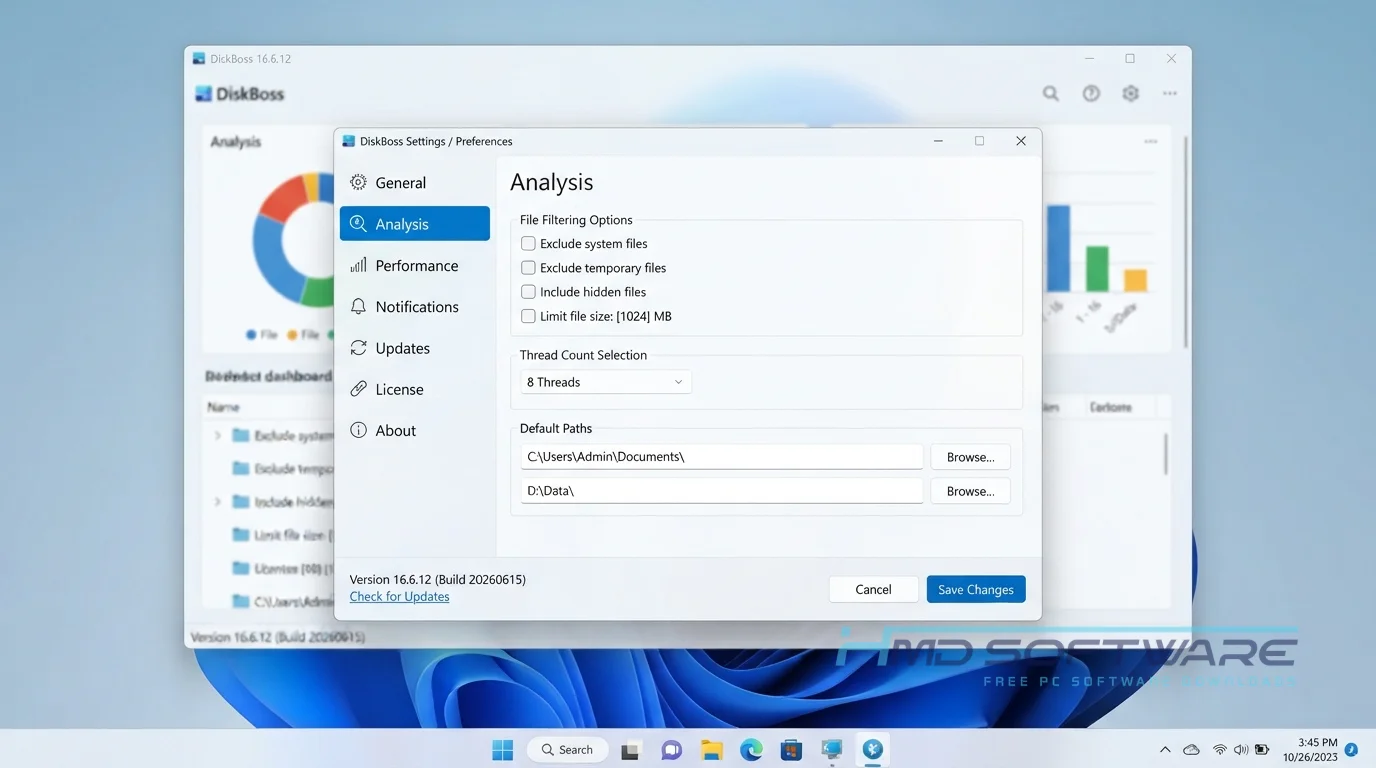
- Modern OS Support: A platform support feature ensuring the software runs beautifully on Windows 11 and Windows Server 2025.
Pros and Cons
Pros
- It’s really good at finding files quickly.
- It shows charts that show exactly how much space is on your disk.
- Lets you easily sync disks and directories.
- The free download works well for basic home users.
Cons
- The free tier strictly limits you to processing 500,000 files, which fills up fast on modern PCs.
- Advanced features, such as disk performance benchmarking, require a paid DiskBoss Pro subscription.
- The menus feel dated and technical for casual users.
How Do I Download DiskBoss 2026 for PC?
- Open your browser and look for the specific version of this automated file management software.
- You can find a safe, verified download link on HMD Software, a reliable platform for PC software downloads.
- Pick the 64-bit download option if you are running a newer Windows computer for better performance.
- Save the setup file, a lightweight installer under 15 megabytes, to your Downloads folder.
- Always run a quick scan on the downloaded executable with your antivirus software before opening it to ensure it is clean.
How To Install DiskBoss Step by Step
- Locate the saved offline installer in your computer’s main downloads folder.
- Double-click the executable file to start the Flexense installation wizard.
- Read and accept the standard end-user license agreement to proceed with the setup.
- Choose your preferred install location, or keep the default C: drive path.
- Click Install and wait a few seconds for the core files to extract.
- Check the box to launch the program immediately, then close the setup window.
System Requirements
You do not need an expensive gaming computer or a high-end server to analyze your daily storage habits. This software is highly optimized, uses very little memory, and runs smoothly on almost any standard office machine. Before you begin the installation, verify that these exact hardware specifications are met to ensure smooth performance.
| Requirement | Minimum | Recommended |
| Operating System | Windows 10 (32-bit) | Windows 11 (64-bit) |
| RAM | 1 GB | 4 GB or more |
| Storage | 50 MB | 100 MB free space |
| Processor | 1 GHz Dual-core | 2 GHz Multi-core |
| Internet | Not required | Optional for updates |
| Additional | Standard user rights | Admin rights for network scans |
Is DiskBoss Safe To Download?
Yes, the official DiskBoss free download is safe for your computer. Flexense makes sure the software has no hidden adware, crypto miners, or unwanted browser add-ons. Security tools like Windows Defender always mark the setup file as safe.
To keep your computer safe, don’t download DiskBoss Pro from unknown places. These places may contain malware. Always use the official free trial or a trusted website, and check the digital signature before installing.
Best Alternatives To DiskBoss 2026
If this disk management tool does not suit your style, a few solid alternatives are available.
- TreeSize Free: A highly visual application that uses a familiar folder-tree structure to show you exactly which directories are wasting space.
- WizTree: An incredibly fast disk scanner that reads your master file table directly to build an instant block-map of your hard drive.
- CCleaner: A broader system maintenance tool that removes temporary internet files and basic junk rather than just categorizing large files.
Conclusion
DiskBoss 16.6.12 gives you an honest look at exactly what is consuming your hard drive. If you’re tired of seeing a red, full C: drive, run this to quickly identify the culprits.
It removes the guesswork from storage management. Scroll up to grab the offline installer and finally delete those forgotten duplicate files cluttering up your PC.
Frequently Asked Questions
Is DiskBoss 2026 free or paid?
The software uses a freemium model. You can use the free version indefinitely for personal desktop organization, but it caps your processing limit at 500,000 files.
If you need a commercial license for business, or if you want to bypass the file limit, you have to buy DiskBoss Pro or the DiskBoss Ultimate price tier. The paid versions also unlock advanced data wiping and active file integrity monitoring.
Does DiskBoss 2026 work on Windows 11?
Yes, the latest version of the software works with Windows 11. Flexense keeps updating the application, so it performs on up-to-date 64-bit operating systems without freezing or crashing during deep scans.
Whether you are using a brand new laptop or managing a network on Windows Server 2025, the application scales to your hardware and reads modern file systems perfectly.
What is the latest version of DiskBoss 2026?
The most current release available to download is DiskBoss 16.6.12. This specific update improved the disk performance benchmarking tools and refined the user interface for high-resolution monitors.
Checking your version number matters because older releases may struggle to scan very large modern solid-state drives efficiently. I recommend always installing the latest build to get the most accurate duplicate-file detection algorithms.
What is the difference between DiskBoss and DiskBoss Pro?
The biggest difference is the hard file limit. The free tier strictly stops scanning after 500,000 files, which many users hit quickly on modern terabyte drives.
Upgrading to DiskBoss Pro removes this restriction, letting you analyze massive network arrays. The Pro version also lets you save custom disk usage reports, automates periodic cleanup tasks, and provides direct customer support from the developer.
Latest Posts:
- Microsoft Office 365 Enterprise Free Download: Full Offline Setup
- Macrium Reflect Rescue Free Download: Bootable WinPE ISO Setup
- JPLAY Femto Free Download: Bit-Perfect Audiophile PC Player
- Milestone XProtect Corporate 2025 Free Download: VMS Setup for PC
- Microsoft Office 2010 Pro Plus Free Download: Full PC Setup