




Desktop Fences Plus: Open-Source Icon Grouping Tool for PC


Quick Answer: You can safely download Desktop Fences Plus completely free of charge. This virtual desktop fences tool runs perfectly on Windows 11. Setup takes less than two minutes, letting you immediately organize messy shortcuts without paying for a premium license. It can operate as a portable application or as a standard offline installer.
Introduction
Desktop Fences Plus is a desktop organizer tool developed by the open-source community on GitHub that groups your icons into shaded areas. Most people look for a Desktop Fences Plus download when their screen becomes too cluttered to find specific files.
If you are looking for a free alternative to Stardock Fences, the Desktop Fences Plus 2026 version is a great choice. It uses very few system resources and gives you a clean, organized workspace right away, without any subscription fees or slowdowns.
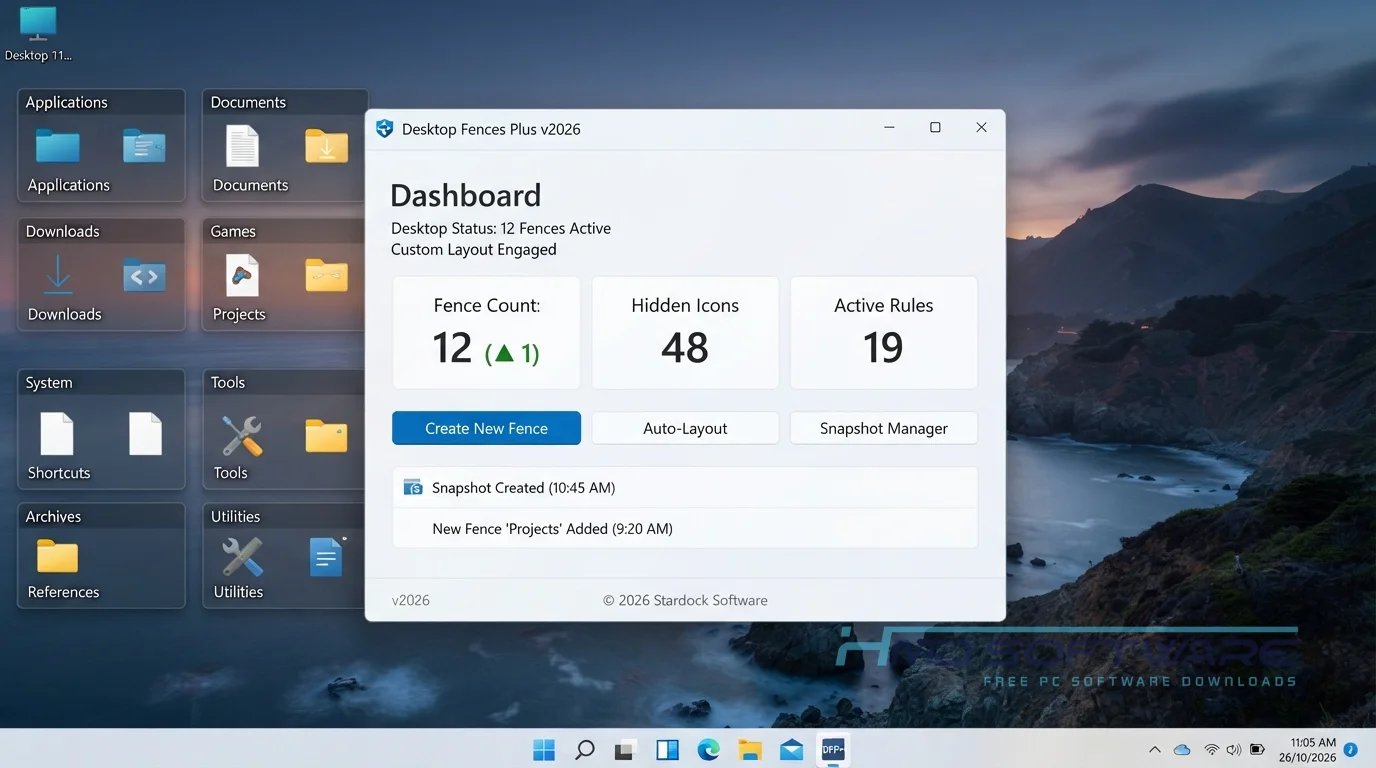
What Is Desktop Fences Plus?
Desktop Fences Plus is a free desktop clutter organizer utility developed by independent programmers on GitHub. Its core function is to group Windows desktop icons into movable, resizable containers called fences.
Available exclusively for PC platforms, it operates under an open-source MIT License, ensuring it remains a completely free download for all users.
What Does Desktop Fences Plus Do?
This desktop icon management tool cleans up your computer screen by corralling loose files into designated zones. If you save every screenshot and download directly to your main display, your workspace quickly becomes a disaster.
You can use this software to automatically group desktop shortcuts by file type, keeping documents completely separate from gaming applications.
Many users set up a folder mirroring the desktop portal to view the contents of a deep project folder without actually moving the files. It basically helps you spot dead links quickly, since organizing your icons forces you to delete what you no longer use.
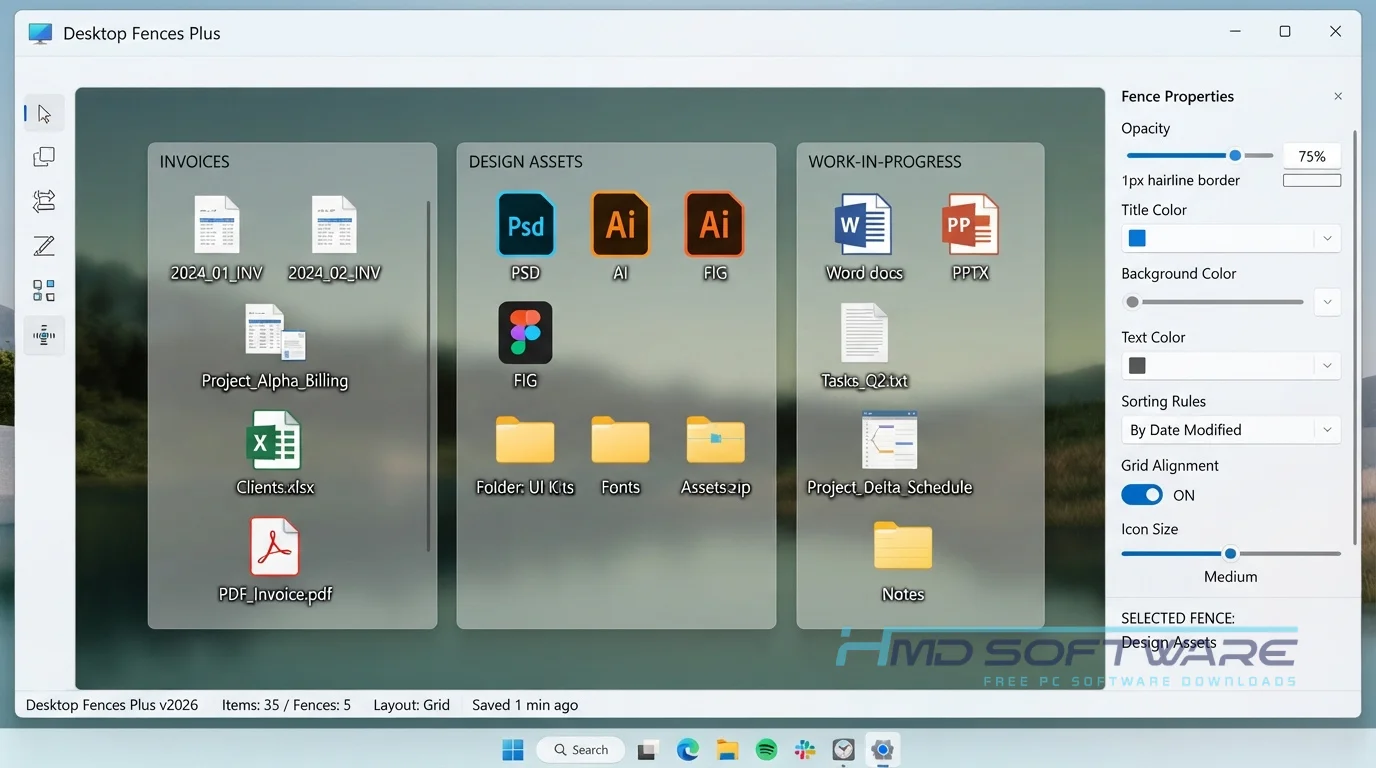
How Does Desktop Fences Plus Work?
The application overlays a transparent grid onto your Windows background. You draw a box with your mouse, and the software creates a shaded container where you can drag and drop icons. It is built specifically for people who need visual organization but hate paying for basic utility software.
The main problem it solves is visual overload. Instead of searching through lots of scattered files, you can quickly find what you need in clearly labeled fences that keep your work and personal items separate.
Key Features of Desktop Fences Plus
- Customizable Fences: You can create as many shaded boxes for your icons as you want.
- Snapping Grid: A speed-processing feature that automatically aligns icons instantly so they never overlap.
- Offline Operation: A privacy feature that ensures the app never scans or uploads your file names to external servers.
- Scrollable Portals: An interface usability feature allowing you to view long lists of files inside a compact desktop window.
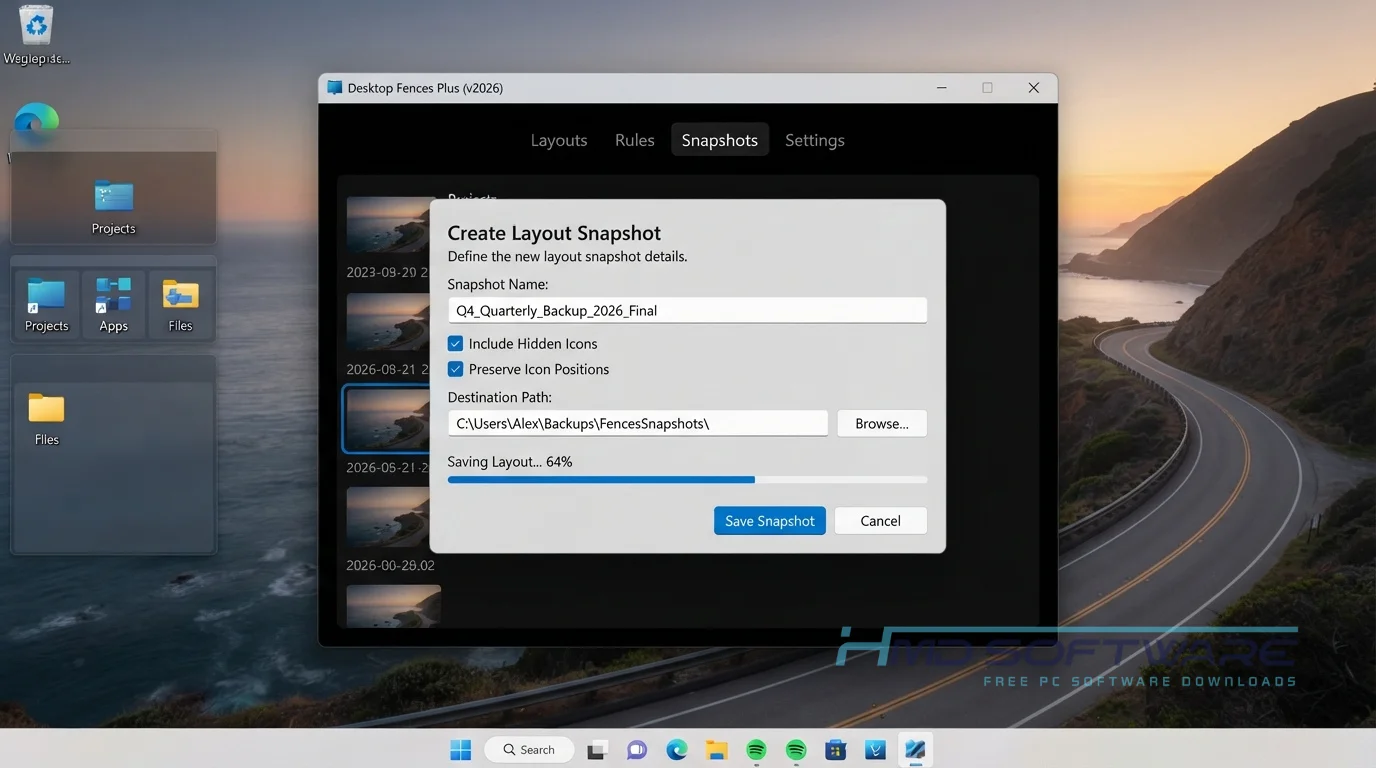
- Fence File Format: A file compatibility feature that lets you back up and restore your exact layout after a Windows reinstall.
- Portable Mode: A version management feature letting you run the Desktop Fences Plus portable version from a USB drive.
Pros and Cons
Pros
- It is a completely free, open-source alternative.
- Double-clicking the desktop instantly hides all icons.
- Very low memory usage compared to Stardock Fences.
- You can customize the background color of every group.
Cons
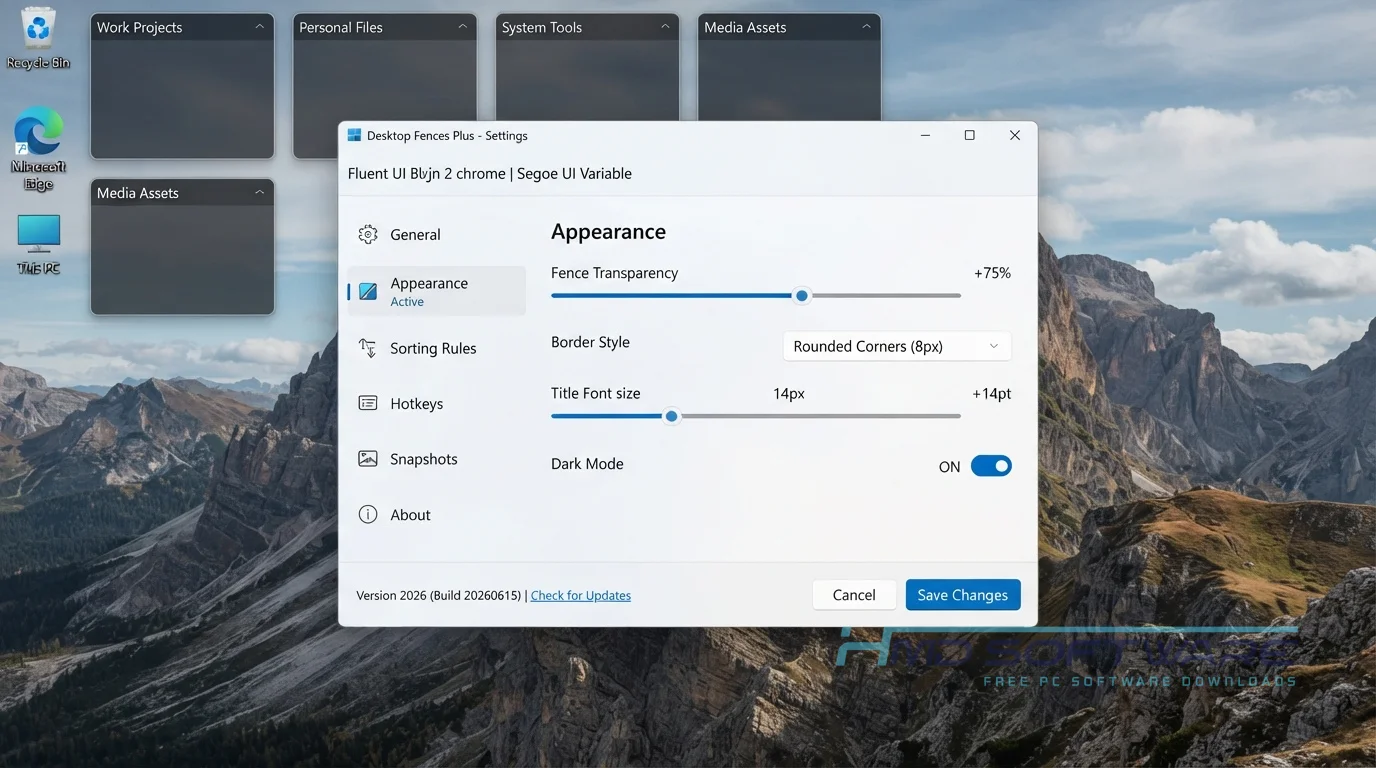
- The setup menu looks outdated and plain.
- It lacks the advanced launch effects and desktop organizer features found in paid tools.
- Folder portals occasionally forget their scroll position after a system restart.
How To Download Desktop Fences Plus
Getting the offline installer for your computer takes only a few seconds.
- Open your web browser and search for the latest version of Desktop Fences Plus.
- You can find a safe, verified download link on HMD Software, a reliable platform for PC software downloads.
- Choose between the standard Windows executable installer or the portable ZIP archive.
- Click the Download Now button and save the small file (usually under 5 MB) to your local drive.
- Always verify your download source to avoid modified files containing hidden background trackers.
How To Install Desktop Fences Plus Step by Step
Setting up this handy Windows desktop utility is incredibly straightforward.
- Locate the downloaded setup file in your computer’s main downloads folder.
- Double-click the installer executable to launch the basic setup wizard.
- Accept the standard open-source license agreement and click the Next button.
- Choose your preferred installation directory on your primary hard drive.
- Let the setup extract the necessary core files and complete the installation process.
- Launch the program from your Start menu to begin drawing your very first desktop icon group.
System Requirements
This lightweight tool uses very little system power, so it works well on old laptops, office computers, and gaming PCs. You do not need a strong graphics card to use the shaded boxes. Here are the hardware requirements to run the software smoothly.
| Requirement | Minimum | Recommended |
| Operating System | Windows 10 (64-bit) | Windows 11 (64-bit) |
| RAM | 1 GB | 2 GB or more |
| Storage | 15 MB | 50 MB free space |
| Processor | Intel Core i3 or equivalent | Intel Core i5 or higher |
| Internet | Not required | Optional for updates |
| Additional | .NET Framework 4.8 | Latest .NET version |
Is Desktop Fences Plus Safe To Download?
Yes, it is completely safe to install on your computer. Because the project uses a publicly available GitHub repository, hundreds of developers regularly review the code to ensure it contains no bundled adware or tracking scripts.
Virus scans show the standard installer is safe. To protect your PC, avoid third-party sites that bundle the software with download managers. Check the digital signature before opening the file.
Best Alternatives To Desktop Fences Plus
If this specific tool does not fit your workflow, you might prefer these other options.
- Stardock Fences: The premium, paid industry standard that offers advanced animations and deeper Windows File Explorer integration.
- BirdyFences: Another completely free option that focuses heavily on minimalist design and maintaining a very low memory footprint.
- Nimi Places: A highly customizable alternative that lets you add media widgets and distinct visual themes to your desktop folder portals.
Conclusion
Desktop Fences Plus offers a great way to regain control over a messy computer screen. Anyone tired of hunting for lost files among dozens of random icons should try this tool.
It organizes your workflow instantly without costing you a single dime. Scroll up to access the free download links and finally tidy up your Windows workspace today.
Frequently Asked Questions
Is Desktop Fences Plus free or paid?
This software is totally free. You can download it. Use it for as long as you want. The developer wants everyone to have it, so they let people use it for free.
You get all the core organization features without ever needing to pull out a credit card, making it a fantastic choice for budget-conscious users.
Does Desktop Fences Plus work on Windows 11?
Yes, the latest release runs perfectly on Windows 11. The development team updated the core code to ensure compatibility with modern display scaling and the newest Windows interface changes.
You will not have to mess around with older compatibility modes to get the shaded boxes to snap correctly to your grid layout.
What is the latest version of Desktop Fences Plus?
The newest stable release is the Desktop Fences+ 2026 build, which introduced several important bug fixes and stability improvements.
This version fixed an old problem where icons sometimes moved out of place after changing your monitor’s resolution. Always check the official repository to make sure you have the latest version.
Is Desktop Fences Plus safe to download and use?
It is very safe to download and use on your personal or work computer. The application does not require administrative privileges to perform basic icon sorting, which limits its ability to modify critical system files.
Furthermore, because it is open-source, the community constantly monitors the code for vulnerabilities. Just remember to stick to verified software libraries when downloading.
Latest Posts:
- Microsoft Office 365 Enterprise Free Download: Full Offline Setup
- Macrium Reflect Rescue Free Download: Bootable WinPE ISO Setup
- JPLAY Femto Free Download: Bit-Perfect Audiophile PC Player
- Milestone XProtect Corporate 2025 Free Download: VMS Setup for PC
- Microsoft Office 2010 Pro Plus Free Download: Full PC Setup