




CrystalMark Retro Hardware Test: Free Download for Vintage & Modern PCs

Quick Answer: You can download CrystalMark Retro completely free of charge. It is a highly safe computer performance testing tool that runs perfectly on both vintage hardware and modern Windows 11 systems. Setup takes less than a minute, letting you instantly measure your processor and graphics speeds without complicated configurations.
Introduction
CrystalMark Retro is a computer testing program developed by Crystal Dew World that assesses your computer’s performance. Many people who like to tinker with computers and test hardware use it to see how it compares to newer machines.
The CrystalMark Retro 2.1 release bridges the gap between classic testing methods and current operating systems. You get a direct look at how fast your machine actually handles math and 2D rendering.
Most people love how lightweight it feels compared to massive modern suites. It just gives you the numbers you need without any fuss.
What Is CrystalMark Retro?
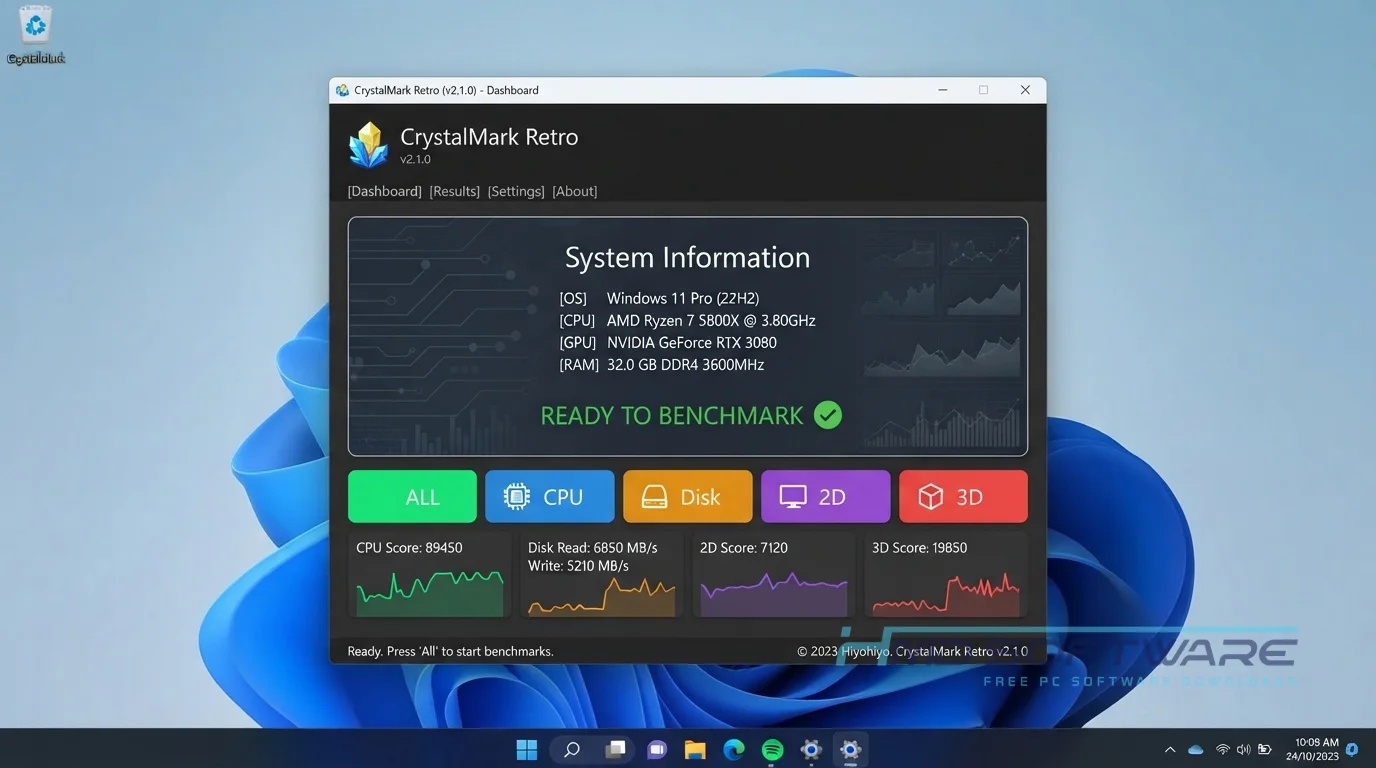
CrystalMark Retro is a free PC benchmarking utility developed by Crystal Dew World and Roy Tam. This performance testing software measures processor output, disk speeds, and graphics capabilities.
Available as freeware for Windows platforms ranging from classic Windows 95 to current builds, it provides a unified scoring system to directly compare vastly different generations of computer hardware.
What Does CrystalMark Retro Do?
This benchmarking tool pushes your computer components to their limits to see how fast they process data. If you recently bought a vintage machine, you can run a retro PC hardware test to see if the internal drive is failing.
Many users run a sequential read-write speed test after installing a new hard drive to confirm they are getting the advertised speeds. You can also use it to run a multi-core benchmark on a newly built modern rig and compare its score against a classic 90s desktop.
It effectively translates complex hardware operations into a simple, readable score so you know exactly where your system’s bottlenecks are.
How Does CrystalMark Retro Work?
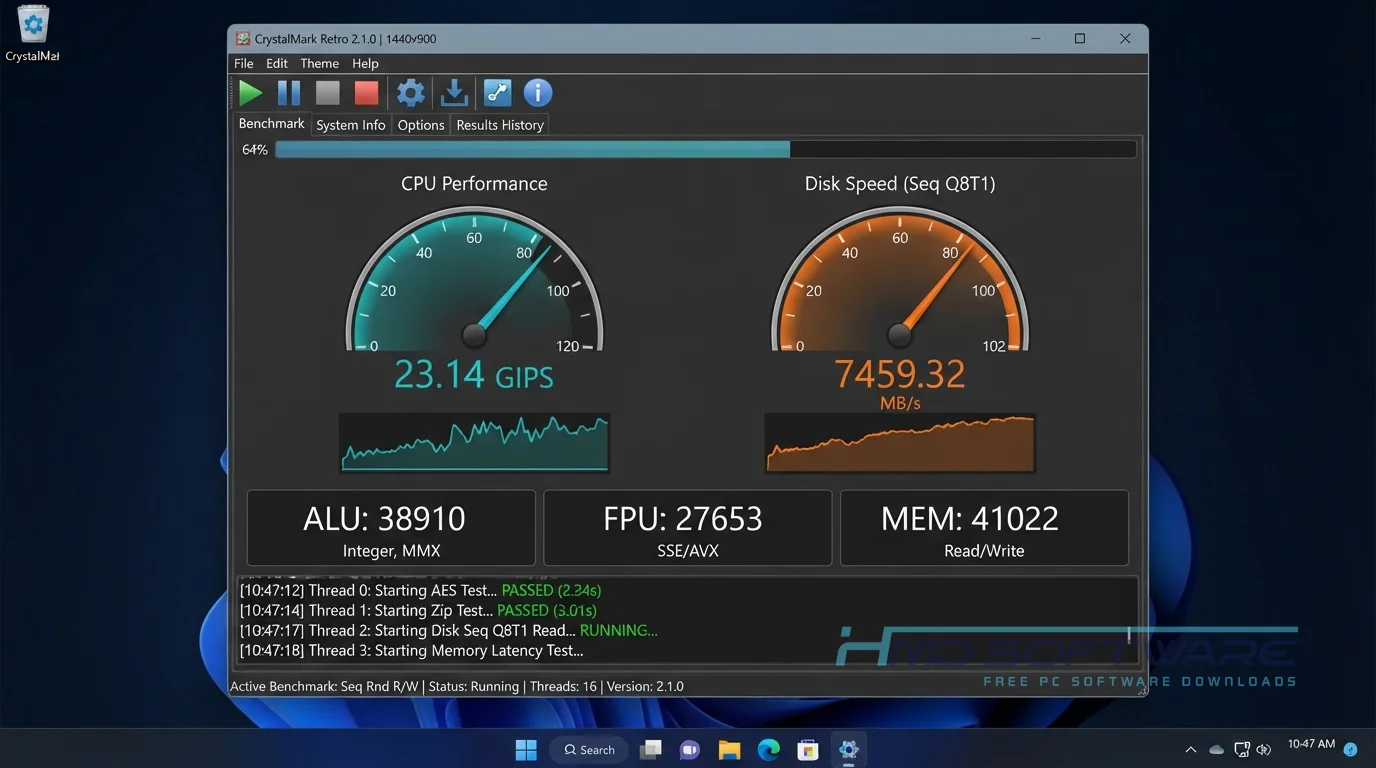
The application runs a specific set of mathematical problems and rendering tasks that push your hardware to its maximum capacity. You click a single button, and the software handles the rest.
It is built for both nostalgic tech builders and regular users who want a quick health check on their system. This solves the annoyance of trying to find compatible benchmarking software for a retro build.
Instead of hunting down broken links for old utilities, you get a clean, working interface that tests everything from basic arithmetic to a 3D graphics benchmark.
Key Features of CrystalMark Retro
- CPU Performance Test: A core performance feature that calculates your processor’s exact multi-threading capabilities.
- GDI Benchmark System: A speed-processing feature that measures how fast your system draws 2D graphics on the screen.
- Portable Zip Execution: A privacy feature that lets you run the CrystalMark Retro portable version from a USB stick without altering system registries.
- Multilingual Interface: A usability feature allowing you to switch the dashboard text into several different languages instantly.
- CrystalMarkDB Integration: A compatibility feature that lets you upload and compare your final scores with other users globally.
- Broad OS Support: A platform feature ensuring the executable runs smoothly on Windows NT 3.51 all the way up to Windows 11.
Pros and Cons
Pros
- Completely free with no hidden paywalls.
- Runs natively on decades-old operating systems.
- The file size is incredibly small.
- Gives you an easy-to-read final aggregate score.
Cons
- The OpenGL benchmark tests are too basic to stress modern dedicated graphics cards.
- The interface looks slightly dated by design, which might turn off some users.
- Does not offer thermal monitoring while the tests are running.
How Do I Download CrystalMark Retro For PC?
Getting the offline installer for your computer only takes a few clicks.
- Users should open a web browser and search for the latest release of the benchmarking tool.
- You can find a safe, verified download link on HMD Software, a reliable platform for PC software downloads.
- Choose between the standard executable installer or the CrystalMark Retro portable zip file.
- Click the download button to start the process, and save the file (usually under 20 MB) wherever you want.
- It is important to verify that the downloaded version matches the system architecture to prevent unexpected crashes during testing.
How To Install CrystalMark Retro Step by Step
Setting up this utility is remarkably straightforward, even on older computers.
- The downloaded executable file can be found in the designated downloads folder.
- Double-click the file to open the main setup wizard.
- Accept the standard user agreement and grant the required system permissions.
- Choose your preferred installation folder on your local drive.
- Let the setup process extract the files, which usually takes under 10 seconds.
- Click Finish and launch the program from your new desktop shortcut to start benchmarking.
System Requirements
Because this tool bridges the gap between classic and modern computing, the hardware requirements are incredibly flexible. It will easily run on the oldest vintage machines sitting in your closet while still scaling to test a brand-new custom desktop. Here is exactly what you need to run the application successfully.
| Requirement | Minimum | Recommended |
| Operating System | Windows 95 / NT 3.51 | Windows 10 / Windows 11 |
| RAM | 16 MB | 2 GB or more |
| Storage | 20 MB available | 50 MB free space |
| Processor | x86 compatible CPU | Multi-core x86/x64 / ARM64 |
| Internet | Not required | Optional for uploading scores |
| Additional | Basic VGA graphics | OpenGL 1.1 compatible GPU |
Is CrystalMark Retro Safe To Download?
Yes, this benchmarking tool is very safe to download and use. It comes from the trusted developer of CrystalDiskMark and includes no adware, crypto miners, or harmful scripts. Independent virus scanners always show that the official files are clean.
To keep your computer safe, always download the setup file from a trusted software site, not from random forums. Also, close any background programs before running tests to avoid problems.
Best Alternatives To CrystalMark Retro
If you want to try different testing methodologies, there are a few other excellent benchmarking tools available.
- Novabench: A highly popular free tool that provides a very quick, holistic score for modern CPU, RAM, and disk speeds.
- Geekbench: A widely used cross-platform utility that focuses intensely on single-core and multi-core processing power.
- 3DMark: A visually demanding suite explicitly designed to push modern dedicated gaming graphics cards to their absolute limits.
Conclusion
The CrystalMark Retro 2.1.0 is a tool for testing computer hardware. This is especially useful for people who like computers. The software can test Windows 95 systems and new computers, allowing you to compare them.
It is remarkably small and fast, and it gives you clear performance metrics in minutes. Scroll up to access the free download and see exactly how your system scores today.
Frequently Asked Questions
Is CrystalMark Retro free or paid?
The software is completely free to download and use indefinitely. The developer, Crystal Dew World, releases this benchmarking tool under a freeware license for personal and educational use.
There are no premium versions hidden behind a paywall, no restricted features, and no annoying trial timers. You get full access to the CPU benchmark tool and the disk speed tests without ever needing to enter credit card information.
Does CrystalMark Retro work on Windows 11?
Yes, the application runs flawlessly on Windows 11 computers. Even though the utility focuses heavily on retro PC hardware testing capabilities, the developers built the core architecture to natively support modern 64-bit operating systems.
You will not need to configure any complicated compatibility modes to get it working. The software accurately detects modern multi-core processors and fast NVMe storage drives to give you a reliable performance score.
What is the latest version of CrystalMark Retro?
The latest version of CrystalMark Retro is CrystalMark Retro 2.1.0. This version of CrystalMark Retro has some changes. It added support for ARM64. This means people can use CrystalMark Retro to test computers with ARM64 and old computers with x86 processors.
It also improved the 2D graphics test. The language files for this software were updated too. This makes it easier for people who speak the languages to use it. You should always check what version of CrystalMark Retro you have. This way, you can make sure you have the fixes for this software.
Is CrystalMark Retro safe to download and use?
Yes, it is very safe for your computer hardware and your personal data. The program only reads your hardware capabilities and performs basic math calculations; it does not alter your critical system files or transmit personal information.
The official CrystalMark Retro 2.1 executable is digitally signed and passes all major antivirus checks. Just remember that running intensive benchmarks will cause your computer fans to spin up loudly.
Latest Posts:
- Microsoft Office 365 Enterprise Free Download: Full Offline Setup
- Macrium Reflect Rescue Free Download: Bootable WinPE ISO Setup
- JPLAY Femto Free Download: Bit-Perfect Audiophile PC Player
- Milestone XProtect Corporate 2025 Free Download: VMS Setup for PC
- Microsoft Office 2010 Pro Plus Free Download: Full PC Setup