




Adobe Substance 3D Sampler 2026 Free Download: AI PBR Material Setup

Quick Answer: You can download Adobe Substance 3D Sampler 2026 for your computer if you have an Adobe Creative Cloud subscription. You can try it out for 30 days for free. It takes five minutes to install Adobe Substance 3D Sampler on Windows 11. If you want Adobe Substance 3D Sampler to scan photos, it is a good idea to have a dedicated graphics card.
Introduction
Adobe Substance 3D Sampler is a 3D material creation software tool developed by Adobe Inc. that transforms regular photographs into photorealistic materials.
3D artists and game developers rely on this application to generate repeating, tileable textures without having to build them from scratch. I find the Adobe Substance 3D Sampler 2026 version particularly helpful when working with tight deadlines.
You feed it a picture of some fabric or a brick wall, and it instantly generates a full set of PBR maps. The Adobe Substance 3D Sampler 5.1.3 update handles complex lighting fixes better than ever.
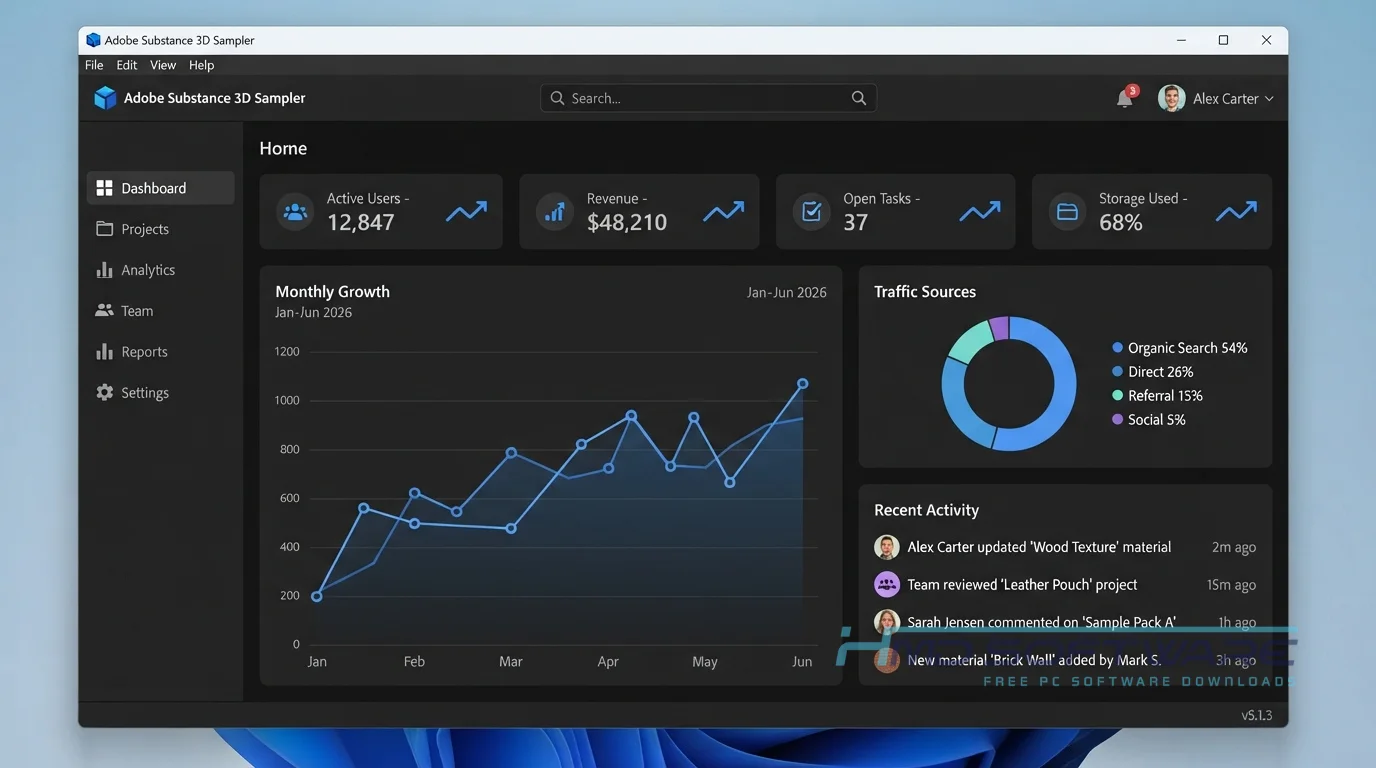
What Is Adobe Substance 3D Sampler 2026?
Adobe Substance 3D Sampler is a tool for creating textures, developed by Adobe Inc., that converts real-world images into 3D materials. The program is available on both Windows and macOS with a commercial subscription license and serves as the main PBR material generator within the Substance 3D Collection. It was previously called Substance Alchemist and specializes in AI-driven scan processing.
What Does Adobe Substance 3D Sampler Do?
This application acts as a bridge between the physical world and your digital twin creation tool. If you take a photograph of tree bark, the software analyzes the image and extracts a full set of maps, including normal, roughness, and albedo.
You can mix different materials, like scattering leaves over a mud texture using the Atlas Splatter tool. Environment artists often use the photogrammetry software features to build HDR environment light maps directly from 360-degree photos.
Instead of manually painting every detail in a program like Substance 3D Painter, this tool automatically generates the base foundation. It is a massive time saver for batch texture processing.
How Does Substance 3D Sampler Work?
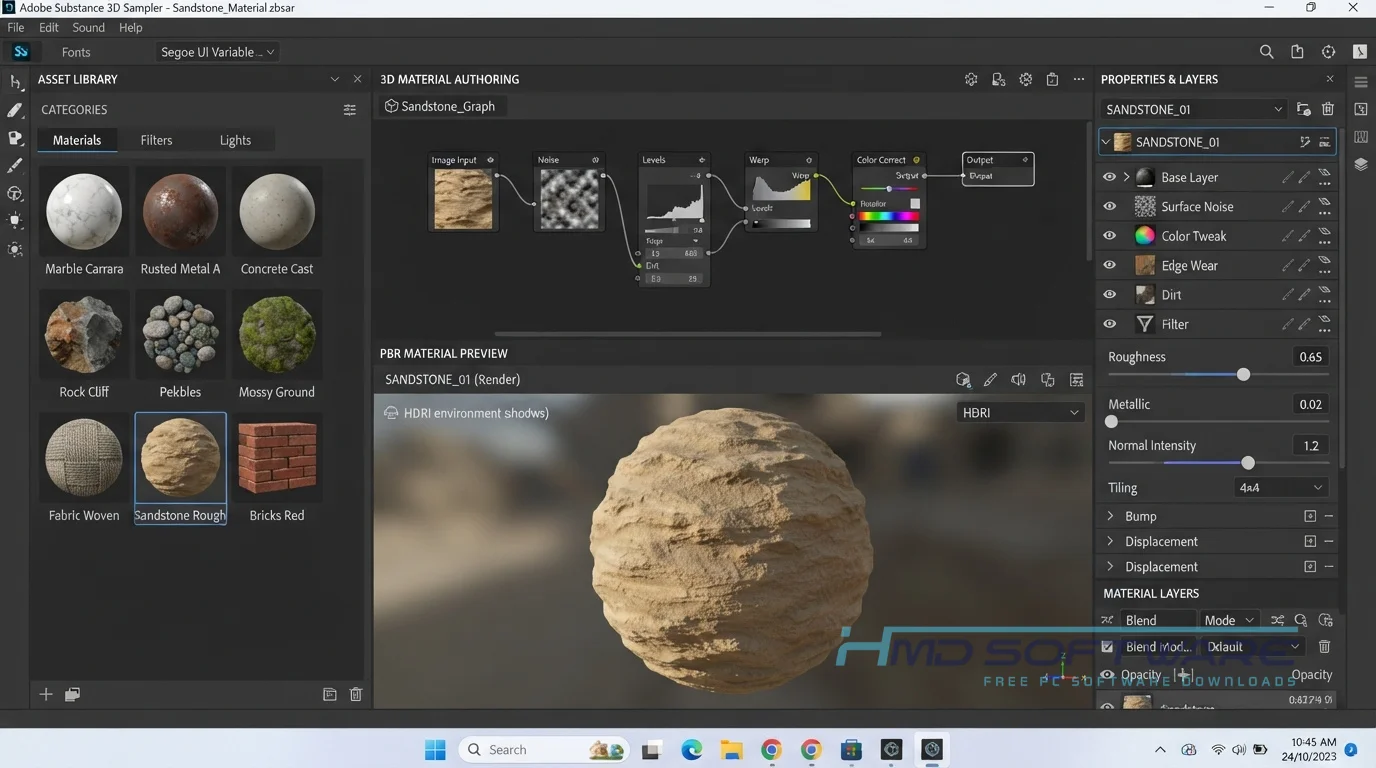
The workflow is mostly node-based but remains very visual and easy to grasp. You drag and drop a source photo into the main interface to start.
The Adobe Sensei AI engine immediately scans the image to remove unwanted shadows and highlights, leaving a flat, evenly lit base. From there, you apply filters from the Material Library Manager to adjust dirt levels, change the color, or add physical wear.
Once everything looks right, you export the finished maps to your preferred 3D software or game engine.
Key Features of Adobe Substance 3D Sampler 2026
- AI Image to Material: Converts standard flat images into detailed 3D textures using machine learning to predict surface depth.
- Photogrammetry Processing: Automatically stitches together multiple photos of a single object to build accurate digital 3D models.
- Filter Library: Includes dozens of customizable filters that let you add weathering, water puddles, or snow to any base material.
- HDR Environment Creation: Merges 360-degree bracketed photos into single HDR lighting maps for realistic studio or outdoor rendering.
- Texture Tiling: Automatically removes visible borders from your image edges so materials repeat perfectly across large 3D surfaces.
- Substance 3D Integration: This is really cool because it sends finished materials directly to Substance 3D Stager or Designer with one click.
Pros and Cons
Pros
- The image-to-material converter saves hours of manual texture painting.
- The user interface is very approachable for complete beginners.
- You can easily blend multiple existing materials into entirely new variations.
- The built-in AI does a fantastic job of removing baked-in shadows.
Cons
- The Substance 3D Sampler price is tied to a monthly subscription plan.
- Generating high-resolution normal maps from single photos occasionally misinterprets complex depth details.
How To Download Adobe Substance 3D Sampler 2026
Getting the setup file on your machine takes only a few steps.
- Navigate to the official Adobe website and sign in with your Adobe ID.
- Go to the Substance 3D Collection page and select your preferred subscription plan or trial.
- You can find a safe, verified download link on HMD Software, a reliable platform for PC software downloads.
- Choose the Windows offline installer or use the Creative Cloud desktop app to initiate the download.
- Save the installer package (roughly 2 GB) to your primary drive.
Always make sure your hard drive has enough space before starting the download to prevent corrupted files.
How To Install Substance 3D Sampler Step by Step
- Locate the setup file you downloaded in your Windows Downloads folder.
- Double-click the setup file to launch the main installation wizard.
- Accept the software license agreement and allow Windows security permissions to proceed.
- Pick a destination folder on your fastest solid-state drive for much better processing performance.
- Wait for the installer to unpack the core application files and default material libraries.
- Launch the program from your desktop shortcut and log in with your Adobe credentials to start texturing.
System Requirements
Processing multiple high-resolution photos into 3D textures is a highly demanding task for any computer. If you want the Adobe Substance 3D Sampler 5.1 update to run smoothly without freezing during AI generation, check your hardware first. Here are the exact system requirements you need to run this texturing software properly.
| Requirement | Minimum | Recommended |
| Operating System | Windows 10 (64-bit) | Windows 11 (64-bit) |
| RAM | 16 GB | 32 GB or more |
| Storage | 10 GB available | 20 GB free space on NVMe SSD |
| Processor | Intel Core i5 or AMD Ryzen 5 | Intel Core i7 or AMD Ryzen 7 |
| Internet | Required for activation | Optional after setup |
| Graphics | Nvidia GTX 1060 (4GB VRAM) | Nvidia RTX 3060 (8GB VRAM) or better |
Is Substance 3D Sampler Safe To Download?
Yes, the Adobe Substance 3D Sampler download is completely safe as long as you get it from an official or verified source. Authentic Adobe installation files are free of malware, spyware, and adware.
You put your system at extreme risk if you search for an illegal cracked version or bypass the activation process on sketchy forums.
Always stick to official channels and make sure your Windows Defender software is active while you install new programs.
Best Alternatives To Adobe Substance 3D Sampler 2026
- Quixel Mixer: A fantastic free alternative that lets you blend incredibly detailed scanned surfaces from the Megascans library without paying any monthly fees.
- Materialize: An open-source, lightweight tool that handles basic image-to-material map conversions, making it a great option for hobbyists on a strict budget.
- ArmorPaint: A standalone 3D texture software offering node-based material creation, though it lacks the advanced Adobe Sensei AI scan processing features found in Sampler.
Conclusion
Adobe Substance 3D Sampler 5.1.3 is a tool that helps you create amazing 3D materials from ordinary pictures. If you are working on a game or making videos and you want your textures to look real, it can save you a lot of time and effort.
Grab the Adobe Substance 3D Sampler 2026 free trial download today, load in a few reference photos, and see exactly what it can do for your next project.
Frequently Asked Questions
Is Adobe Substance 3D Sampler 2026 free or paid?
Adobe Substance 3D Sampler 2026 is a paid commercial software product, but Adobe provides a fully functional 30-day free trial for new users. Once the trial ends, you must subscribe to the Substance 3D Collection or an enterprise plan to keep using it.
There is no permanent free version available, meaning hobbyists will have to factor the monthly Substance 3D Sampler license cost into their ongoing budgets.
Does Adobe Substance 3D Sampler 2026 work on Windows 11?
Yes, Adobe Substance 3D Sampler 5.1.3 is fully optimized for Windows 11. It uses modern 64-bit systems and advanced GPU rendering to process high-resolution textures quickly.
To ensure optimal stability and avoid crashes during photogrammetry processing, make sure your NVIDIA or AMD graphics card drivers are updated to the latest Studio or Game Ready versions.
What is the latest version of Adobe Substance 3D Sampler 2026?
The latest version for 2026 is Adobe Substance 3D Sampler 5.1.3. This update brings major improvements to the AI scan tools and fixes minor bugs in the normal map generator.
If you install the application through the Creative Cloud desktop client, your software will automatically download and install these patches in the background.
Is Adobe Substance 3D Sampler 2026 safe to download and use?
Yes, the Adobe Substance 3D Sampler 2026 offline installer is completely secure when downloaded directly from Adobe or a verified software library. Legitimate versions undergo strict security testing to ensure they contain no viruses or background tracking software.
You should avoid any third-party websites claiming to offer a fully unlocked version for free, as these files frequently contain ransomware that can ruin your PC.
Latest Posts:
- Microsoft Office 365 Enterprise Free Download: Full Offline Setup
- Macrium Reflect Rescue Free Download: Bootable WinPE ISO Setup
- JPLAY Femto Free Download: Bit-Perfect Audiophile PC Player
- Milestone XProtect Corporate 2025 Free Download: VMS Setup for PC
- Microsoft Office 2010 Pro Plus Free Download: Full PC Setup