




Sweet Home 3D: Free Open-Source Interior Design Software for PC

Quick Answer: It is safe to download Sweet Home 3D for free from reliable sources if you want to design floor plans and arrange furniture in three dimensions. The offline installer works well on Windows 11 and takes only a few minutes to set up. It is free for personal use and requires no subscription.
Introduction
Designing a floor plan can feel like a chore, but this free room planner makes it much easier. Sweet Home 3D is a popular open-source app that helps you draw house plans and try out furniture layouts right away.
Most people look for a Sweet Home 3D 7.5 download when they want to plan a home renovation without paying for expensive CAD programs.
Whether you are redecorating a single bedroom or laying out an entire house, the latest version offers an easy way to visualize your ideas before moving a single physical object. It saves you hours of heavy lifting and measuring.
What Is Sweet Home 3D?
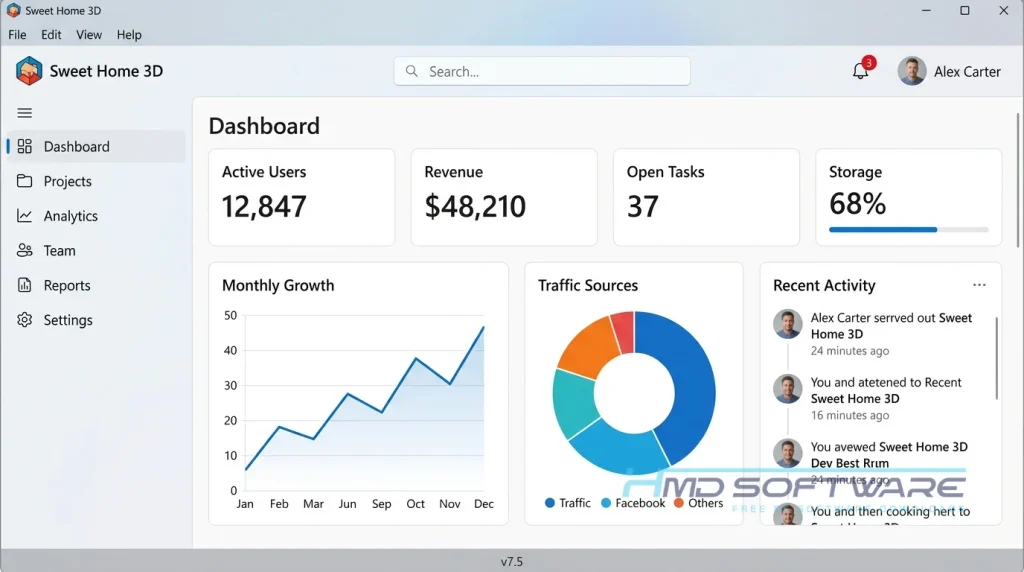
Sweet Home 3D is a free interior design software tool developed by Space Mushrooms (formerly eTeks) that lets users draw 2D floor plans and view them in 3D. First released in 2006, it runs on Windows, Mac, and Linux platforms. The application is distributed under the GNU General Public License, making it a truly open-source virtual home design tool.
What Does Sweet Home 3D Do?
This free architectural floor plan software lets you build a digital version of your living space. If you are moving into a new apartment, you can recreate the exact room dimensions and test if your current couch will fit against the far wall.
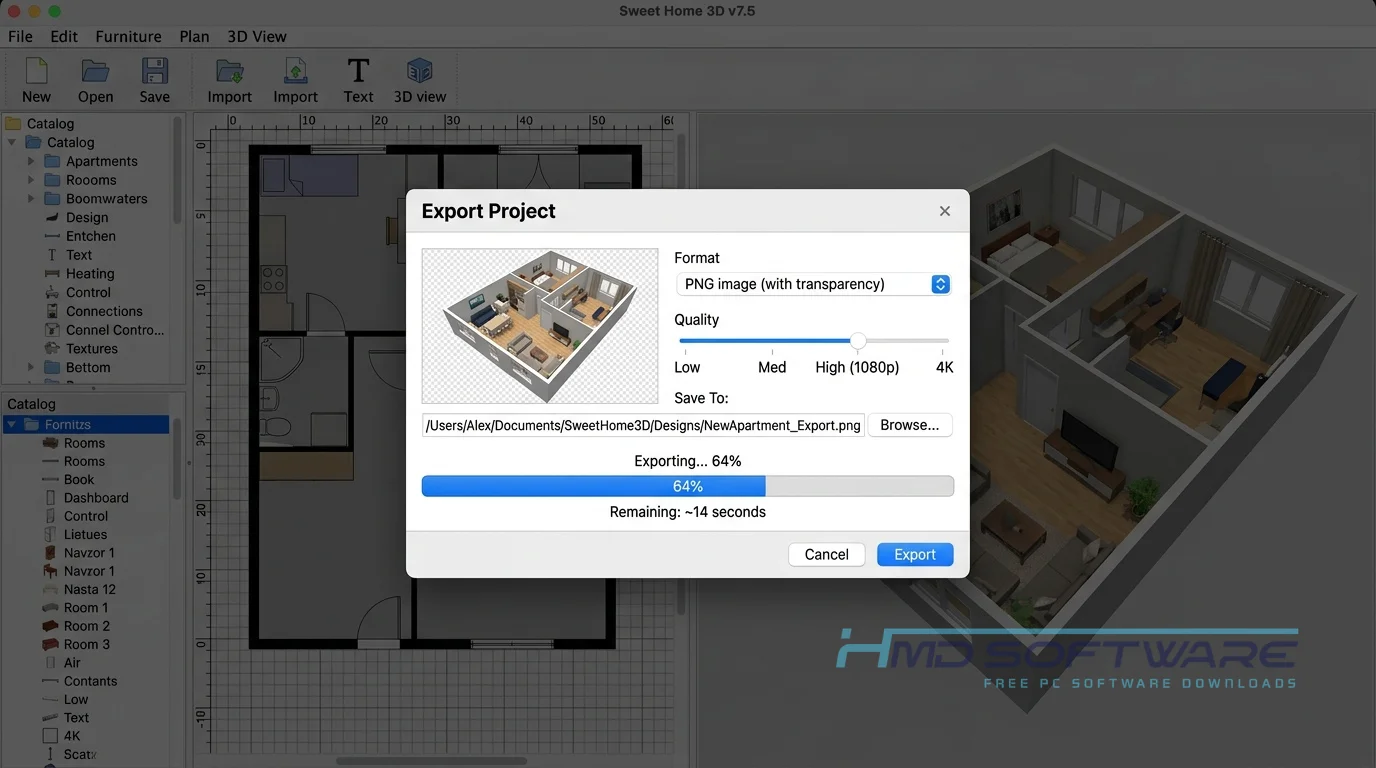
You might also use it for a kitchen remodel to see how different cabinet colors look under photorealistic rendering. The software automatically translates every 2D wall you draw into a 3D model. You drag items from the built-in furniture catalog and drop them onto your floor plan to see exactly how they look in real time.
How Does Sweet Home 3D Work?
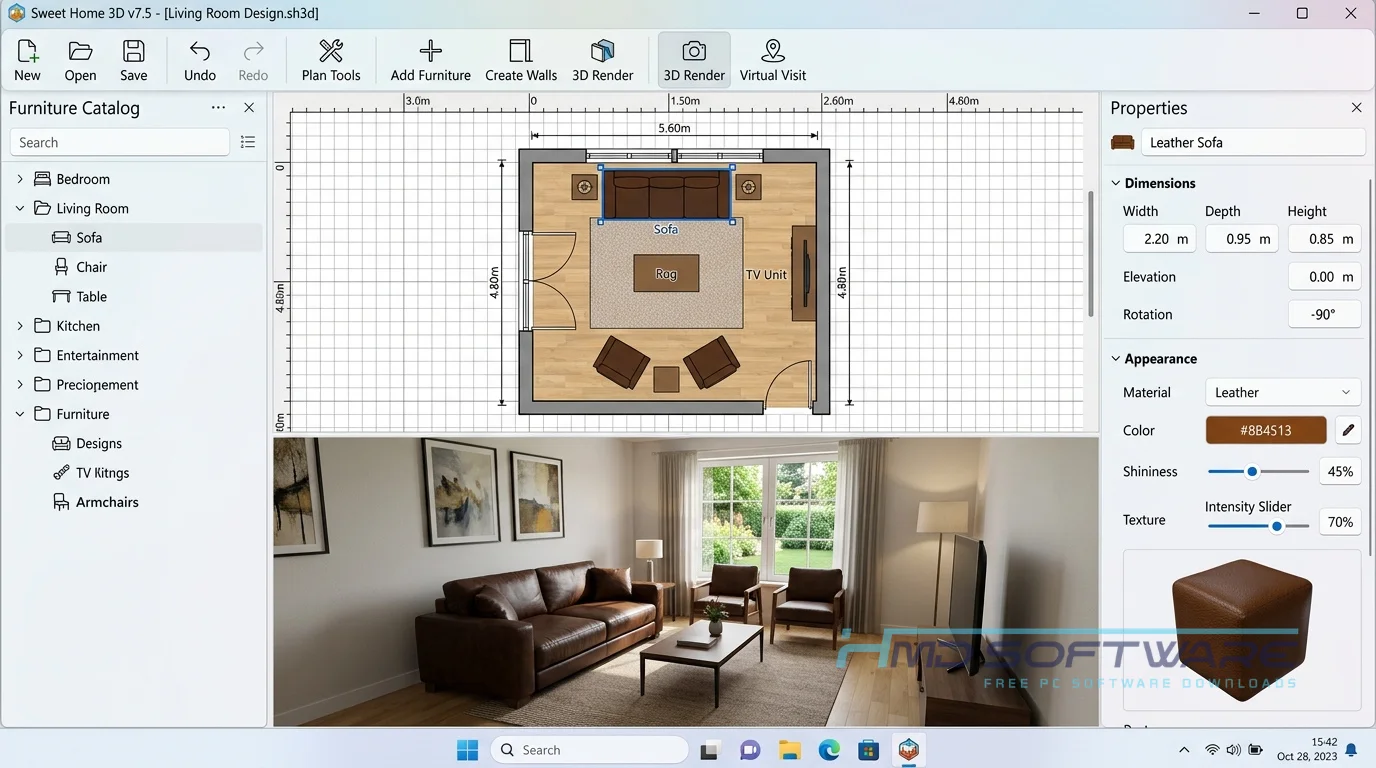
The program uses a simple drag-and-drop system made for beginners. You can start by importing a scanned image of your blueprint or drawing walls from scratch with your mouse.
Once your basic layout is complete, you add doors, windows, and fixtures. From there, you drag items from a categorized side menu directly into your rooms. The software instantly updates a 3D view at the bottom of your screen.
This immediate visual feedback is exactly why casual homeowners choose this free 3D house design software over complicated alternatives.
Key Features of Sweet Home 3D
- Split-Screen Interface: You can edit your 2D floor plan workspace while watching the 3D rendering update in real time.
- Massive Furniture Catalog: The program includes hundreds of default items, and you can easily import third-party 3D models.
- Photorealistic Rendering: You can create high-quality images of your design, complete with custom sunlight angles based on a compass rose and time of day.
- Format Compatibility: The software lets you export your projects in multiple formats, including PDF, SVG, and OBJ files.
- Cross-Platform Support: The Sweet Home 3D offline installer works equally well on Windows, macOS, and Linux.
Pros and Cons
Pros:
- It’s completely free and open-source with no hidden fees.
- It has a very simple learning curve, making it great for beginners.
- Runs well on older computers without slowing down.
- Huge community offering free custom 3D furniture models.
Cons:
- The default furniture catalog looks outdated compared to modern commercial apps.
- The built-in item library does not always include exact matches for real-world brands.
- Designing multi-story homes can be awkward and hard to manage.
How Do I Download Sweet Home 3D For PC?
- Check your system type to determine whether you need the 32-bit or 64-bit Sweet Home 3D download.
- Navigate to a secure and verified software repository. You can find a safe, verified download link on HMD Software, a reliable platform for PC software downloads.
- Click the direct download link for the Windows setup file, which is roughly 85 MB.
- Save the Sweet Home 3D .exe download file to your desktop or Downloads folder.
- Always scan any downloaded executable file with your antivirus program before opening it to ensure your system stays protected.
How To Install Sweet Home 3D on Windows 11
- Locate the Sweet Home 3D installer file you just saved to your computer.
- Double-click the installer to launch the setup wizard.
- Accept the User Account Control prompt to grant the installer permission to run.
- Read and accept the GNU General Public License terms.
- Choose your preferred installation folder or leave the default C: drive path.
- Click through to finish the setup and check the box to launch the program immediately.
System Requirements
You do not need a high-end gaming PC to run this free interior design tool for homeowners. The software is highly optimized and runs smoothly on almost any standard desktop or laptop from the past decade. Here are the exact specifications you need to meet before installing the application.
| Requirement | Minimum | Recommended |
| Operating System | Windows 8 (64-bit) | Windows 11 (64-bit) |
| RAM | 2 GB | 4 GB or more |
| Storage | 400 MB | 1 GB free space |
| Processor | 1 GHz Dual-Core | 2 GHz Quad-Core |
| Internet | Optional | Required for extra models |
| Additional | Java Runtime Environment | Dedicated GPU for 3D |
Is Sweet Home 3D Safe To Download?
Yes, it is completely safe to download and install on your computer. Because it is an open-source project, the source code is publicly visible and regularly checked by a large community of developers. The official executable does not contain any bundled adware, spyware, or hidden tracking scripts.
To stay secure, only download the Sweet Home 3D update from reputable sources. Avoid random third-party sites that offer a premium crack, since the software is already free.
Best Alternatives To Sweet Home 3D
- SketchUp: A highly popular free 3d house design software tool that gives you total freedom to draw custom architectural shapes from scratch.
- DreamPlan Home Design: This free download is excellent for users who also want to focus heavily on landscaping and outdoor garden layouts.
- IKEA Home Planner: A great browser-based free room planner alternative if you only want to furnish a room using exact items you can buy from IKEA.
Final Thoughts
Sweet Home 3D remains one of the most accessible interior design programs available today because it balances simplicity with highly useful features.
Anyone planning a room refresh, an office move, or a complete home remodel should absolutely give it a try. If you are ready to map out your next living space, grab the free download and start building your floor plan right now.
Frequently Asked Questions
Is Sweet Home 3D free or paid?
The desktop version of Sweet Home 3D is completely free to download and use under the GNU General Public License. This free version comes bundled with around 100 furniture models and 26 textures.
A paid version is available on the Microsoft Store for a low cost; it automatically updates and includes an expanded catalog of over 10,000 furniture pieces, but the core features remain identical.
Does Sweet Home 3D work on Windows 11?
Yes, the latest Sweet Home 3D download is fully compatible with Windows 11. The software runs perfectly on both 32-bit and 64-bit architectures without needing any special compatibility modes.
You download the standard Windows executable, run the quick setup wizard, and the program will function smoothly on Microsoft’s newest operating system, just as it does on older versions like Windows 10.
What is the latest version of Sweet Home 3D?
As of mid-2026, the Sweet Home 3D 7.6 download is the most recent stable release. This Sweet Home 3D 7.6 download follows the Sweet Home 3D version 7.5 update, which many people liked. The new Sweet Home 3D versions are better because they work well with high-resolution screens.
They also have a 3D rendering engine, and you can import more things. Checking the official release history is the best way to ensure you always have the newest bug fixes and features.
Is Sweet Home 3D safe to download and use?
It is, in fact, very safe for users, as the software contains no malicious code, tracking scripts, or intrusive advertisements. Vulnerabilities are detected and fixed rapidly because the program is mainly based on community development and open-source standards.
As long as you get your setup file from a trusted platform or the official project repository, you will not have to worry about viruses or malware.
Latest Posts:
- Microsoft Office 365 Enterprise Free Download: Full Offline Setup
- Macrium Reflect Rescue Free Download: Bootable WinPE ISO Setup
- JPLAY Femto Free Download: Bit-Perfect Audiophile PC Player
- Milestone XProtect Corporate 2025 Free Download: VMS Setup for PC
- Microsoft Office 2010 Pro Plus Free Download: Full PC Setup