




ARES Electrical Free Download for PC: Setup Guide & Features


Quick Answer: Yes, you can safely download the ARES Electrical offline installer for your PC. This is a premium engineering tool that comes with a 30-day free trial, but it is not completely free. It works well on Windows 11, and setup usually takes about ten minutes.
Introduction
If you make control panels or industrial machines, ARES Electrical is an option. It helps you make schematic designs automatically so you do not have to draw everything by hand. Many automation engineers use it because it saves time on tasks like updating wire numbers and parts lists.
The latest version of ARES Electrical 2027.0 brings even faster cross-referencing to help you avoid expensive mistakes on the shop floor. It handles heavy drawing sets much better than older CAD programs you might be used to.
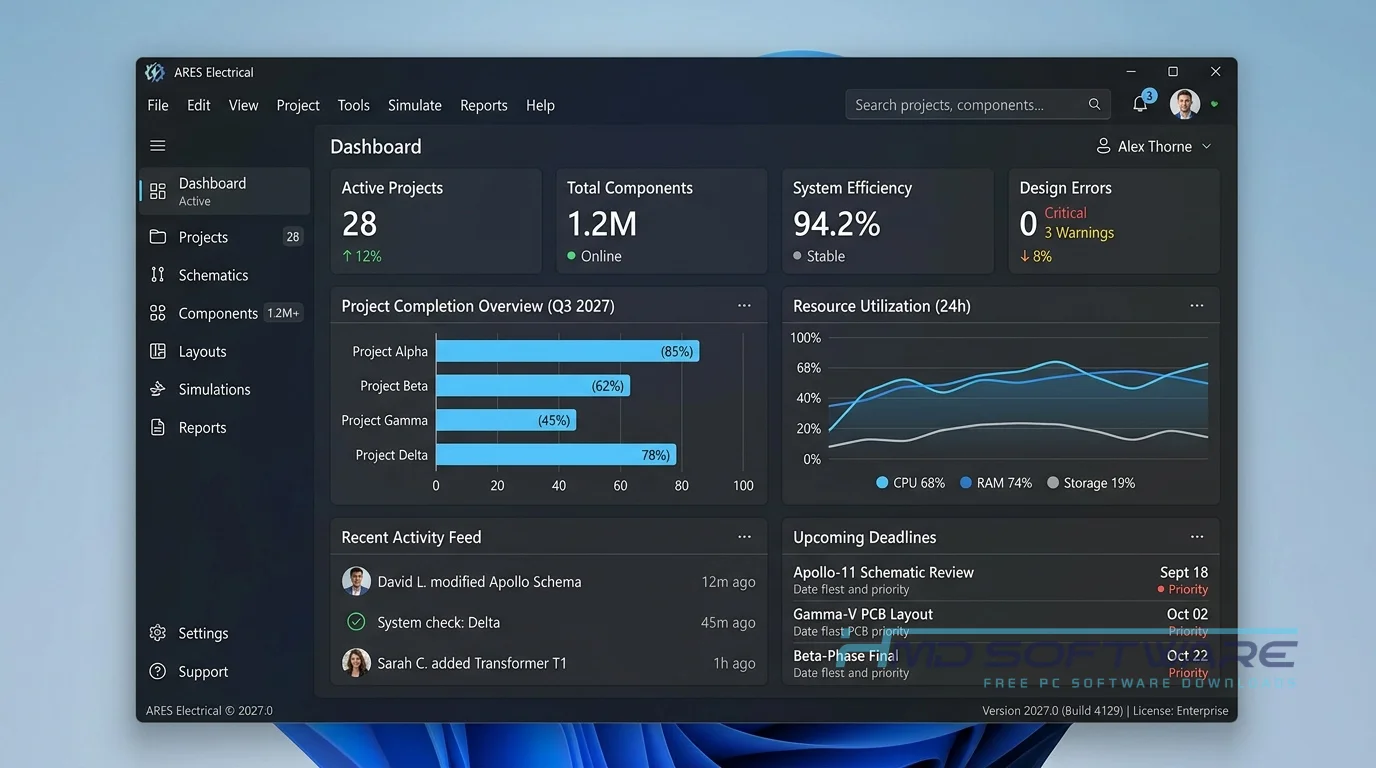
What Is ARES Electrical?
ARES Electrical is an ECAD electrical CAD tool developed by Graebert GmbH that automates electrical schematic design and project documentation generation. Built natively for Windows, this DWG-based electrical software operates under a commercial license, though users can start with a 30-day free trial. It was originally launched to provide a dedicated, free-download alternative to electrical drafting software for professional engineers.
What Does ARES Electrical Do?
This program handles all the tedious paperwork involved in electrical engineering so you can actually focus on design. For example, if you are building a motor starter circuit, you drop in your contactors and fuses. The software automatically numbers the wires and manages your terminal strips in the background.
It is heavily used for PLC diagram creation and control panel design, ensuring every component you place is tracked. By the time your schematic is done, the software instantly generates a highly accurate bill of materials BOM. You never have to manually count relays or terminal blocks again before sending a purchasing order.
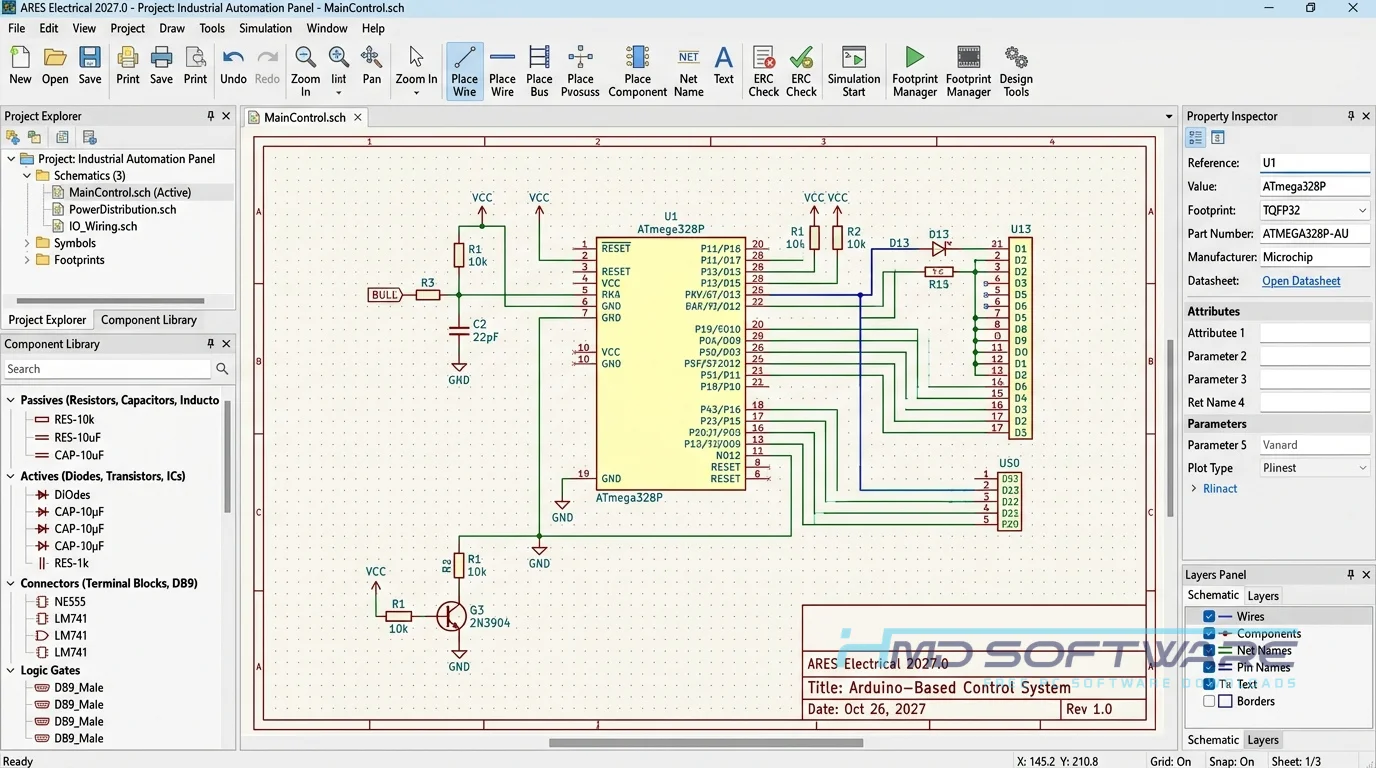
How Does ARES Electrical Work?
You start by opening a blank DWG template and pulling components directly from the massive built-in symbol library. As you connect a relay on page one to a contact on page five, the system automatically creates real-time cross-referencing.
It is designed for control panel manufacturers and automation designers who want to avoid having to search for broken links in large PDF files. If you delete a wire or move a component, the software updates the entire project immediately. This helps prevent wiring errors caused by out-of-sync schematics.
Key Features of ARES Electrical
- Smart Symbol Library: Access thousands of industry-standard components to speed up your electrical schematic automation.
- Real-Time Cross-Referencing: The engine instantly tracks and updates contact states across your entire project documentation set.
- Automated BOM Generation: Create an accurate track inventory list and bill of materials instantly without manual counting.
- Ribbon Toolbar Interface: Easily navigate your design tools in a clean, familiar workspace that resembles ARES Commander.
- Native DWG Support: Save and export files directly in the DWG file format, making it a great AutoCAD Electrical alternative.
- Cloud Collaboration: Share files securely using the integrated ARES Kudo cloud features.
Pros and Cons
Pros:
- It takes several hours of my time to automatically number the wires.
- Uses the native DWG file format, making file sharing with mechanical engineering teams simple.
- Generates highly accurate terminal strip layouts instantly.
- The ARES Trinity bundle integration makes remote team collaboration incredibly smooth.
Cons:
- The workflow can be frustrating to learn if you are only used to basic 2D CAD drafting.
- Running very complex 3D control panel assembly drawings demands an expensive, workstation-grade graphics card to prevent lag.
How To Download ARES Electrical
- Always grab the setup files directly from an authorized source or the official Graebert website to avoid malware.
- You can find a safe, verified download link on HMD Software, a reliable platform for PC software downloads.
- Choose the ARES Electrical x64 Windows 10/11 free download package, which typically runs around 1.5 GB.
- Save the precompiled installer to a folder with plenty of hard drive space.
- As a strict safety precaution, run a quick antivirus scan on the .exe file before launching the electrical CAD software setup.
How To Install ARES Electrical Step by Step
- Open your downloads folder and double-click the ARES Electrical setup download file.
- Click Yes when the Windows User Account Control window prompts you to make changes.
- Read and accept the Graebert software license agreement to continue the setup process.
- Select your primary hard drive or custom network location as the main installation folder.
- Wait while the installer unpacks the symbol libraries and core program files onto your computer.
- Click Finish, then launch the program from your desktop shortcut to start your 30-day trial.
System Requirements
Before installing this ECAD software, check your computer’s specifications to ensure it can run the program smoothly. Since large industrial automation projects demand reliable hardware, particularly when generating large PDF reports or rendering terminal strips, your computer may lag during automated wire numbering if it is underpowered.
| Requirement | Minimum | Recommended |
| Operating System | Windows 10 (64-bit) | Windows 11 (64-bit) |
| RAM | 8 GB | 16 GB or more |
| Storage | 2 GB free space | 5 GB SSD free space |
| Processor | Intel Core i5 or AMD Ryzen 5 | Intel Core i7 or higher |
| Internet | Required for activation | Required for ARES Kudo features |
| Additional | Dedicated 2GB GPU | Dedicated 4GB+ CAD GPU |
Is ARES Electrical Safe To Download?
Yes, the official ARES Electrical install file is completely safe to download and use. Because it comes directly from Graebert GmbH, it is strictly monitored and free of bundled adware, crypto miners, or spyware.
To keep your workstation secure, you must avoid shady websites that offer a full version of ARES Electrical for free using a crack. Those compromised files almost always carry ransomware that will destroy your engineering files. Stick to verified platforms and always scan your downloads.
Best Alternatives To ARES Electrical
- AutoCAD Electrical: A massive industry standard that offers familiar Autodesk interfaces, though it usually carries a much higher yearly subscription cost.
- EPLAN Electric P8: The dominant database-driven electrical design tool for massive automotive and automation firms, known for its incredible power and extremely steep learning curve.
- SolidWorks Electrical: An excellent alternative if your manufacturing company already uses SolidWorks for mechanical 3D modeling, as the electrical and mechanical environments connect perfectly together.
Conclusion
Downloading ARES Electrical 2027.0 gives you a powerful tool for drawing plans and avoiding wiring mistakes before you even start building. This is really useful for people who build control panels and automation engineers who need to work with DWG files without spending a lot on Autodesk products.
If you want to stop manually counting relays, grab the free trial download from a trusted link and test it on your next project.
Frequently Asked Questions
Is ARES Electrical free or paid?
ARES Electrical is a premium, paid commercial software built for professional engineers. You cannot get a permanent free version, but Graebert offers a fully functional 30-day free trial download. Once the trial expires, you must purchase an ARES Electrical perpetual license or a yearly subscription to continue generating schematics and exporting your project documentation.
Does ARES Electrical work on Windows 11?
Yes, the latest version of ARES Electrical runs perfectly on 64-bit Windows 11 systems. The developers actively optimize the software to ensure full compatibility with modern Windows environments and security updates. It also remains fully backward compatible with Windows 10, though you will definitely want a solid-state drive to ensure the symbol libraries load quickly.
What is the latest version of ARES Electrical?
The latest version of ARES Electrical is 2027.0. This version started with build 27.0.1.1139. This major update includes features such as real-time error checking, faster bill-of-materials creation, and improved integration with the ARES Trinity collaboration cloud. You can check your build number of ARES Electrical by clicking on the help menu and then selecting About ARES Electrical.
Is ARES Electrical safe to download and use?
Yes, it is completely safe to download as long as you use official enterprise channels or verified software portals. The genuine installer contains zero malware and passes all enterprise security checks. However, you should never attempt to download an ARES Electrical torrent or pre-activated zip file, as these pirated copies are notoriously infected with aggressive viruses.
Latest Posts:
- Microsoft Office 365 Enterprise Free Download: Full Offline Setup
- Macrium Reflect Rescue Free Download: Bootable WinPE ISO Setup
- JPLAY Femto Free Download: Bit-Perfect Audiophile PC Player
- Milestone XProtect Corporate 2025 Free Download: VMS Setup for PC
- Microsoft Office 2010 Pro Plus Free Download: Full PC Setup