




Agisoft Metashape Professional Free Download for PC: Setup Guide & Features

Quick Answer: You can safely download Agisoft Metashape Professional 2.3.1 for Windows 11 as an offline installer. The setup usually takes about five minutes, depending on your internet speed. Although it is a paid application, you can try it free for 30 days or use the demo mode, which does not allow saving.
Introduction
If you look for a way to turn flat photos into highly accurate 3D environments, this application is the answer. Agisoft Metashape is a photogrammetry tool developed by Agisoft LLC that processes digital images to generate 3D spatial data. Drone pilots, surveyors, and archaeologists use this application to build map overlays and terrain models.
Many people search for the Agisoft Metashape Professional 2.3.1 download to get the latest alignment precision fixes. Most users find that downloading the standalone offline installer saves a lot of time during deployment on field laptops. Here is a look at what the application offers and how to set it up on your system.
What Is Agisoft Metashape Pro?
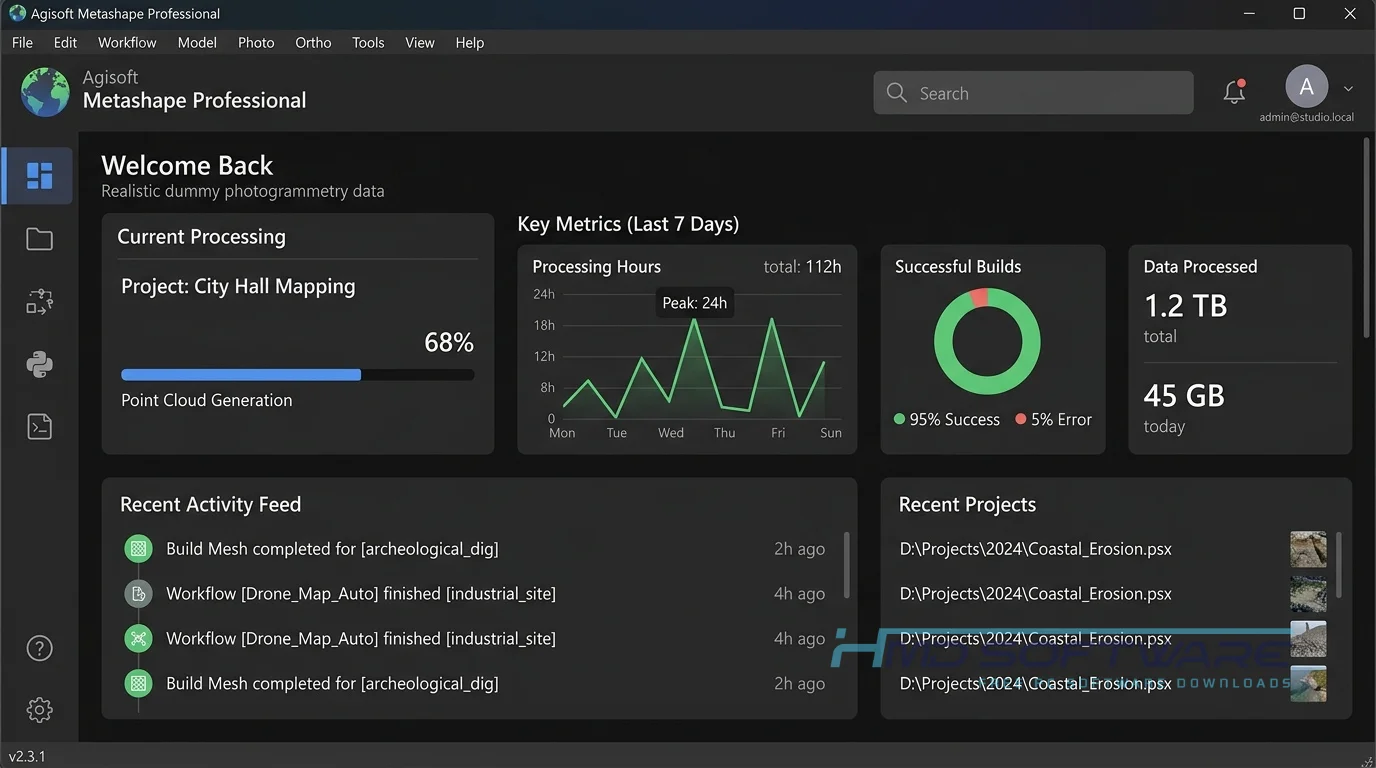
Agisoft Metashape is photogrammetry software from Agisoft LLC that turns digital images into 3D data. It works on Windows, macOS, and Linux as an image-based 3D modeling tool.
The software requires a paid commercial license but offers a free trial and a restricted demo mode download for testing.
What Does Agisoft Metashape Pro Do?
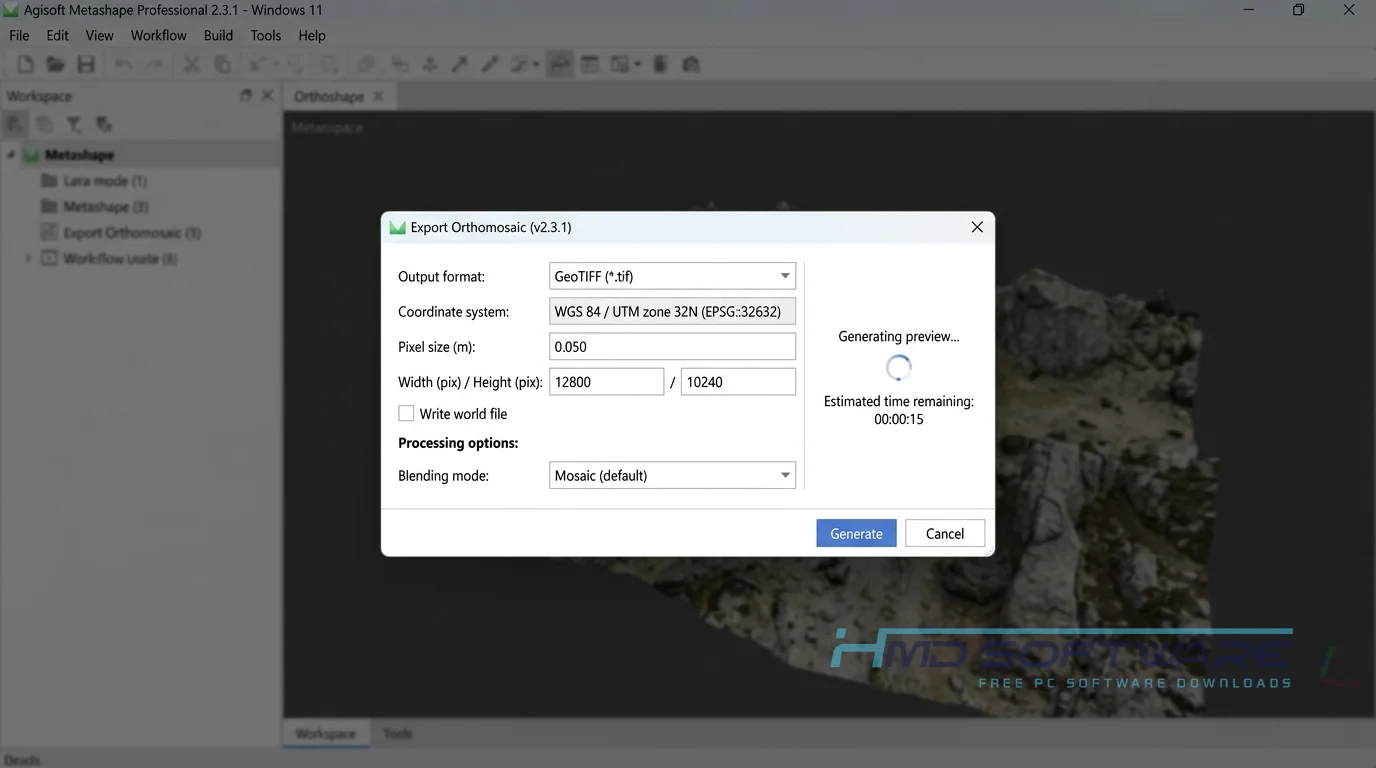
This application takes overlapping photos from cameras or drones and tracks matching points across images. Surveying software for drones, even free options, often lacks the capacity to process the thousands of high-resolution images that this setup does. For example, a drone service provider can upload photos from a DJI Phantom 4 to generate a georeferenced orthomosaic for land surveys.
Another common use case is digital archaeology. Researchers capture close-range photogrammetry shots of artifacts to build detailed models for museums. You can also process multispectral imagery from MicaSense cameras to monitor crops over time. The application builds accurate maps, digital elevation models, and texturized 3D objects from simple visual inputs.
How Does Agisoft Metashape Pro Work?
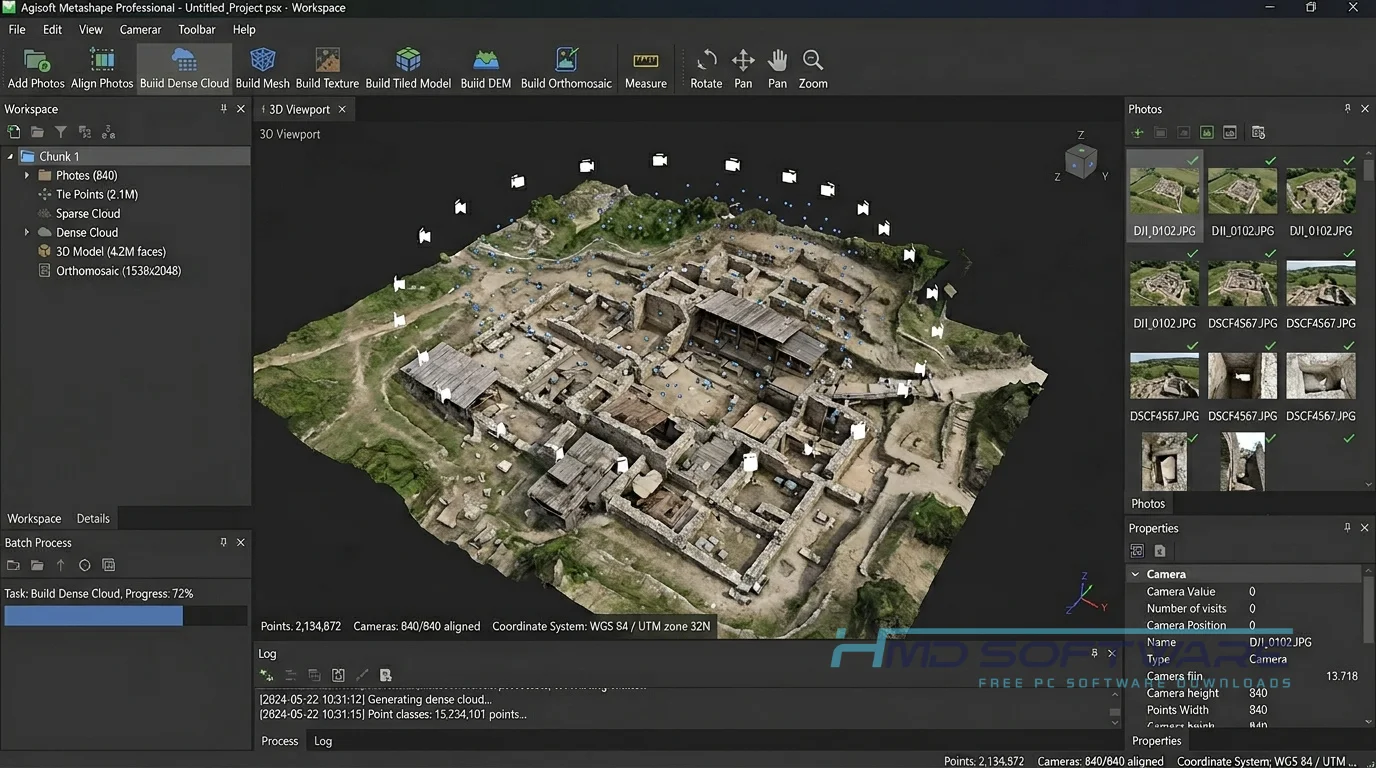
The application relies on computer vision algorithms to track points across a photographic dataset. It is built for mapping experts, GIS professionals, and visual effects artists who need to digitally rebuild real-world spaces. It solves the massive problem of manually measuring structures by automating the 3D reconstruction process directly from photographs.
You load your photos, start the camera alignment, and let the software create a dense point cloud. If your computer has more than one graphics card, processing speeds up and can handle large spatial data maps.
Key Features of Agisoft Metashape Pro
- Dense Point Cloud: Generates highly accurate coordinates to form detailed geographic data models.
- CUDA OpenCL GPU Processing: Speeds up intensive meshing tasks by leveraging your graphics hardware.
- DSM DTM Generation: Produces clear digital surface and terrain models for surveying companies.
- Cesium Publishing: Lets you export your projects directly to online cloud platforms for easy sharing.
- Multi-Camera Rig: Supports synchronized image capture arrays for advanced cinematic or industrial scanning tasks.
- UDIM Texture Layout: Lets visual effects artists use different texture maps to improve model details.
- Version Management: The built-in installer manages system updates smoothly, so you always have the latest features.
Pros and Cons
Pros
- The software runs quickly on computers with a dedicated graphics card.
- Highly accurate point clouds and orthomosaic map exports.
- Supports major drone file types and multi-camera setups.
- Works completely offline without a constant network connection.
Cons
- The software license cost is quite high for casual hobbyists.
- Processing dense clouds can completely freeze systems with lower RAM capacities.
How Can I Download Agisoft Metashape Pro for PC?
- Open your web browser and search for a verified host for the installation file.
- You can find a safe, verified download link on HMD Software, a reliable platform for PC software downloads.
- Select the latest version download that matches your specific operating system architecture.
- Click the link to save the precompiled installer package directly to your computer’s storage drive.
- Ensure the file size matches the standard package delivery specification to confirm it is intact.
- Run a quick local security scan on the downloaded package before starting the actual deployment process.
How To Install Agisoft Metashape Step by Step
- Locate the downloaded installer executable inside your system download folder.
- Double-click the installation setup file to launch the system wizard interface.
- Accept the administrator permissions prompt if Windows requests it.
- Follow the on-screen instructions and accept the terms of the user agreement.
- Choose your preferred installation directory, or keep the default Program Files path.
- Click the install button to begin copying core system data files to your drive.
- Complete the setup, then click the Finish button to close the setup wizard.
- Launch the program from your desktop shortcut to begin your photogrammetry project.
System Requirements
Before you obtain the installer package, check that your computer has the hardware required for intensive 3D rendering, as heavy spatial tracking algorithms may struggle on older machines without dedicated graphics hardware. The exact specifications required to run the program properly on a standard workstation are given below.
| Requirement | Minimum | Recommended |
| Operating System | Windows 10 (64-bit) | Windows 11 (64-bit) |
| RAM | 32 GB | 128 GB or more |
| Storage | 2 GB for installation | SSD with 500 GB free space |
| Processor | Quad-core Intel Core i7 | Octa-core Intel Core i9 or AMD Ryzen 9 |
| Internet | Optional after activation | Optional after setup |
| Additional | NVIDIA GeForce GTX 1060 | NVIDIA RTX 4080 with CUDA support |
Is Agisoft Metashape Safe To Download?
Agisoft Metashape Pro can be downloaded from a reliable and verified source. The program itself does not contain adware, tracking cookies, or any hidden scripts that could damage your system.
To keep your computer secure, do not download modified versions or files from sources. Always use security software to check new installers and verify the person who made the software is legitimate before allowing it to make changes.
Best Alternatives To Agisoft Metashape Pro
- Pix4Dmatic: This option works very well for big drone mapping projects and quick corridor survey data processing.
- RealityCapture: Many visual effects artists prefer this package because it processes large photo datasets at impressive speeds using specialized hardware.
- DroneDeploy: This is a cloud-based mapping application that performs all heavy photogrammetry calculations on remote servers rather than on your local desktop.
Conclusion
This photogrammetry software is still a top choice for turning simple images into accurate maps and models. Mapping professionals, drone pilots, and design agencies who need precise geometric data will find it a good investment.
It provides predictable accuracy for everyday workplace operations. If you are ready to start building your own 3D spatial models, look for a clean download option to test it out on your system today.
Frequently Asked Questions
Is Agisoft Metashape Pro free or paid?
Agisoft Metashape is a program you have to pay for if you want to use it for a period of time. You can try it out without paying first. You can download a trial version of Agisoft Metashape Pro to see what it can do.
The developer offers a 30-day trial license for testing, or you can switch to a demo-mode download, which lets you test the tools indefinitely but turns off file saving.
Does Agisoft Metashape Pro work on Windows 11?
Yes, the software runs smoothly on Windows 11. The Metashape Win x64 download is fully optimized to take advantage of modern system architectures and multi-threading capabilities.
You will get the best results if you install the latest graphics card drivers and keep operating system components up to date to prevent processing errors during heavy cloud rendering operations.
What is the latest version of Agisoft Metashape?
The newest version of Agisoft Metashape is Agisoft Metashape Professional 2.3.1. This version includes fixes and improves performance.
If you currently run an older version like Agisoft PhotoScan, acquiring this installer update will give you access to faster processing pipelines.
Is Agisoft Metashape safe to download and use?
Downloading the original installation files is entirely safe for your system. The package is clean of malicious tracking code or unwanted software wrappers.
Just make sure you get Agisoft Metashape Pro from a trusted website. Do not use links or fake versions of Agisoft Metashape. This will keep your computer safe. Protect your information.
Latest Posts:
- Microsoft Office 365 Enterprise Free Download: Full Offline Setup
- Macrium Reflect Rescue Free Download: Bootable WinPE ISO Setup
- JPLAY Femto Free Download: Bit-Perfect Audiophile PC Player
- Milestone XProtect Corporate 2025 Free Download: VMS Setup for PC
- Microsoft Office 2010 Pro Plus Free Download: Full PC Setup