




WPZStudio Nexzip Free Download: Fast WinRAR Alternative for Windows 11/10

Quick Answer: Yes, WPZStudio Nexzip is safe to download and completely free to use. It is an official Microsoft Store application, so you do not need any cracked versions or activation keys. The software runs smoothly on Windows 11, and the installation process takes less than a minute.
Introduction
If you work with zipped folders a lot, you may want something that can open them without showing you ads. WPZStudio Nexzip 2026 is a tool for this. A lot of people like it because it is easy to use and does not take up space on your computer, unlike WinRAR or WinZip.
I have been using WPZStudio Nexzip 1.0 for the last few weeks, and it handles batch file compression beautifully. You drag your files into the window, and it does the rest without slowing down your computer.
What is WPZStudio Nexzip?
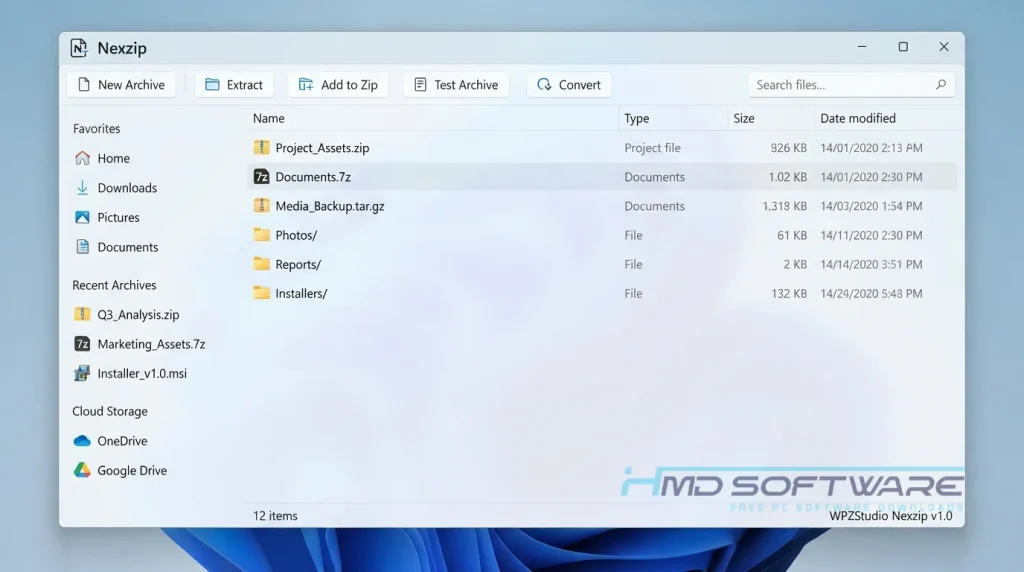
WPZStudio Nexzip is a file compression tool from WPZStudio that lets you extract and compress digital archive formats. It’s only available for Windows and is completely free, released as part of the 2026 update. This tool helps you manage large folders without needing a paid subscription.
What Does WPZStudio Nexzip Do?
This application takes large files and shrinks them into smaller, manageable archives. If you need to email fifty high-resolution photos, you can bundle them into a single ZIP format file. It also unpacks existing archives, such as RAR or 7Z formats, when you download them from the internet.
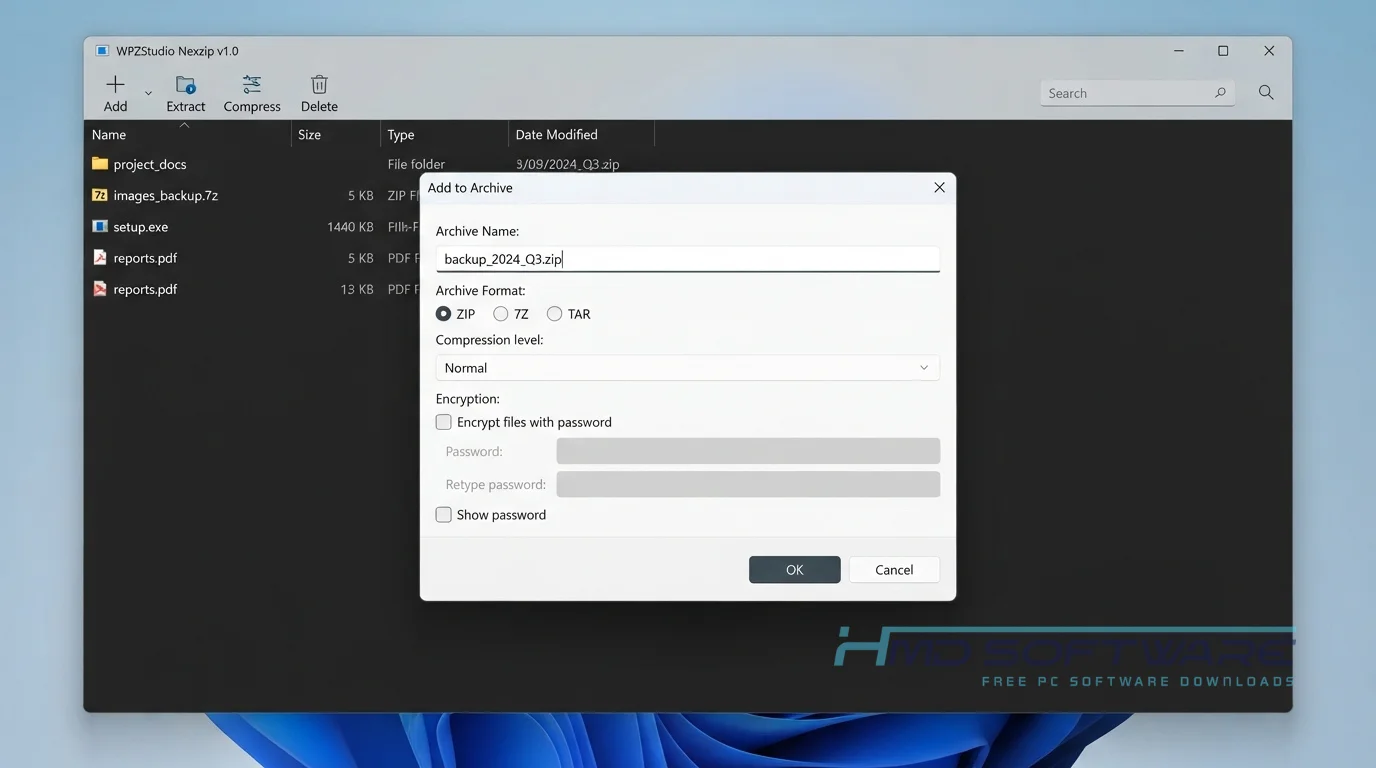
I often use it as a WinRAR alternative because it simply opens archives without nagging me to buy a license. You can create a password-protected archive when sending sensitive documents to a client. The interface is clean, allowing you to use one-click extraction directly from the right-click menu in Windows File Explorer.
How Does WPZStudio Nexzip Work?
The software integrates directly into your operating system after installation. It is built for everyday computer users who want to open a zipped folder without having to deal with complicated settings. The main problem it solves is the frustrating paywalls found in other archive manager tools.
When you double-click a compressed file, Nexzip quickly shows you what’s inside. Just select the items you want, pick where to save them, and it unpacks everything right away.
Key Features of WPZStudio Nexzip
- Fast Extraction Engine: The tool quickly unpacks large TAR.GZ or RAR files without freezing your desktop.
- Format Compatibility: You can easily manage standard ZIP and 7Z formats, as well as dozens of other rare archive types.
- Secure Encryption: Users can create a password-protected archive with standard AES encryption to keep private files secure.
- Drag-and-Drop Compression: The interface lets you drag files from your desktop and drop them straight into the app window.
- Windows Integration: It places handy shortcuts directly into your right-click context menu for one-click extraction.
- Automatic Updates: Since it runs through the Microsoft Store, you always have the latest version downloaded automatically.
Pros and Cons
Pros
- It is genuinely 100% free with no annoying upgrade prompts.
- The file size is tiny and uses almost no memory.
- Extracts encrypted file formats instantly.
- Clean, ad-free interface.
Cons
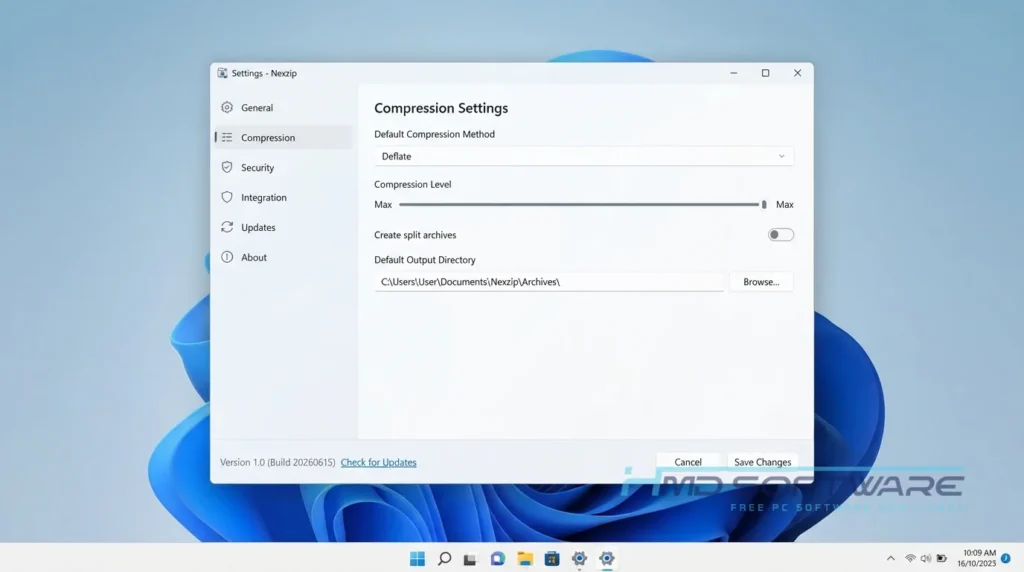
- It lacks the advanced multi-volume archive-splitting options found in older programs.
- You cannot repair heavily corrupted RAR files, which is a real limitation compared to paid tools.
- The application is strictly for Windows.
Where Can I Download WPZStudio Nexzip for Windows?
Getting the official installer is incredibly easy, and you should avoid random websites offering cracked versions, since the software is already free.
- Decide if you want the store app or the WPZStudio Nexzip offline installer download.
- HMD Software is a trusted platform where you can find the verified setup file for WPZStudio Nexzip.
- Click the direct download link to save the small 15 MB installer to your local drive.
- Wait a few seconds for the file to finish saving.
- Always run a standard virus scan on any new download just to be safe.
How To Install WPZStudio Nexzip Step by Step
- Locate the newly downloaded setup file inside your default Windows downloads folder.
- Double-click the installer package to launch the main setup wizard.
- Accept the user agreement and grant permissions when the security prompt appears.
- Choose your preferred installation directory on your primary hard drive.
- Click the final install button and wait for the extraction process to finish.
- Launch the program directly from your start menu and set it as your default archive manager tool.
System Requirements
There is no need for an expensive gaming computer to use this file extraction tool, since WPZStudio designed it to work smoothly on older Windows laptops.
Before you install the WPZStudio Nexzip 2026 update, quickly verify these hardware specifications to ensure your computer can perform the compression processes without freezing or lagging.
| Requirement | Minimum | Recommended |
| Operating System | Windows 10 (64-bit) | Windows 11 (64-bit) |
| RAM | 2 GB | 4 GB or more |
| Storage | 50 MB free space | 150 MB free space |
| Processor | Intel Core i3 or equivalent | Intel Core i5 or higher |
| Internet | Required for initial download | Optional after setup |
| Additional | Standard Keyboard and Mouse | Solid State Drive (SSD) |
Is WPZStudio Nexzip Safe To Download?
Yes, the software is completely safe to install on your computer. It comes directly from the official Microsoft Store, meaning Microsoft has already verified the code for malware and hidden viruses. You will not find any bundled adware or sneaky toolbars hiding in the installation package.
To keep your PC safe, ignore shady forums offering activation keys. The app is free, so any site claiming to offer a “premium unlock” is likely distributing malicious files.
Best Alternatives To WPZStudio Nexzip
If this tool does not fit your daily workflow, check out these three solid options:
- WinRAR: This classic, widely recognized archive tool handles highly complex RAR extraction and volume splitting for advanced power users.
- 7-Zip: An open-source, incredibly lightweight utility that provides excellent compression ratios, though the visual interface feels very dated.
- Bandizip: A fast alternative offering a beautiful, modern interface and speedy multi-core processing, but the free version contains annoying banner ads.
Conclusion
WPZStudio Nexzip 1.0 is a great free zip tool that you can use right now. It has few menus and helps you open and compress files very quickly.
If you’re tired of trial warnings every time you open a ZIP folder, it’s worth making the switch. Download it safely today and simplify your desktop workflow for good.
Frequently Asked Questions
Is WPZStudio Nexzip free or paid?
WPZStudio Nexzip is a free application for Windows. There are no fees, no trial periods, and no special features that you have to pay for.
Many websites confusingly list it alongside cracked software, but you never actually need a license key. You can install it straight from the Microsoft Store and use the full version forever without spending a dime.
Does WPZStudio Nexzip work on Windows 11?
Yes, WPZStudio Nexzip works well on Windows 11. WPZStudio Nexzip is fully compatible with Windows 11. It integrates smoothly into the right-click menu, so you do not have to click through many options to extract a folder.
The application also respects the native Windows 11 dark mode settings, so the interface will automatically adjust to match your current desktop theme without any extra configuration.
What is the latest version of WPZStudio Nexzip?
The latest version of WPZStudio Nexzip is 1.0, released in 2026. This version of WPZStudio Nexzip handles encrypted RAR files better. It compresses files faster when you drag and drop them.
If you downloaded the app via the Microsoft Store, it will automatically update itself in the background whenever the developer releases new performance patches or bug fixes.
Is WPZStudio Nexzip safe to download and use?
Yes, it is incredibly safe for your computer. Because you can get it directly from the official Microsoft Store ecosystem, the installation files pass strict security checks before they ever reach your hard drive.
The application does not require a constant internet connection to compress your files, which means your private documents remain securely offline on your local storage drive while you work.
Latest Posts:
- Microsoft Office 365 Enterprise Free Download: Full Offline Setup
- Macrium Reflect Rescue Free Download: Bootable WinPE ISO Setup
- JPLAY Femto Free Download: Bit-Perfect Audiophile PC Player
- Milestone XProtect Corporate 2025 Free Download: VMS Setup for PC
- Microsoft Office 2010 Pro Plus Free Download: Full PC Setup