




VIDBOX VHS to DVD Free Download: Best Tape-to-Digital Converter


Quick Answer: You can safely download the VIDBOX VHS-to-DVD software, but it is not a free standalone tool. You must own the physical VIDBOX capture device to convert tapes. The software runs smoothly on Windows 11, and installing the offline installer takes just a few minutes.
Introduction
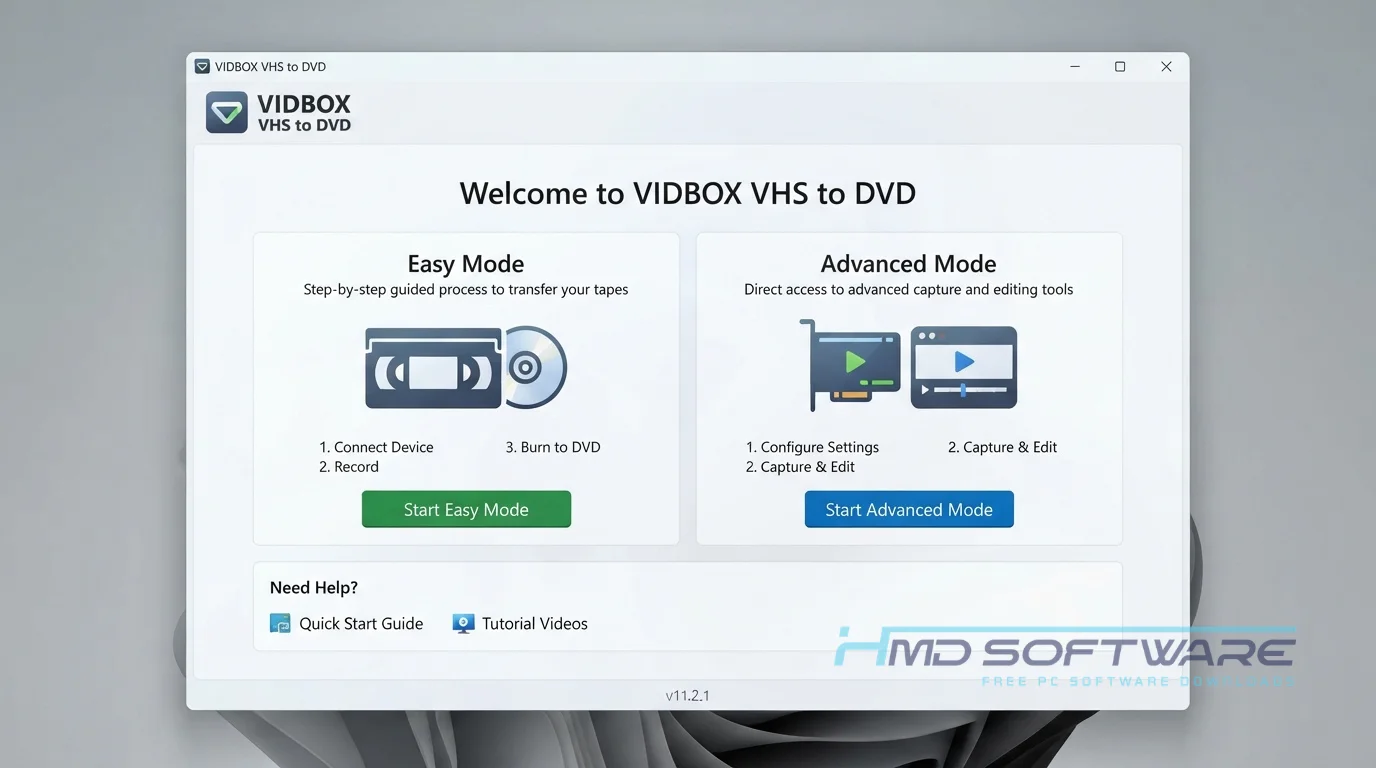
VIDBOX VHS to DVD is a video capture program that helps you digitize your old home movies. Many people use it because it makes converting VHS tapes and saving family memories simple.
If you are using the VIDBOX VHS to DVD 11.2.1 update, you will find it incredibly easy to connect a VCR to your computer.
Keep in mind, you need the physical USB video capture device for the software to read your tapes. The process is straightforward, which is great if you have many old cassettes to convert.
What is VIDBOX VHS to DVD?
VIDBOX VHS to DVD is video capture software from VIDBOX Inc. that turns old VHS tapes into digital files. It works on both Windows and Mac, but you need to buy a license and have a USB capture card.
What Does VIDBOX VHS-to-DVD Do?
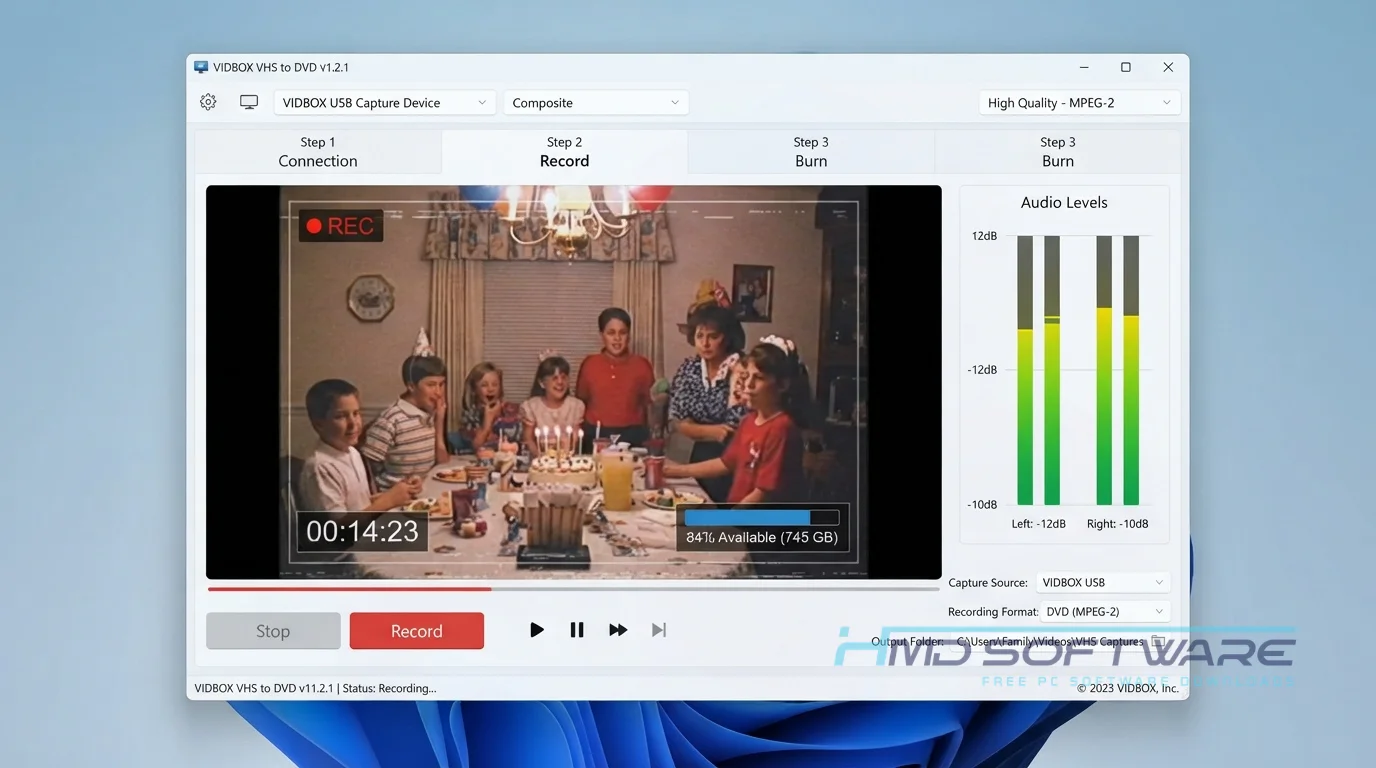
This software converts the analog video and audio signals from your VCR or camcorder into digital files on your computer. When you want to convert VHS tapes to DVD with VIDBOX, the program guides you through the process visually. You plug in your RCA cables, press play on the VCR, and the software records the feed in real-time.
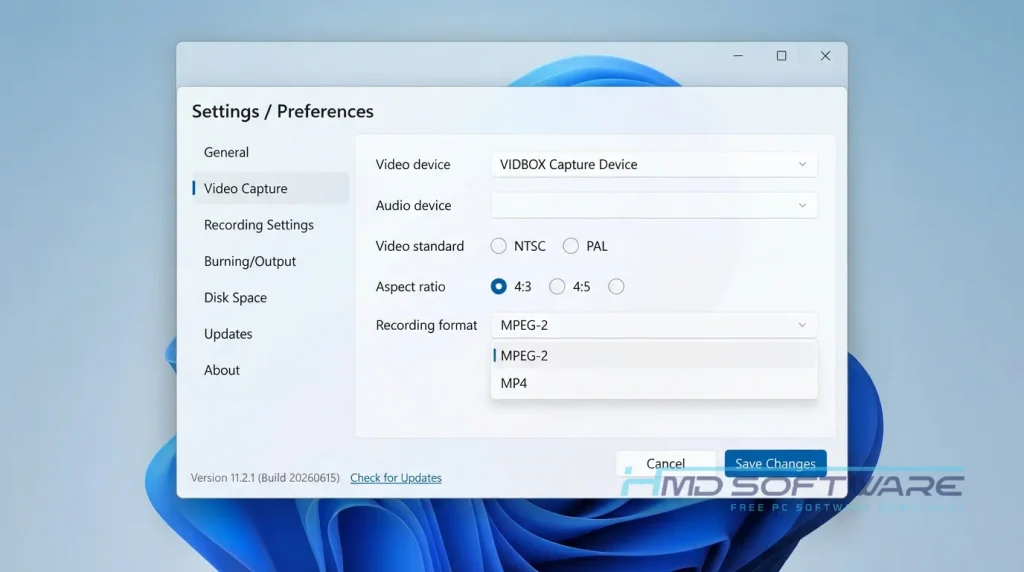
Families use this tool to save home videos before the tapes get old and no longer work. Professional archivists also use it to back up old broadcast recordings. It supports common formats such as NTSC, PAL, and SECAM, so you do not need to worry about complicated video settings.
How Does VIDBOX VHS-to-DVD Work?
The system works by bridging the gap between old analog players and modern digital hard drives. It is built specifically for everyday users who feel intimidated by complicated video editing programs. You open the Easy Wizard Mode, and the screen tells you exactly which cables to plug in.
The main problem it solves is hardware compatibility. Instead of buying expensive adapters, you use their dedicated USB video capture device to feed the video directly into the software. You literally watch your old tape play on your screen while it saves.
Key Features of VIDBOX VHS to DVD
- Easy Wizard Mode: A visual guide walks absolute beginners through the entire connection and recording process.
- Advanced Mode: Switch to this interface to quickly edit out commercials or trim unwanted footage.
- NTSC PAL SECAM Support: Read multiple regional tape formats to digitize foreign video cassettes without issues.
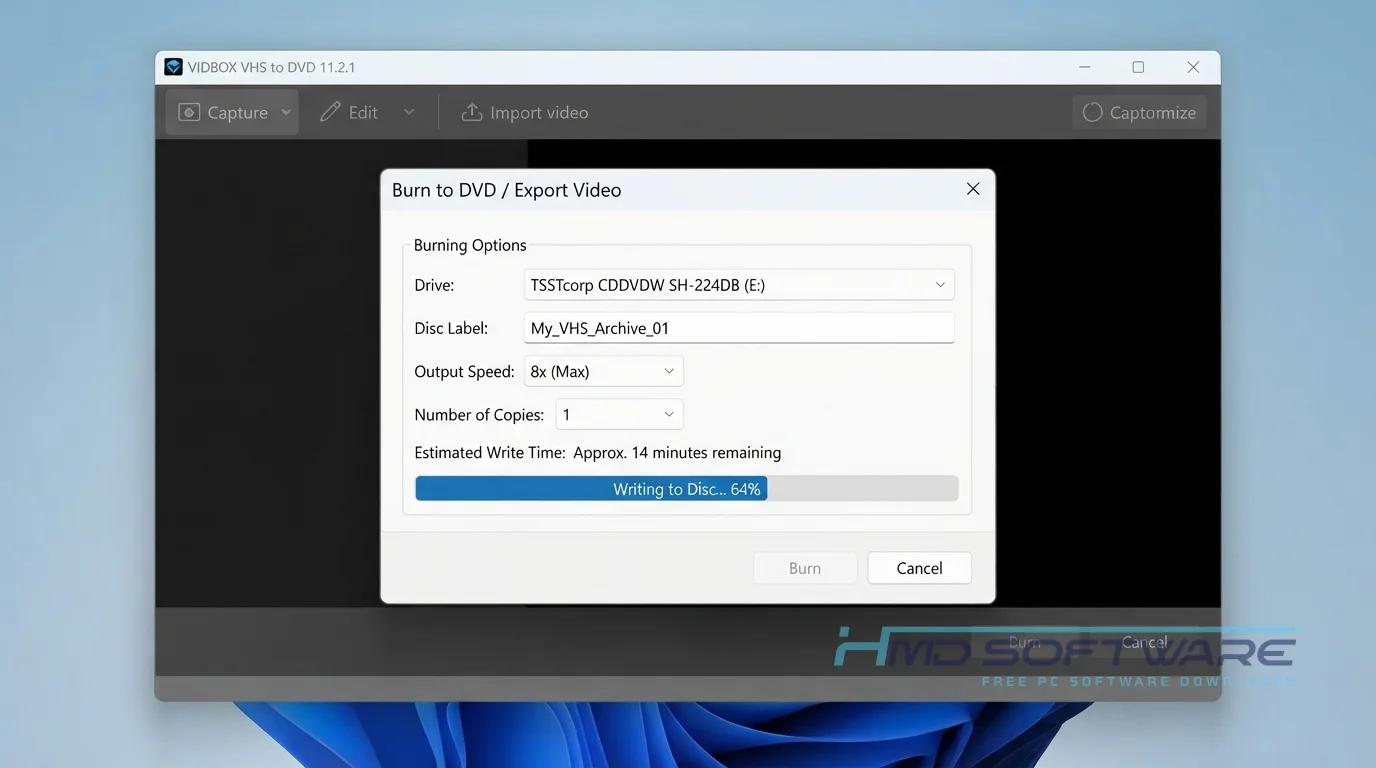
- Direct DVD Burning: The program processes and burns your newly captured video straight to a physical disc.
- Apple Silicon Compatibility: The latest Mac versions support newer processors, while the PC version runs perfectly on Windows 11.
- Digital File Export: Save your converted memories as MP4 files for easy sharing on social media.
Pros and Cons
Pros
- It has a very simple interface that anyone can understand immediately.
- Provides visual diagrams showing exactly how to connect your old cables.
- Captures both video and audio directly through one single USB connection.
- Creates small, shareable MP4 files without massive hard drive requirements.
Cons
- The software is completely useless without the proprietary VIDBOX capture device.
- Real-time recording means a two-hour tape takes exactly two hours to capture.
- Lacks advanced color correction tools found in high-end video editors.
How to Download VIDBOX Software for an Existing Capture Device
If you already own the hardware, grabbing the setup file is easy. HMD Software is a trusted platform where you can find the verified setup file for VIDBOX VHS to DVD.
- Visit the HMD Software directory or the official VIDBOX Inc website.
- Select the correct operating system version, keeping Windows or Mac differences in mind.
- Download the offline installer, which is roughly 200 MB.
- Save the file to your desktop for quick access.
- Keep your VIDBOX software license product key handy, as you will need it during the setup.
Always avoid sketchy sites promising a free full version, as they often bundle malware.
How To Install VIDBOX VHS to DVD Step by Step
- Locate the downloaded setup file in your main Windows downloads folder.
- Double-click the installer icon to launch the initial setup wizard.
- Accept the software user agreement and grant the necessary system permissions.
- Choose your preferred installation folder directly on your main hard drive.
- Enter your 25-character product key when prompted.
- Let the progress bar finish copying all the necessary background files.
- Plug in your USB capture device and open the newly installed program.
System Requirements
Before you start putting your tapes onto the computer, you should check what kind of computer you have. The VIDBOX VHS-to-DVD program works on Windows 11 computers, but you need a good one to handle video. Here is what you need to run the program smoothly, without dropped frames or audio issues.
| Requirement | Minimum | Recommended |
| Operating System | Windows 10 (64-bit) | Windows 11 (64-bit) |
| RAM | 4 GB | 8 GB or more |
| Storage | 15 GB free space | 50 GB free space |
| Processor | Intel Core i3 | Intel Core i5 or higher |
| Internet | Required for activation | Optional after setup |
| Additional | Available USB 2.0 port | Available USB 3.0 port |
Is VIDBOX Safe To Buy?
Yes, VIDBOX is safe to buy and install on your computer. If you get it from the official developer or trusted retailers, the installer does not include adware or tracking software. The program always passes virus scans.
If you are looking to purchase the VIDBOX capture kit, you should buy it from stores or the official VIDBOX website. Do not download cracked versions to avoid entering the product key, as these files often contain hidden malware that can steal your personal information.
Best Alternatives To VIDBOX VHS to DVD
- Elgato Video Capture: Offers slightly better Mac integration and a very sleek interface, though it generally costs more.
- Honestech VHS to DVD: Offers very similar hardware and software features, but many users find the VIDBOX vs Honestech VHS-to-DVD comparison leans toward VIDBOX for ease of use.
- ClearClick Video to Digital Converter: A standalone device that records directly to a flash drive without requiring a connected computer at all.
Conclusion
This software remains the most reliable way to digitize your aging family videotapes before they degrade. Anyone sitting on a box of old home movies should grab the hardware kit and start preserving those memories today. If you already have the device but have lost the application, you can safely download the installer above to reconnect your VCR to your PC.
Frequently Asked Questions
Do I need the hardware device to use the VIDBOX software?
Yes, you absolutely need the physical USB video capture device to use this software. The application cannot magically pull video from a VCR without the hardware bridging the connection.
If you download the program without owning the matching USB capture card, it will simply fail to detect any video feed. This is a complete hardware and software package.
Does VIDBOX VHS-to-DVD work on Windows 11?
Yes, the latest version of this tape-to-DVD conversion tool runs perfectly on Windows 11. The developer consistently updates the drivers so the USB capture card communicates smoothly with modern computers.
You do not need to run the application in compatibility mode, though a standard USB 2.0 or 3.0 port is strictly required for the hardware connection.
What is the latest version of VIDBOX VHS to DVD?
In 2026, the VIDBOX VHS-to-DVD version 11.2.1 for computers enhanced audio syncing for long recordings and improved the software’s performance on Apple Silicon Macs.
Checking your software version occasionally ensures you have the latest bug fixes, especially if you plan to capture tapes longer than two hours.
How do I find my VIDBOX product key?
Your 25-character product key is typically located on a sticker attached to the white CD sleeve inside the original retail box. If you purchased a digital VIDBOX software license, the key was sent to your email address at checkout. You must have this exact code to activate the offline installer, so keep it in a safe place.
Latest Posts:
- Microsoft Office 365 Enterprise Free Download: Full Offline Setup
- Macrium Reflect Rescue Free Download: Bootable WinPE ISO Setup
- JPLAY Femto Free Download: Bit-Perfect Audiophile PC Player
- Milestone XProtect Corporate 2025 Free Download: VMS Setup for PC
- Microsoft Office 2010 Pro Plus Free Download: Full PC Setup